Hello everyone! It is with great pleasure that I announce that the workshop is now open!
Full notes
Full Kidnapped Girl update
Read the full published notes in a cleaner layout. The original post stays linked below.
Repeated intro
Hello everyone! It is with great pleasure that I announce that the workshop is now open! Anyone can create their own mods like in the game "Everlasting Summer" ^^
What changed
0 fixes1 addition4 changes0 removals
Workshop
Gameplay
UI and audio
changedHello everyone! It is with great pleasure that I announce that the workshop is now open! Anyone can create their own mods like in the game "Everlasting Summer" ^^
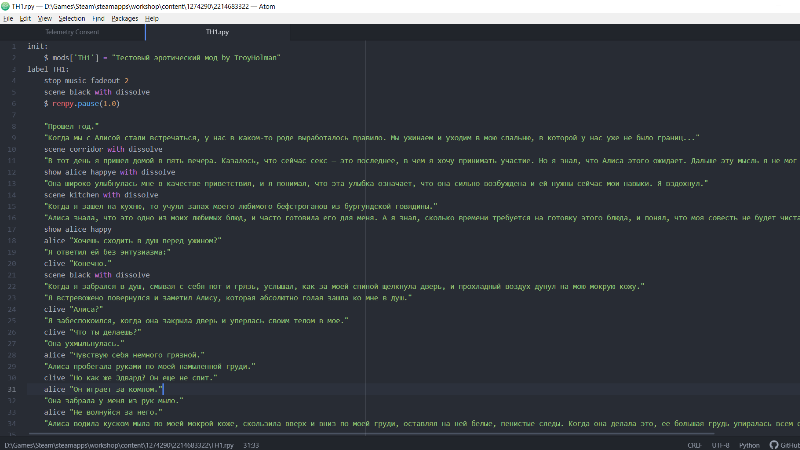
addedHow to create and download a mod: Create a new folder anywhere, and in it the script (.rpy) of the mod where you write your script. You must add an input to your mod. Example:
changedLabel names (CS_Start) should not be the same with other mods or the original game, so I recommend giving your labels and variables prefixes. "Clive's Backstory" is the name of your mod in the game. When you have finished the mod, you can proceed to upload the mod to the workshop. To do this, you need to launch the "KidnappedGirlUploader.exe" application, which is located in the "game" folder (Steam|steamapps|common|Kidnapped Girl|game|uploader mods). There you write the name of the mod, a description, indicate the path to your mod and the path to the preview (to the cover for the workshop).
changedAll mods you downloaded can be found here: Steam|steamapps|workshop|content|1274290
changedIf you want a more detailed guide on how to create mods, you can look at YouTube for guides on creating mods for any visual novel that has a workshop (for example, the game "Everlasting Summer"). There, almost everything also needs to be done.
Kidnapped Girl changes
changedHello everyone! It is with great pleasure that I announce that the workshop is now open! Anyone can create their own mods like in the game "Everlasting Summer" ^^
addedHow to create and download a mod: Create a new folder anywhere, and in it the script (.rpy) of the mod where you write your script. You must add an input to your mod. Example:
changedLabel names (CS_Start) should not be the same with other mods or the original game, so I recommend giving your labels and variables prefixes. "Clive's Backstory" is the name of your mod in the game. When you have finished the mod, you can proceed to upload the mod to the workshop. To do this, you need to launch the "KidnappedGirlUploader.exe" application, which is located in the "game" folder (Steam|steamapps|common|Kidnapped Girl|game|uploader mods). There you write the name of the mod, a description, indicate the path to your mod and the path to the preview (to the cover for the workshop).
changedAll mods you downloaded can be found here: Steam|steamapps|workshop|content|1274290
changedIf you want a more detailed guide on how to create mods, you can look at YouTube for guides on creating mods for any visual novel that has a workshop (for example, the game "Everlasting Summer"). There, almost everything also needs to be done.
How to create and download a mod
Create a new folder anywhere, and in it the script (.rpy) of the mod where you write your script. You must add an input to your mod.
Example
init: $ mods ["CS_Start"] = "Clive's Backstory" label CS_Start: stop music fadeout 2 "And here is the history itself" "Blah blah ..." "Blah ..." "End of script." return
Label names (CS_Start) should not be the same with other mods or the original game, so I recommend giving your labels and variables prefixes. "Clive's Backstory" is the name of your mod in the game. When you have finished the mod, you can proceed to upload the mod to the workshop. To do this, you need to launch the "KidnappedGirlUploader.exe" application, which is located in the "game" folder (Steam|steamapps|common|Kidnapped Girl|game|uploader mods). There you write the name of the mod, a description, indicate the path to your mod and the path to the preview (to the cover for the workshop).
All mods you downloaded can be found here: Steam|steamapps|workshop|content|1274290
If you want a more detailed guide on how to create mods, you can look at YouTube for guides on creating mods for any visual novel that has a workshop (for example, the game "Everlasting Summer"). There, almost everything also needs to be done.