
HomeGamesUpdatesPricingMethodology
Steam News28 June 20242y ago

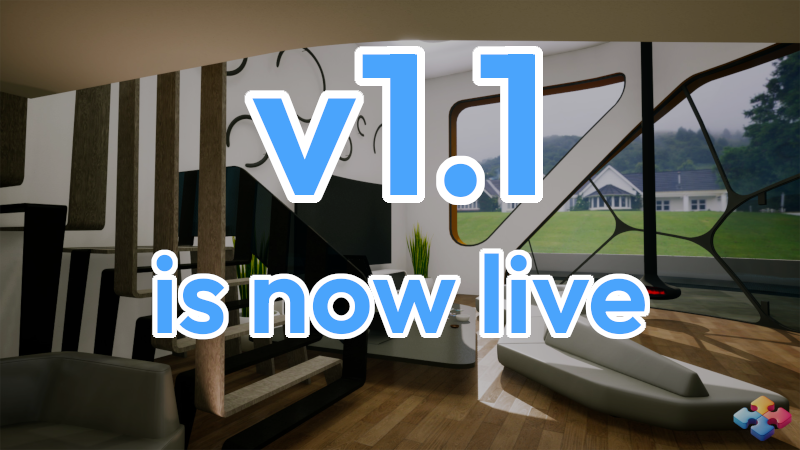
Jigs4w3D v1.1 is now LIVE!

Added a new feature - Auto arrange [expand type="details"]Use the Auto arrange button from the Game menu to respawn all unplaced puzzle pieces into a more organized formation[/expand] Added 'Rotate puzzle pieces' and 'Z

Full notes

Full Jigs4w3D Puzzle Challenge update

Read the full published notes in a cleaner layout. The original post stays linked below.

What changed

1 fix4 additions4 changes0 removals
  • UI and audio
  • Gameplay
  • Fixes
  • Performance
addedAdded a new feature - Auto arrange [expand type="details"]Use the Auto arrange button from the Game menu to respawn all unplaced puzzle pieces into a more organized formation[/expand]
addedAdded 'Rotate puzzle pieces' and 'Zoom' features to keyboard shortcuts 'X' and 'C' [expand type="details"] Use keyboard button 'X' to - rotate a grabbed puzzle piece (counterclockwise) by 15 degrees (off-board), or by 90 degrees (on-board) - zoom in Use keyboard button 'C' to - rotate a grabbed puzzle piece (clockwise) by 15 degrees (off-board), or by 90 degrees (on-board) - zoom out Note: Rotation using mouse wheel remained intact. [/expand]
addedAdded a new image category - Flowers
addedAdded 11 new puzzles for the 'Free to play' version[expand type="details"] Cats - Oh no! Water!, Sleeping Dogs - Tired Landscapes - Savannah, Sunrise Cars - Red car in fire, Red wonder Abstract - Blue pear, Orange Flowers - Roses, Tulip fields [/expand]
fixedFixed a case where completion icons for puzzles that don't have achievements haven't appeared after completion
changedImproved lights in the 'Living room' environment

Jigs4w3D Puzzle Challenge changes

addedAdded a new feature - Auto arrange [expand type="details"]Use the Auto arrange button from the Game menu to respawn all unplaced puzzle pieces into a more organized formation[/expand]
addedAdded 'Rotate puzzle pieces' and 'Zoom' features to keyboard shortcuts 'X' and 'C' [expand type="details"] Use keyboard button 'X' to - rotate a grabbed puzzle piece (counterclockwise) by 15 degrees (off-board), or by 90 degrees (on-board) - zoom in Use keyboard button 'C' to - rotate a grabbed puzzle piece (clockwise) by 15 degrees (off-board), or by 90 degrees (on-board) - zoom out Note: Rotation using mouse wheel remained intact. [/expand]
addedAdded a new image category - Flowers
addedAdded 11 new puzzles for the 'Free to play' version[expand type="details"] Cats - Oh no! Water!, Sleeping Dogs - Tired Landscapes - Savannah, Sunrise Cars - Red car in fire, Red wonder Abstract - Blue pear, Orange Flowers - Roses, Tulip fields [/expand]
fixedFixed a case where completion icons for puzzles that don't have achievements haven't appeared after completion
  • Added a new feature - Auto arrange

    [expand type="details"]Use the Auto arrange button from the Game menu to respawn all unplaced puzzle pieces into a more organized formation[/expand]

  • Added 'Rotate puzzle pieces' and 'Zoom' features to keyboard shortcuts 'X' and 'C'

    [expand type="details"] Use keyboard button 'X' to - rotate a grabbed puzzle piece (counterclockwise) by 15 degrees (off-board), or by 90 degrees (on-board) - zoom in

    Use keyboard button 'C' to - rotate a grabbed puzzle piece (clockwise) by 15 degrees (off-board), or by 90 degrees (on-board) - zoom out

    Note: Rotation using mouse wheel remained intact. [/expand]

  • Added a new image category - Flowers

  • Added 11 new puzzles for the 'Free to play' version[expand type="details"] Cats - Oh no! Water!, Sleeping Dogs - Tired Landscapes - Savannah, Sunrise Cars - Red car in fire, Red wonder Abstract - Blue pear, Orange Flowers - Roses, Tulip fields [/expand]

  • Fixed a case where completion icons for puzzles that don't have achievements haven't appeared after completion

  • Improved lights in the 'Living room' environment

  • Improved spawn mechanism

  • Various physics optimizations

  • Minor tweaks and bugfixes

Don't forget to let us know what features or improvements you'd like to see in Jigs4w3D!

Source

Steam News / 28 June 2024

Open original post

Changelog.gg summarizes and formats this update. How we read updates.