
HomeGamesUpdatesPricingMethodology
Steam News1 October 20259mo ago

Jade Spring 1.3b Update

Hello everyone! At last I have an update for Jade Spring! Apologies for the wait; I got bogged down with life, then happened to get pretty sick on top of it all.

In this update1

Full notes

Full Jade Spring update

Read the full published notes in a cleaner layout. The original post stays linked below.

Repeated intro

Hello everyone! At last I have an update for Jade Spring! Apologies for the wait; I got bogged down with life, then happened to get pretty sick on top of it all. It’s no fun not being able to sit up and make games, so I was so happy to be able to get back to it. And though this is a fairly modest update, some big changes had to be made behind the scenes to accomodate DirectX support and multiple decoration files.

What changed

2 fixes7 additions0 changes1 removal
  • Gameplay
  • Performance
  • Fixes
  • UI and audio
addedThat’s right! You can now have multiple decoration templates and switch freely between them. To access this feature you will need to complete the clearing out of the garden. Once finished, an orb will appear next to Ratchet – interact with it and you’ll be taken to a special room where you can not only swap templates, but reset and clear your garden, too. I made a development log video on the update a little while ago – you can get an idea of what’s going on by checking it out!
addedThere are some features and information you might notice is missing, like any kind of indication or tutorial for this new feature. I’ll be updating Jade Spring some more in the next little while to add these kinds of things, as well as to fix the inevitable bugs that will crop up in the next few days. I was just itching to get the update out, so that I could get some feedback (you guys are the best!) and continue moving forward. We have couple of really good decorations from areyoshi coming soon which I’m excited to finalise putting in! I also want to give a big thank you to anari , who has extensively tested the game and especially the design templates feature.
addedPatch notesAdded the Otter's Enclave. Enter the Enclave using the portal which spawns next to Ratchet after the entire garden has been cleared of bugs, weeds, and Dragonvoid. You can use the banner there to clear or reset the garden to its default state, all in one go. The design panel is also accessible from the Enclave, which lets you manage and swap between designs – decoration layouts which can easily be changed and shared.
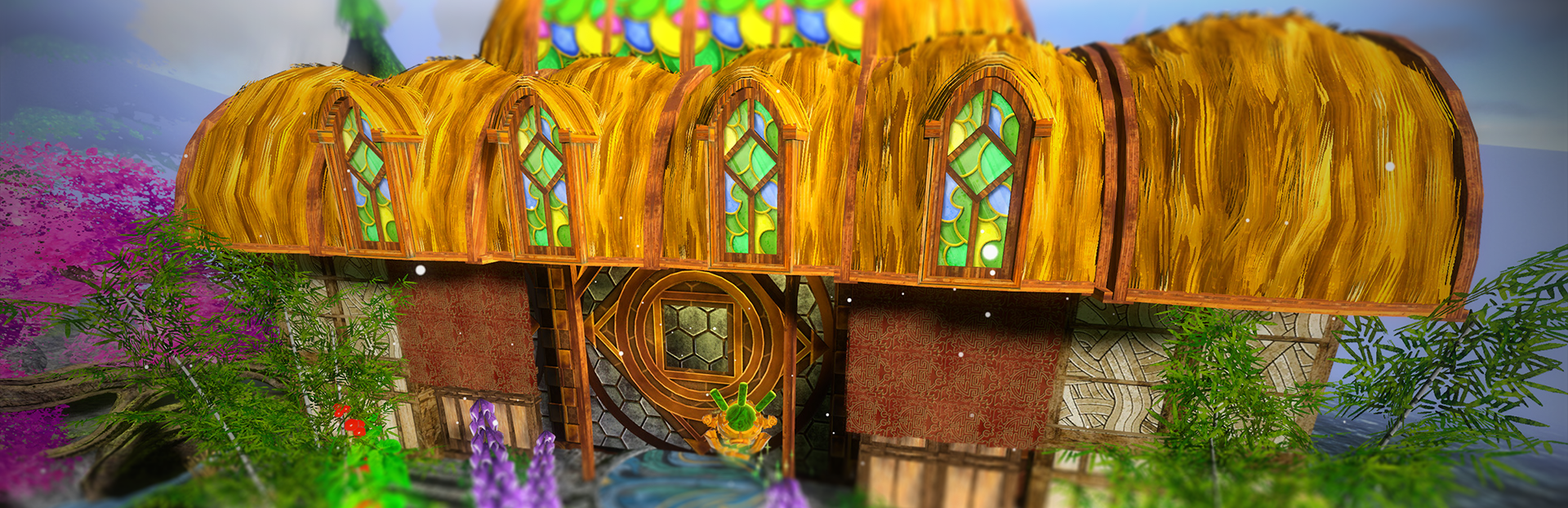
addedPatch notesAdded new decorations. Lowland decorations: ‘Kodan Roof Window Piece’, ‘Kodan Roof Piece’ (two variants), ‘Kodan Corner Roof Piece’, ‘Kodan Foxglove’, ‘Kodan Patio Roof’, ‘Kodan Support Column’.
addedPatch notesAdded settings. Added depth of field, which can be enabled or disabled in settings. Added the ability to cap FPS at 144 while keeping Vsync enabled. Added a ‘draw cap’ setting which allows smaller decorations to not be drawn out of certain distances, increasing performance. Added a brightness slider in addition to the saturation slider. Added DirectX support. You can enable this by adding --rendering-driver d3d12 as an argument when you run the game. On Steam you can do this under launch options.
addedPatch notesGameplay and visual improvements. Ratchet has been updated with an improved design. A new featured pane in the decoration manager highlights new decorations and features, as well as cool parts of Jade Spring that you may have missed. Added a grid which appears when in ‘snapping’ mode, useful for visually aligning decorations. Your Jade Bot will become a salmon when on the ocean with gravity mode enabled. Added some small hints for handy features, like collecting Karma from fish after the tutorial is complete. Reduced the snapping increment from 0.5 units to 0.25 units to make adding details according to a consistent grid easier. Many small improvements and performance enhancements.

Jade Spring changes

addedThat’s right! You can now have multiple decoration templates and switch freely between them. To access this feature you will need to complete the clearing out of the garden. Once finished, an orb will appear next to Ratchet – interact with it and you’ll be taken to a special room where you can not only swap templates, but reset and clear your garden, too. I made a development log video on the update a little while ago – you can get an idea of what’s going on by checking it out!
addedThere are some features and information you might notice is missing, like any kind of indication or tutorial for this new feature. I’ll be updating Jade Spring some more in the next little while to add these kinds of things, as well as to fix the inevitable bugs that will crop up in the next few days. I was just itching to get the update out, so that I could get some feedback (you guys are the best!) and continue moving forward. We have couple of really good decorations from areyoshi coming soon which I’m excited to finalise putting in! I also want to give a big thank you to anari , who has extensively tested the game and especially the design templates feature.
addedAdded the Otter's Enclave. Enter the Enclave using the portal which spawns next to Ratchet after the entire garden has been cleared of bugs, weeds, and Dragonvoid. You can use the banner there to clear or reset the garden to its default state, all in one go. The design panel is also accessible from the Enclave, which lets you manage and swap between designs – decoration layouts which can easily be changed and shared.
addedAdded new decorations. Lowland decorations: ‘Kodan Roof Window Piece’, ‘Kodan Roof Piece’ (two variants), ‘Kodan Corner Roof Piece’, ‘Kodan Foxglove’, ‘Kodan Patio Roof’, ‘Kodan Support Column’.
addedAdded settings. Added depth of field, which can be enabled or disabled in settings. Added the ability to cap FPS at 144 while keeping Vsync enabled. Added a ‘draw cap’ setting which allows smaller decorations to not be drawn out of certain distances, increasing performance. Added a brightness slider in addition to the saturation slider. Added DirectX support. You can enable this by adding --rendering-driver d3d12 as an argument when you run the game. On Steam you can do this under launch options.

That’s right! You can now have multiple decoration templates and switch freely between them. To access this feature you will need to complete the clearing out of the garden. Once finished, an orb will appear next to Ratchet – interact with it and you’ll be taken to a special room where you can not only swap templates, but reset and clear your garden, too. I made a development log video on the update a little while ago – you can get an idea of what’s going on by checking it out!

There are some features and information you might notice is missing, like any kind of indication or tutorial for this new feature. I’ll be updating Jade Spring some more in the next little while to add these kinds of things, as well as to fix the inevitable bugs that will crop up in the next few days. I was just itching to get the update out, so that I could get some feedback (you guys are the best!) and continue moving forward. We have couple of really good decorations from areyoshi coming soon which I’m excited to finalise putting in! I also want to give a big thank you to anari, who has extensively tested the game and especially the design templates feature.

Patch notes

  • Added the Otter's Enclave.

    • Enter the Enclave using the portal which spawns next to Ratchet after the entire garden has been cleared of bugs, weeds, and Dragonvoid.

    • You can use the banner there to clear or reset the garden to its default state, all in one go.

    • The design panel is also accessible from the Enclave, which lets you manage and swap between designs – decoration layouts which can easily be changed and shared.

  • Added new decorations.

    • Lowland decorations: ‘Kodan Roof Window Piece’, ‘Kodan Roof Piece’ (two variants), ‘Kodan Corner Roof Piece’, ‘Kodan Foxglove’, ‘Kodan Patio Roof’, ‘Kodan Support Column’.

  • Added settings.

    • Added depth of field, which can be enabled or disabled in settings.

    • Added the ability to cap FPS at 144 while keeping Vsync enabled.

    • Added a ‘draw cap’ setting which allows smaller decorations to not be drawn out of certain distances, increasing performance.

    • Added a brightness slider in addition to the saturation slider.

    • Added DirectX support. You can enable this by adding --rendering-driver d3d12 as an argument when you run the game. On Steam you can do this under launch options.

  • Gameplay and visual improvements.

    • Ratchet has been updated with an improved design.

    • A new featured pane in the decoration manager highlights new decorations and features, as well as cool parts of Jade Spring that you may have missed.

    • Added a grid which appears when in ‘snapping’ mode, useful for visually aligning decorations.

    • Your Jade Bot will become a salmon when on the ocean with gravity mode enabled.

    • Added some small hints for handy features, like collecting Karma from fish after the tutorial is complete.

    • Reduced the snapping increment from 0.5 units to 0.25 units to make adding details according to a consistent grid easier.

    • Many small improvements and performance enhancements.

(10/1/2025 fixes)

  • Fixed an issue which would cause your current design not to save properly upon starting a new story.

  • Fixed a bug which would crash the game if you tried to make an empty multiple selection.

  • (Debug only) removed extraneous camera information from the debug HUD.

I’m hoping that we can call Jade Spring’s next update ‘1.0’ and have it in a pretty stable position! I really like the idea of continuing to add periodic decorations (maybe on schedule) in addition to other development. Maybe we could vote on Bluesky as to which decoration’s we’d like to see in the game next. I can’t thank you enough for all of your support and kindness over these past few months. Please enjoy the update!

Source

Steam News / 1 October 2025

Open original post

Changelog.gg summarizes and formats this update. How we read updates.