
Full notes
Full INPUT6 update
Read the full published notes in a cleaner layout. The original post stays linked below.
What changed
- Gameplay
- UI and audio
- Balance
- Performance
GAMEPLAY AND VISUAL REVAMP
Redesigned mechanics, improved graphics, fully animated robot, new settings and bugfixes galore!
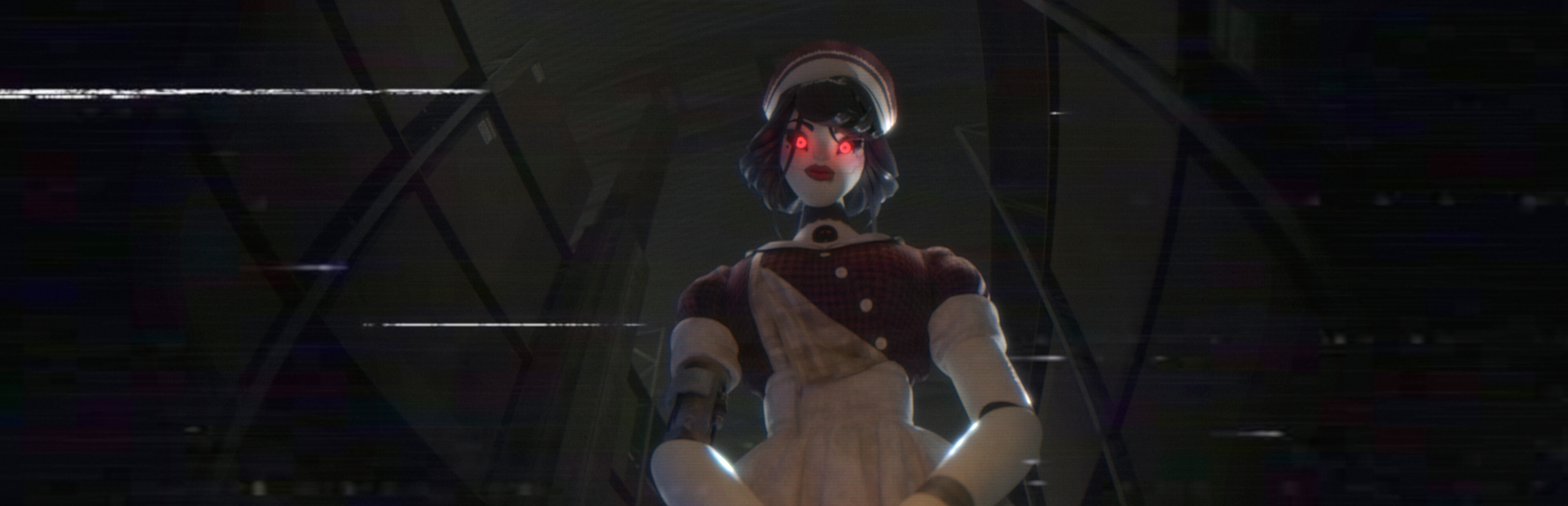
Graphical overhaul with rebaked lighting, fully animated MAIDAI, a few redesigned mechanics, new sounds, new game settings and lots of smaller adjustments and bugfixes.
Even though a lot has changed, the game remains true to its original form, maintaining its style, atmosphere, gameplay loop, lore (... with one small addition) - just looks better, plays better, is more readable and cohesive in its design. You can say this update is a remaster of sorts.
With that in mind: this update is mostly geared towards new players and existing fans of the game. There are a lot of changes and adjustments, but the overall gameplay experience stays pretty similar, so players that have already finished the game may not find the differences substantial enough to justify a full replay.
If you are interested in the story or lore of the game - there are no major changes, only one new looping cutscene played in place of the previous TIME’S OUT screen.
Unfortunately, because of the changes in the settings, a new settings file format had to be made. After you update the game, all of your settings will be lost and you’ll have to set them again. If you did not change the directory of your save file, your progress will not be reset.
INPUT6 v1.2.0 CHANGELOG
GAMEPLAY CHANGES:
Robot’s actions are now animated and emit sound
Added new behavior - robot can spawn turned away from the player, you have a fraction of a second to turn away from the robot to not be noticed
Redesigned the robot’s “running” behavior:
Robot is animated and moves from its spawn point to player’s position
Robot can run towards the player only after it is already spawned and only when it has straight, unobstructed path to the player
Player automatically rotates towards the running robot
Player cannot move while the robot is running towards them
When noticed by the robot the camera now automatically turns towards it and zooms in on it, also player cannot move (until the INPUT is switched) - spotting the robot is now way more obvious
Detecting whether a robot is in the player's view is now more accurate - raycasts now look for robot’s head and legs regions (different points in space depending on robot’s current pose)
Changed remotes’ spawn points probability - less often in office spaces on INPUT2
Added random quiet sounds emitted when robot changes its position
Added ‘rising tension’ sound - louder as time passes (in CLASSIC, EASY, NO_MINIGAMES and CHALLENGE game modes)
Balance changes
GRAPHICS CHANGES:
New fully animated robot model
Lighting overhaul:
All lighting rebaked using physically based renderer - basically everything looks more realistic
New light placement - most locations have been relit to create spookier atmosphere and make the environment easier to navigate - previously too many dark, hardly noticeable places/entrances, especially on INPUT3
New faux-volumetric light shader visible near light emitters
New animated and looping cutscene in a place of “TIME’S OUT” screen
UI changes:
Updated controller input icons - slightly bigger and more readable
New text placement method - less text jitter during slight on-screen changes
Corrected text placement in menus
Text-based UI has been visually unified - same style (color, font, size) for the same purpose
Redesigned sound player UI in ARCHIVES + added audio transcription section
Added manual section to the text file viewer in ARCHIVES
New procedural camera animations added
Source
Changelog.gg summarizes and formats this update. How we read updates.