Version 1.0.2 – update - DLSS for RTX and RPG system usability
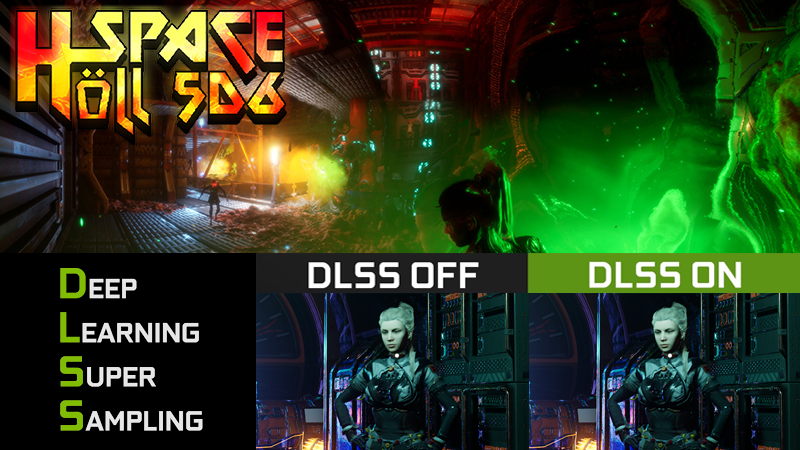
Version 1.0.2 – update - DLSS for RTX and RPG system usability DLSS for RTX Graphics Cards „Diligence“ suggested in the forum to look into adding DLSS to the game.
Full notes
Full Höll Space 5D6 update
Read the full published notes in a cleaner layout. The original post stays linked below.
What changed
1 fix2 additions2 changes0 removals
Performance
UI and audio
Gameplay
changedVersion 1.0.2 – update - DLSS for RTX and RPG system usability
changedDLSS for RTX Graphics Cards
added„Diligence“ suggested in the forum to look into adding DLSS to the game. The settings menu features now in an experimental section. Where DLSS can be enabled on suitable RTX graphics cards in different modes by moving a slider or by passing toggling the “J” key. The setting is intentionally not saved during play sessions; you want to use the feature you have to set the value that you like to have between 0 where DLSS is of them reducing the visual fidelity going from 1 to 7. the higher the number, the better the performance and the lower the visual quality.
addedAdded attribute names to the RPG menu under the “H” key as suggested on the discord by “CupcakeDream” and added mouse-over hints suggesting the influences into the gameplay.
fixedDLSS interferes with Infrared post-process material will be addressed in the next patch.
Höll Space 5D6 changes
changedVersion 1.0.2 – update - DLSS for RTX and RPG system usability
changedDLSS for RTX Graphics Cards
added„Diligence“ suggested in the forum to look into adding DLSS to the game. The settings menu features now in an experimental section. Where DLSS can be enabled on suitable RTX graphics cards in different modes by moving a slider or by passing toggling the “J” key. The setting is intentionally not saved during play sessions; you want to use the feature you have to set the value that you like to have between 0 where DLSS is of them reducing the visual fidelity going from 1 to 7. the higher the number, the better the performance and the lower the visual quality.
addedAdded attribute names to the RPG menu under the “H” key as suggested on the discord by “CupcakeDream” and added mouse-over hints suggesting the influences into the gameplay.
fixedDLSS interferes with Infrared post-process material will be addressed in the next patch.
Version 1.0.2 – update - DLSS for RTX and RPG system usability
DLSS for RTX Graphics Cards
„Diligence“ suggested in the forum to look into adding DLSS to the game. The settings menu features now in an experimental section. Where DLSS can be enabled on suitable RTX graphics cards in different modes by moving a slider or by passing toggling the “J” key. The setting is intentionally not saved during play sessions; you want to use the feature you have to set the value that you like to have between 0 where DLSS is of them reducing the visual fidelity going from 1 to 7. the higher the number, the better the performance and the lower the visual quality.
Added attribute names to the RPG menu under the “H” key as suggested on the discord by “CupcakeDream” and added mouse-over hints suggesting the influences into the gameplay.
Known problems:
DLSS interferes with Infrared post-process material will be addressed in the next patch.