
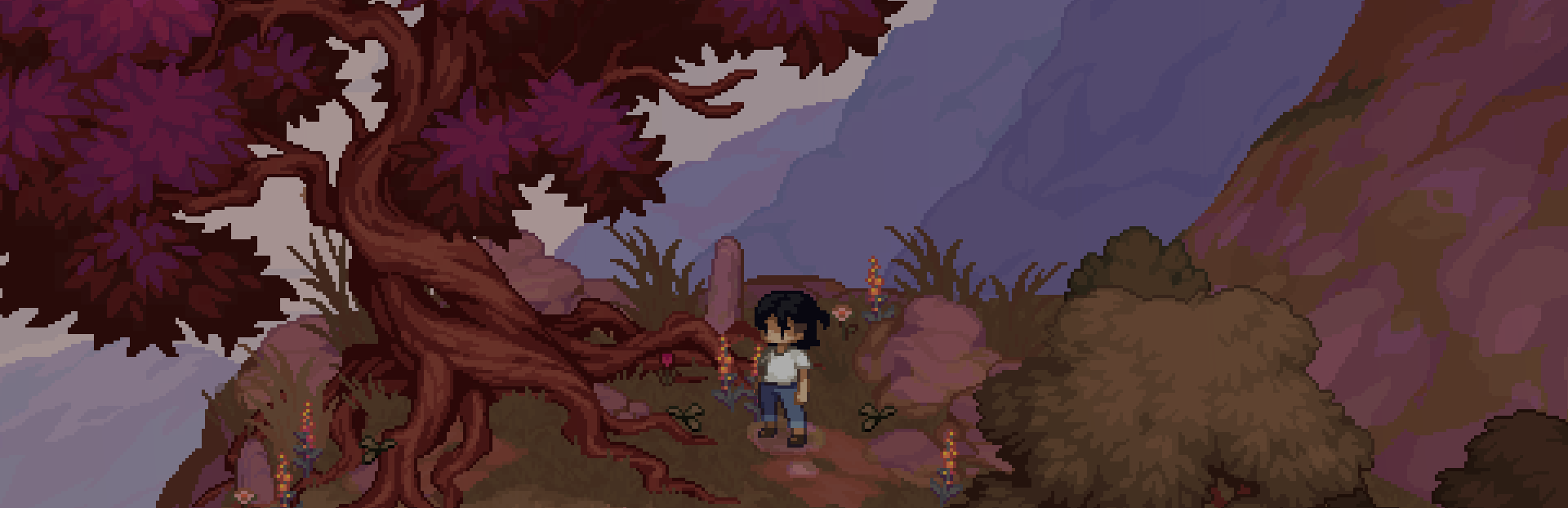
In this update2
Full notes
Full Grave Seasons update
Read the full published notes in a cleaner layout. The original post stays linked below.
Repeated intro
Hello farmers!
What changed
- Gameplay
- Events
- Store
Grave Seasons changes
Thank you all so much for the outpouring of support. We’ve been hard at work building the best experience we can in Ashenridge! As a small team, we’ve pushed ourselves d to make some important aspects of our game feel as good as possible. One of them is, of course, farming!
If you’re tuned in with our publisher, Blumhouse Games, you might have caught this lovely video of Grave Seasons that discusses some of our farming systems:
We wanted to highlight some of the work that went into crafting our farming system, and to give you a tour of how it all works in Grave Seasons!
Farming Tools
We would be remiss not to first talk about the tools you have access to in Grave Seasons. After “moving in” to Ashenridge, you’ll find yourself carrying a shovel, a pickaxe, an axe, a watering can, and of course, your trusty crowbar.
The majority of tools in Grave Seasons are used for farming. You’ll use your shovel to dig up the land, select seeds from your quick inventory, and plant them. Then, equip your watering can and water that newly seeded plot!
Your pickaxe lets you engage in mining, and your axe is great to deal with trees!
Each tool has the potential to become greater in your capable hands.
Steam post image
Seasons & Seeds
There are four seasons in our game: Spring, Summer, Autumn and Winter. Grave Seasons takes place over the course of a single year, and each season brings new trials and tribulations.
Each season impacts the seeds available to grow on your farm! With over 45 seeds available in our game, some can only be purchased, while others can be found while foraging.
All seeds have unique qualities that impact their growth, such as seasonality and farming plot type (more on that later!) You can check out all this information either when you purchase seeds or on their tool tips.
Types of Farming Plots
Although we have a controlled space for farming, we have three different types of farming plots: Arid, Regular and Wet.
Arid is a dry, more elevated soil region on the farm, and only certain crops can grow up there. In our regular soil, which is most common, you have the maximum space to grow some more common crops. In our wet farm plots, you can plant some unique crops that thrive in the river. As an added bonus, they don’t need to be watered!
These plots don’t change in size! You’re farming on the top of a mountain, so space is limited. Choosing the right crops at the right time is essential for any self-respecting farmer!
Steam post image
2D Isometric Farming
One of the most incredible aspects of Grave Seasons — and something we are really proud of — is our 2D isometric farming! Oftentimes, farming sims are either fully 3D or top-down 2D.
Grave Seasons is a flat 2D game in isometric perspective, which means our game doesn’t have an inherent internal concept of “in front”, “behind”, “above”, or “below”. These calculations are all handled at runtime by our isometric sprite sorter, which ensures that the sprites in the scene view are laid on top of each other in the correct order, which gives the impression of our game being 3D. We talked a little bit more about it in our Art Devlog, but this required us to make a ton of choices about how we spliced our pixel art assets to be able to trick the eye into believing the world is 3D.
For artistic reasons, we decided early on that our game would not be entirely tile-based, which means the majority of our scenes are not designed to be aligned to a grid system. This was a creative decision to explore more painterly looks in our pixel art and give us the freedom of asymmetric or unique set dressing pieces. In doing so, we quickly determined that not having a grid makes farming not fun actually. Without a grid, understanding player interactions on an entirely 2D plane was difficult, both from a code perspective and for player UX.
The way we approached this was by developing two grids, one visible to the player (seen while farming) and one invisible to the player.
Steam post image Tilemap grid vs farming grid (grid 🙂 vs the cooler grid 😎)
Visible Farming Grid
When you enter a farming plot, our UI appears to direct you to the possible grids available near you to interact with using your tools. This grid takes into account the player location and shows the options you can engage with based on your position. These grids only appear visible on farming plots — an intentional choice to help players track what is actually possible to do in our otherwise non-grid game!
We developed tools that allow us to “paint” these grids onto the location and mark the type of farming plot they are. Therefore, if you ever see a grid appear, know that it was placed there with love!
Steam post image Painting the safe spaces to farm...
The work didn’t stop there. We developed a system in which we could understand the direction in which the player was interacting, allowing us to snap animations into the correct direction. As mentioned above, because our game is in 2D, our player does not have a traditional ‘facing direction vector’. Instead, we calculate the player’s facing direction by taking the player’s inputs (using WASD or an analog stick), translating this into our isometric space, finding the closest match to a discrete direction (North, NorthEast, East,…), and storing this as a normalized vector (for example, NE is [1, 1]).
Then, when the player interacts with a grid square, we calculate the direction from the center of the player’s grid cell to the center of the interacted grid cell and snap the player to face this new direction, updating our internal facing direction.
The grid cell will also show as red or white, depending on if the interaction is allowed. Do you have the right tool equipped? Do you have enough energy? Are you planting seeds in the correct plot types?
All of this together allows us to build a smooth farming experience on an isometric scale. One that we have been told feels really fun!
Something mathematical is happening here.
But wait, there’s more…
Invisible Grid
Our farming grid is just one of the grid layers we have in our game. Our entire game actually runs on a completely virtual grid which covers the entirety of each scene. These grids don’t affect the way that we restrict placement of art assets, or player or NPC movement, but they help us understand available player interactions in game.
The available grid layers in our game are:
Items
Crops
NPCs
Objects (e.g. mailbox, sell bin)
Farm Plots
Doors
These layers are arranged in a hierarchy, which allows more than one type of interactable to occupy the same grid space, and the player will interact with them in order. The general order is “moveable” objects are interacted with before “immovable” objects. For example, while farming, the player will pick up an item to clear the area before digging a farm plot, even if they have the shovel equipped.
No immoveable dessert until you finish your moveable vegetables.
When the player is walking through the world, we are always checking the invisible grid squares around them to determine what they might be able to interact with. This invisible grid surrounds the player so we can engage with items which look close to the player spatially, but which technically are not, due to the difference between our isometric view point and the top down way in which Unity processes the game world by default. We played around a lot with space and what felt “good” with proximity to the player on screen vs the actuality in a flat canvas.
Depending on the type of the interaction layer we are looking at, we also assess different tiles around the player.
Interact when you're close.
While foraging or farming, we look at the three tiles directly in front of the player, in the direction they are facing.
When interacting with NPCs, we look at all nine tiles around the player, so the NPC will stop when they come in range of the player from any direction, not just from the front.
Choose your wooden log.
We use these invisible grids in almost all situations. For example, if you shake a tree and fruit falls off, we are checking for free grid squares to spawn the berries in!
And with that!
We'll dig back into our development hole! We're so excited to share more of Grave Seasons with you!
Until next time~ Perfect Garbage Team
Source
Changelog.gg summarizes and formats this update. How we read updates.