
HomeGamesUpdatesPricingMethodology
Steam News2 March 20264mo ago

Update for March 2, 2026

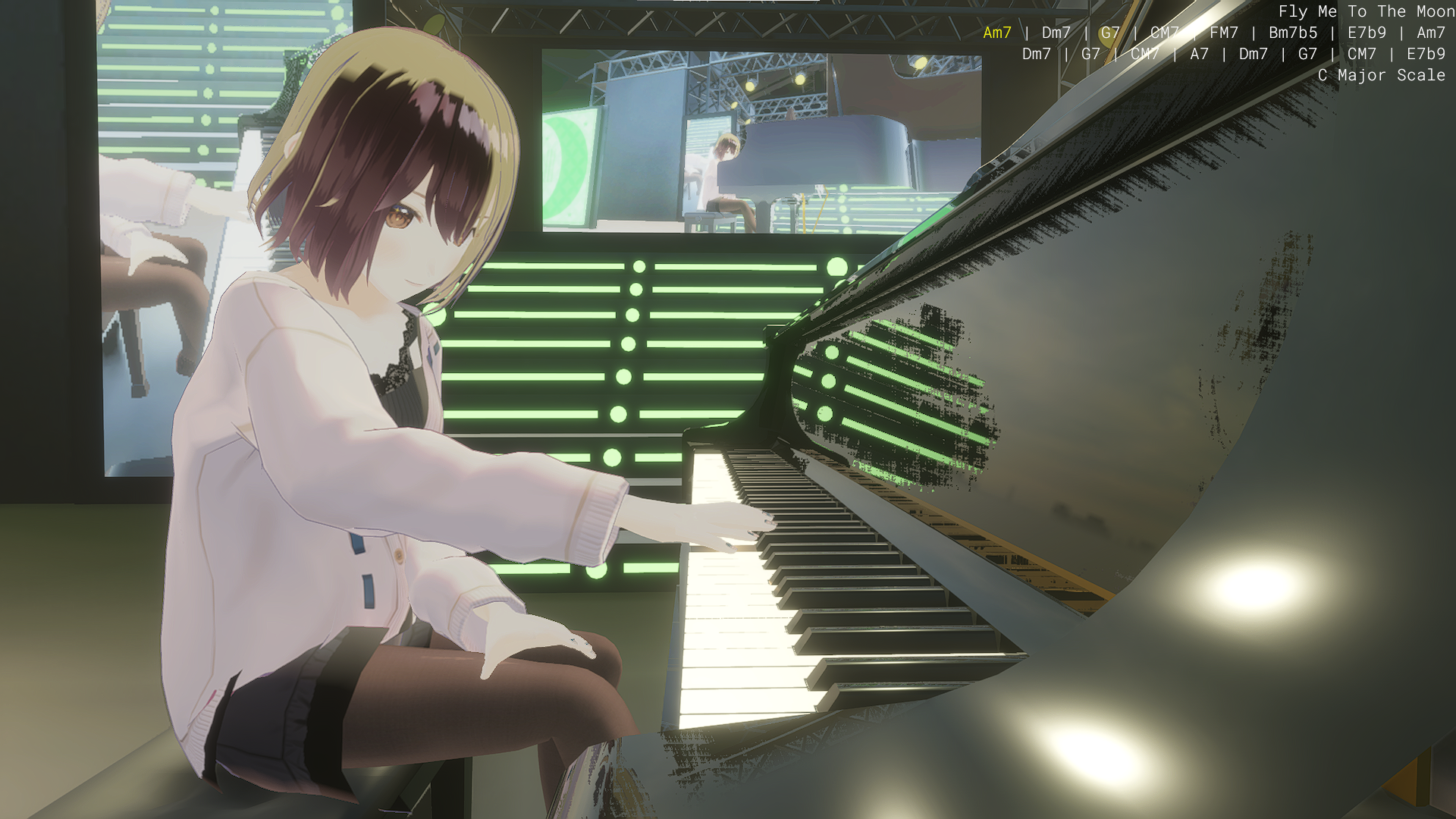
1. Major Update to Avatar Display Features! Express yourself with more unique and expressive avatars. Import .vrm Files Now supports importing custom 3D avatars in .vrm format created with Unity, VRoid Studio, and more.

In this update2

Full notes

Full Grand Piano Simulator update

Read the full published notes in a cleaner layout. The original post stays linked below.

What changed

0 fixes1 addition2 changes0 removals
  • Performance
changed1. Major Update to Avatar Display Features!Toon Rendering Support Avatars now feature a charming, anime-style aesthetic for a more approachable and vibrant look.
added2. Play the Grand Piano with Your PC KeyboardSteam post image We’ve added a Performance Support System specifically for players on PC.
changed2. Play the Grand Piano with Your PC KeyboardIntuitive Keyboard Performance Left Hand: Simply tap the keys in rhythm to play the perfect chords. Right Hand: Scales are automatically adjusted to match the current chord.

Grand Piano Simulator changes

changedToon Rendering Support Avatars now feature a charming, anime-style aesthetic for a more approachable and vibrant look.
addedSteam post image We’ve added a Performance Support System specifically for players on PC.
changedIntuitive Keyboard Performance Left Hand: Simply tap the keys in rhythm to play the perfect chords. Right Hand: Scales are automatically adjusted to match the current chord.

1. Major Update to Avatar Display Features!

Express yourself with more unique and expressive avatars.

  • Import .vrm Files

    • Now supports importing custom 3D avatars in .vrm format created with Unity, VRoid Studio, and more.

  • Toon Rendering Support

    • Avatars now feature a charming, anime-style aesthetic for a more approachable and vibrant look.

2. Play the Grand Piano with Your PC Keyboard

Steam post image We’ve added a Performance Support System specifically for players on PC.

  • Auto-Chord Progression (Metronome Sync)

    • Chords progress automatically in sync with the metronome’s rhythm.

  • Intuitive Keyboard Performance

    • Left Hand: Simply tap the keys in rhythm to play the perfect chords.

    • Right HandScales are automatically adjusted to match the current chord.
  • Even beginners can enjoy authentic jam sessions using just their keyboard!

Source

Steam News / 2 March 2026

Open original post

Changelog.gg summarizes and formats this update. How we read updates.