
In this update6
Full notes
Full Global Magnates: Shipping Tycoon update
Read the full published notes in a cleaner layout. The original post stays linked below.
What changed
- Gameplay
- UI and audio
- Performance
- Workshop
Global Magnates: Shipping Tycoon changes
Captains, thank you for your patience! Version 1.0.0.767 is now live!
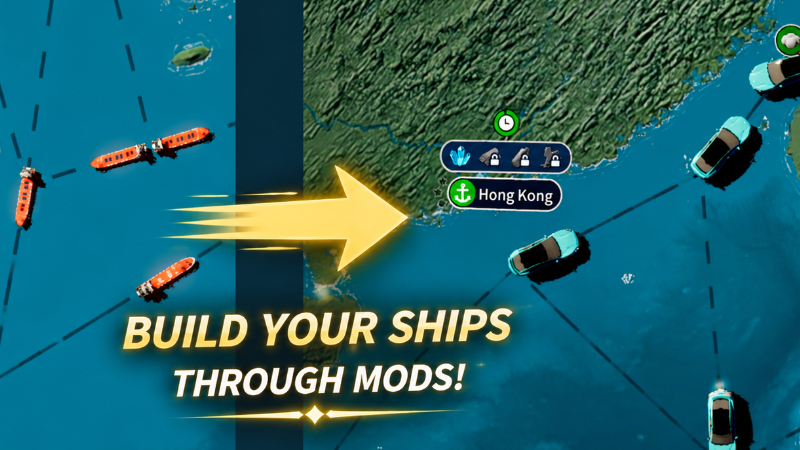
This update marks an important milestone— the ship model system is now officially available for you to customize and mod!
From today onward, captains can do more than manage fleets: you can now shape their appearance yourself. The new model adjustment feature lets you freely change the size of ship models. With MOD model replacement, you can also import your own designs and bring a truly unique fleet to your ports and seas. We look forward to seeing the incredible ship designs you create!
Core Update: Ship Model System Now Available To Customize
The new in-game ship model adjustment feature is now available! You can now manually adjust the display scale of the current ship model from the Settings menu. From compact coastal vessels to massive ocean-going freighters, the scale is yours to customize.
Your fleet. Your design.
MOD Support: Import Custom Ship Models
To give players more room to create, we have officially opened the ship model replacement feature for MODs. Follow the specifications below to import your own or your favorite 3D models and replace the appearance of the corresponding ships in the game.
Model format and naming rules (please read carefully)
The game currently supports only 3D model files in GLB format.
Place the model file in the following directory:
Mod/Model/
*The model file name must exactly match the corresponding in-game ship ID, or the game will not recognize it.
Ship ID reference
| Ship ID | Ship type |
|---|---|
| 1001 | 5kt bulk carrier |
| 1002 | 20kt / 50kt bulk carrier |
| 1003 | 100kt / 200kt bulk carrier |
| 1004 | 5kt container ship |
| 1005 | 20kt / 50kt container ship |
| 1006 | 100kt / 200kt container ship |
| 1007 | 5kt oil tanker |
| 1008 | 20kt / 50kt oil tanker |
| 1009 | 100kt / 200kt oil tanker |
Example
To replace the model of the 5kt bulk carrier:
Name your model file:
1001.glb
Then place it in:
Mod/Model/
If the custom model fails to load correctly, the game will automatically use the default model.
User Experience Improvements
Optimized the ship model loading logic to improve the stability of custom model loading.
Improved runtime performance when replacing ship models with MODs.
The Voyage Ahead: More Customization Features Are Coming
Opening the ship model system is only the first step.
In future updates, we plan to add more in-depth customization features, including:
Ship modification system
Port modification system
Ship-and-port interaction features
Now, it is time to set sail— build your fleet and write your own maritime story.
We can’t wait to see your creations in the Steam Workshop!
Our goal is to let every captain build a maritime world of their own.
Thank you for your continued support!
Source
Changelog.gg summarizes and formats this update. How we read updates.