
In this update15
Full notes
Full GIRLS' FRONTLINE 2: EXILIUM update
Read the full published notes in a cleaner layout. The original post stays linked below.
What changed
- Gameplay
- Maps
- Balance
- Events
- Store
- UI and audio
GIRLS' FRONTLINE 2: EXILIUM changes
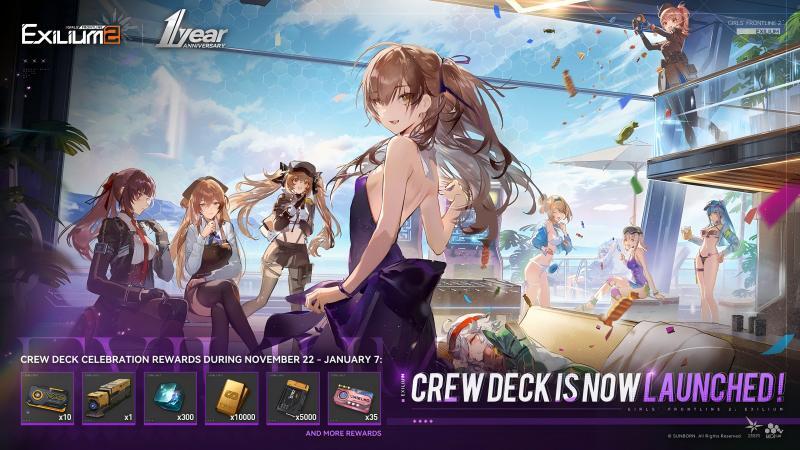
Dear Commander. [Crew Deck] Is Now Available!
Commander can explore the areas freely and unlock more gameplay on the [Crew Deck].
[Unlock Conditions]
Commander can enter Complete Story Campaign Normal Stage [1-8]
[Details]
Doll Deployment and interaction
■Commander can deploy [Affinity Dolls] and [Resting Dolls]. [Affinity Dolls] will continuously gain Affinity over time. Affinity gained in the Crew Deck will be stored and accumulated to a certain point. Commander can manually claim the stored Affinity to increase your Dolls' Affinity levels. Cleaning up more areas and building furniture on the [Crew Deck] will increase the number of [Resting Dolls] who can be deployed.
■Interactions and conversations with Dolls on the [Crew Deck] will trigger a special event under certain circumstances.
Area Layout
■Commander can spend [Silik] to clear up areas and build furniture to unlock them on the [Crew Deck]. Arrange Furniture, Ornaments and Theme with your personal preferences within the area, and save your changes as a preset which can be loaded and used at any time.
■[Silik] can be obtained by increasing the Crew Deck's level, accumulating [Recreation Points], and other ways.
Furniture Shop
■Commander can purchase Themes, Furniture and Ornaments in the [Shop] - [Trading Post] - [Furniture Shop]. You can also exchange various items with [Merkle Leaf].
■[Merkle Leaf] can be obtained by completing Minigame Achievements, accumulating [Recreation Points] and other ways.
Recreation Point Tracker
■[Recreation Points] can be obtained by participating in the [Crew Deck] gameplay and interacting with Dolls. When the amount of Recreation Points obtained reaches a certain threshold each week, you will gain threshold rewards.
■The running total of Recreation Points obtained each week resets at 05:00 on Mondays (UTC-4).
Crew Deck Level
■Commander can obtain [Mood Score] by completing the guidelines of the [Crew Deck], cleaning up furniture, accumulating [Recreation Points] and other ways. You can raise the Crew Deck level when the [Mood Score] has reached the required amount.
■Raise the Crew Deck level can receive generous rewards and unlock more gameplay on the [Crew Deck].
Map
■Commander can view the Crew Deck map and the current location of the deployed Doll by clicking the [Map] button on the upper left corner of the [Crew Deck] interface. You can quickly access different areas through it.
Focus Mode
■Commander can enter Focus Mode by clicking the [Focus Mode] button on the lower left corner of the [Crew Deck] interface. You can also quickly enter Focus Mode by right-clicking the mouse if you are using the PC client.
Daily Assistance
■Commander can select and set various daily functions by clicking the [function group] - [Daily Assistance Settings] button on the lower left corner of the [Crew Deck] interface, quickly access the corresponding function interface by talking to Meyling.
Holography
■Commander can select a specific doll to simulate on the [Crew Deck] by clicking the [Holography] button on the upper left corner of the [Crew Deck] interface. The Doll [Klukai] is available to simulate.
Day/Night Settings
■Commander can adjust [Settings] - [Others] - [Day/Night Settings] by clicking the [function group] - [Day/Night Settings] button on the lower left corner of the [Crew Deck] interface.
Scenic Tour
■Commander can select the desired camera view on the [Crew Deck], save it to [Scenic Tour] and use it as the background in the main screen by clicking the [Camera] button on the lower left corner of the [Crew Deck] interface.
AREA
Lounge
■Commander can experience "Delicious Cuisine" in the kitchen. Select dishes and invite a Doll to make them. Tasting the dishes will grant an additional buff. You can increase the level of the dishes by spending [Merkle Leaves] to enhance the buff effects. Raising the Crew Deck level will unlock more dishes. Different Dolls may create dishes of varying qualities. When a dish is made on a Great Success, the buff effects will be further enhanced.
■Commander can unlock "Counter" and experience "Tea Time" after the Crew Deck level reaches 6. You can grant additional buff effects by making and tasting drinks, but only one can be used per day. Raising the level of Counter and the drinks can enhance the buff effects. The Dolls tending the Counter will change each week. If you make a special drink favored by the Doll on duty, you can trigger a Heartfelt Whisper event with them. By using the [Almighty Recipe], you can unlock the special drink that is currently available.
■Commander can experience "Commander's Hotline" where you can spend designated items to unlock Private Meeting Log entry, read special story scenes to obtain [Collapse Pieces] as rewards. You can also directly proceed to the Dolls' Dorms.
■After building the [AV Hub], Commander can switch the background music.
■After building the [Friend Communication Panel], Commander can quickly proceed to the [Friend] and [Platoon] interface.
■After building the [Event Banner Wall], Commander can quickly proceed to the [Event] interface.
■After cleaning up [Lounge Display Wall], Commander can choose desired [Wall Stickers] and [Wall Decorations] for wall decoration.
■After cleaning up [Standing Fridge], Commander can choose desired [Wall Stickers] for decoration.
Rec Room
■After building [Crimson Arcade Machine], Commander can unlock minigames by spending [Merkle Leaf] to buy tapes, and receive rewards by completing minigame achievements.
■After building [Outfit Gachapon Machine]. Commander can use [Outfit Access Permissions] to perform accesses in Outfit Procurement.
■After building [Treatment Black Box], Commander can experience [Dreamscape], select the duration and enjoy the company of the Dolls.
■After cleaning up [Interactive Movie Sofa], Commander can experience [Dulcet Whispers] for certain Dolls. Triggering [Dulcet Whisper] requires you to have the Doll in question, her requisite outfit, and to have the specific unlocking item for it.
■After cleaning up [Curio Display Cabinet], Commander can edit the Curio in the [Curio Display].
■After building [Shopping Terminal], Commander can quickly proceed to the [Shop] and [Procurement] interface.
■After cleaning [Rec Room Display Wall], Commander can arrange [Wall Stickers] and [Wall Decorations] for wall decoration according to your own preferences.
▼Mirage Terrace
■Commander can experience [Dulcet Whispers] with a specific Doll on the [Terrace Deck Chair].
Armory
■After cleaning [Gear Cabinet] and [Standalone Device Station], Commander can arrange [Weapons] according to your own preferences.
■After cleaning [Weapon Display Rack], the Commander can quickly proceed to the [Weapon Display Wall] interface.
■After building [Campaign Map], Commander can quickly proceed to the [Campaign] interface.
Armory Passage
■After building [Customizable Memory Wall], Commander can arrange and edit collected pictures according to your own preferences.
■After cleaning [Supply Dispatch Screen], Commander can quickly proceed to the [Storeroom], [Elmo Server Room] and [Refitting Room] interface.
■After building [Limited Time Event Sand Table], Commander can quickly proceed to the [Time-Limited Events] interface.
■After building [Log Handbook], Commander can quickly proceed to the [Voyage Log] interface.
■Commander can quickly proceed to the [Dispatch Room] interface through [Dispatch Room Hotline].
■After cleaning [Passage Landscape], Commander can arrange the furniture in [Passage Landscape] according to your own preferences.
Hangar Passage
■After cleaning [Commission Display Screen], Commander can quickly proceed to the [Commission] interface.
■After cleaning [Formation Information Display], Commander can quickly proceed to the [Formation] interface.
■After cleaning [Supply Dispatch Screen], Commander can quickly proceed to the [Storeroom], [Elmo Server Room] and [Refitting Room] interface.
Drone Hangar
■Display only, more features will be opened in the future.
Source
Changelog.gg summarizes and formats this update. How we read updates.