
In this update10
Full notes
Full FWsim - Fireworks Display Simulator update
Read the full published notes in a cleaner layout. The original post stays linked below.
What changed
- Gameplay
- Performance
- Fixes
- Balance
- UI and audio
FWsim - Fireworks Display Simulator changes
Check out update 4.4! Here's what's new:
⭐ Graphics improvements
More realistic appearance of stars
Accelerated Rendering (Settings → Graphics) — runs much faster and uses less battery at the same visual quality. Available on NVidia and AMD dedicated graphics cards.
Even without accelerated rendering, this new update should be faster on all systems.
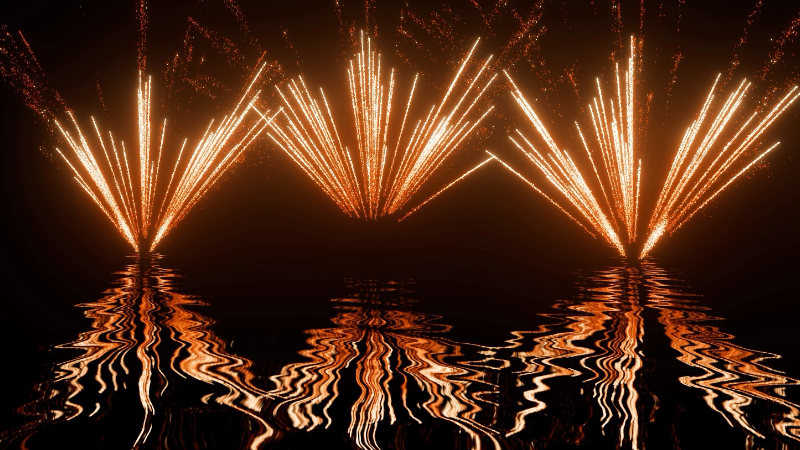
More realistic water reflections
✨ Effects Improvements
Stars and Ascent Effects
Motorized Stars (go-getters / bees / fish) now available. Just enable “Motorized” on the stars and play around with the parameters
Star size is now a continuous slider (1–100%) instead of fixed sizes. Old effects are migrated automatically and look the same.
Stars and Sparks are now separate modes
Ascent stars now support all 5 strobe types (Regular, Pulsar, Twinkle, Flash, Fade).
Whistles, Tourbillons & Farfalle
Those are now much richer and more realistic out of the box.
New “Maintain Start Width Until” slider controls how long the spiral stays narrow before widening.
Bugfix: Shells containing only whistles/tourbillons/farfalle now get launch sparks on the way up
Fountains & Bengal Flames
Fountains (built via “Eruption” in the effect editor) got a Cooldown Time slider, mirroring the existing Warmup Time.
Bengal flames got both Warmup and Cooldown sliders, and all strobe types.
Tails & Sparks
Thickness slider now goes up to 1000% (was 200%) for really fat tails.
New “Whistle (sound only)” checkbox — plays a whistle sound timed to the tail.
New “Particle Size” slider (25–400%) on custom tail and ascent-effect components.
Tighter mortar liftoff — the automatic launch sparks for comets and mines are sparser and shorter-lived.
Shell Rotation (Manual)
New “Start Width” and “Maintain Start Width” sliders — ascent tails can start tight and gradually widen.
Effect Editor
Type-to-search in the “Add Component” and “Replace this” dropdowns.
Editing parameters (e.g. color) no longer makes the star pattern jump around.
Cake Editor
New “Change all Pause timings” action — set every pause in a part in one go.
🎬 Show Editor
When you F2-edit a cue, the effect selection window keeps its filters.
Zoom in the music beat configuration popup
Standard Camera removed - its now auto-replaced with the Fly-around-camera.
Removed a rarely used setting on “Automatic heights and delays” in the Preferences. If you previously had this set to “Old model (before June 2025)”, some timings of effects will now be slightly different.
Source
Changelog.gg summarizes and formats this update. How we read updates.