
HomeGamesUpdatesPricingMethodology
Steam News27 May 20261mo ago

Custom Names

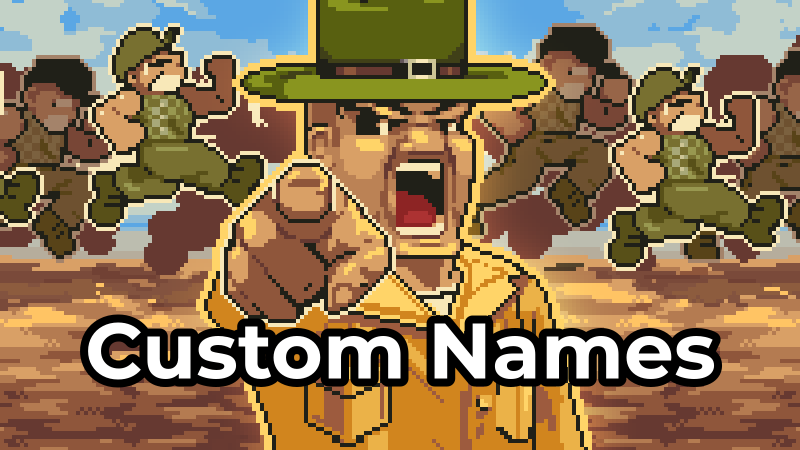
Custom names are back! You can finally play with recruits named after famous characters, movie heroes, or even your neighbors.

In this update2

Full notes

Full Full Metal Sergeant 2 update

Read the full published notes in a cleaner layout. The original post stays linked below.

What changed

0 fixes3 additions5 changes0 removals
  • Workshop
  • UI and audio
  • Gameplay
changedCustom names are back!The editor is simple to use, it lets you fully customize every recruit name and share your sets on Steam Workshop (you can also keep them private if you prefer).
changedCustom names are back!First, open the editor from the Options menu.
addedCustom names are back!Then click the button to create a new name set.
changedCustom names are back!Before saving, you can choose whether to publish the names on Steam Workshop as private, public, or visible only to you and your friends.
changedCustom names are back!Once everything is ready, simply press "Save & Upload". A name pack will be created and uploaded to Steam Workshop.
changedCustom names are back!If you do not want to create your own name set, you can also browse the Steam Workshop and use one of the public sets created by the community.

Full Metal Sergeant 2 changes

changedThe editor is simple to use, it lets you fully customize every recruit name and share your sets on Steam Workshop (you can also keep them private if you prefer).
changedFirst, open the editor from the Options menu.
addedThen click the button to create a new name set.
changedBefore saving, you can choose whether to publish the names on Steam Workshop as private, public, or visible only to you and your friends.
changedOnce everything is ready, simply press "Save & Upload". A name pack will be created and uploaded to Steam Workshop.

Custom names are back!

You can finally play with recruits named after famous characters, movie heroes, or even your neighbors.

The editor is simple to use, it lets you fully customize every recruit name and share your sets on Steam Workshop (you can also keep them private if you prefer).

  1. First, open the editor from the Options menu.

  2. Then click the button to create a new name set.

  3. On the next screen, you must give a title (required for Steam).

  4. Then replace the default names with any you like.

  5. Before saving, you can choose whether to publish the names on Steam Workshop as private, public, or visible only to you and your friends.

  6. Once everything is ready, simply press "Save & Upload". A name pack will be created and uploaded to Steam Workshop.

  7. When you return to the list screen, you must manually activate the specific set you want to use in-game (it will not activate automatically).

If you do not want to create your own name set, you can also browse the Steam Workshop and use one of the public sets created by the community.

Notes:

  • The custom naes are only available when you start a new game.

  • It is currently not possible to add an image, but I am working on it.

  • Some characters are not allowed because they are not supported by the game's font.

  • Gamepad support in the editor has not been implemented yet.

Source

Steam News / 27 May 2026

Open original post

Changelog.gg summarizes and formats this update. How we read updates.