
In this update15
Full notes
Full FREE DUNK update
Read the full published notes in a cleaner layout. The original post stays linked below.
Repeated intro
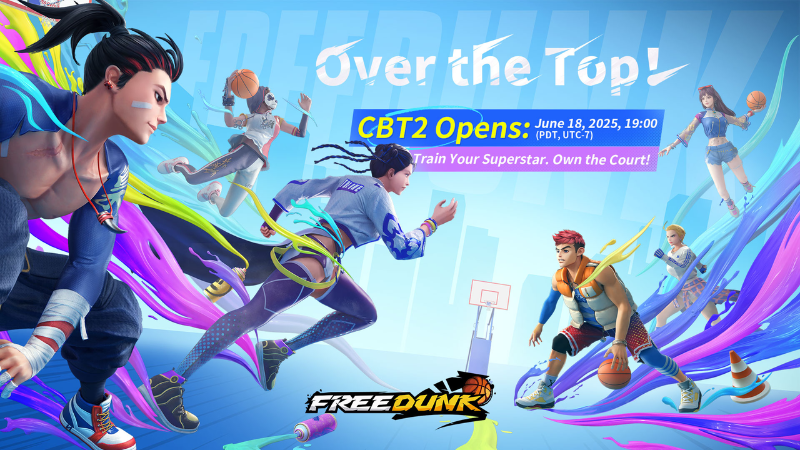
Hey Ballers! Welcome to the second Closed Beta Test (CBT2) for FREE DUNK! We've put together this FAQ to help you jump into the game smoothly. It covers everything from registration and downloads to gameplay, device support, player progression, talent mechanics, and the new Squad system. If you're new here, no worries—we'll help you get up to speed fast!
What changed
- Compatibility
- Store
- Performance
- Security
- Gameplay
- UI and audio
FREE DUNK changes
1. Basic Test Info
1.1 Test Duration & Type
- Test DurationJune 18, 2025, 07:00 PM – June 30, 2025, 03:00 AM (PDT, UTC-7) - Test Type: Closed Beta, data will be wiped after the test - Supported Languages: Simplified Chinese, Traditional Chinese, English, Korean - Test Access: Official players can get access by pre-registering, Steam players can apply for access.
1.2 How to Participate
No activation code is needed; simply register an account to participate. - Supported Platform: PC - Official Client Download (Recommended for Hong Kong, Macao, Taiwan, and Southeast Asia): https://www.free-dunk.com/download - Steam Playtest (Recommended for North American users): https://store.steampowered.com/app/3562050
1.3 Client Installation Instructions
Please only download and install the client from the official website or Steam page. - If you encounter installation issues, please disable your antivirus software or run as administrator.
2. Account Registration & Login
2.1 How to Create an Account?
Supports registration using major email services. - We recommend using Gmail for better stability and reliability.
2.2 Common Issues
"Username already exists": Please check if you've already registered successfully; you can retrieve your account using "Forgot Password." - Didn't receive verification code: Please confirm your email address is correct and check your spam folder.
2.3 Password & Account Security Tips
You can reset your password by clicking "Forgot Password" on the login page. - Do not enter your account information on unofficial pages. - We recommend setting a strong password and changing it regularly to prevent account theft.
3. Device Configuration & Operation Support
3.1 Recommended Specs
- Operating System64-bit Windows 10 - Processor: Intel Core i5-4460 or equivalent - RAM: 16 GB RAM - Graphics Card: NVIDIA GeForce GTX 1060 (6GB) or equivalent - DirectX Version: 6.0 - Storage: At least 15 GB available space - Network: Broadband internet connection
3.2 Minimum Specs
- Operating System64-bit Windows 10 - Processor: Intel Core i5-4460 - RAM: 8 GB RAM - Graphics Card: NVIDIA GeForce GTX 950Ti (2GB) or equivalent - DirectX Version: 6.0 - Storage: At least 15 GB available space - Network: Broadband internet connection
3.3 Controller Support
Supports keyboard + mouse operation. - Supports Xbox / PlayStation series and standard USB gamepads.
4. Gameplay & Operation Guide
4.1 What game modes and features are available in this test?
This test features Arcade Mode, Custom Match, Quick Match, Practice Mode, Squad Mode, Training Center, Free Training and more.
Arcade Mode: Players kick off their career from Prodigy Journey, progressing to a superstar by playing matches, completing quests, boosting player stats, and leveling up to unlock new skills—it's the full basketball journey. This Arcade Mode now includes Leaderboards and an Honor system, with leaderboards updating every hour to make sure every bit of your grind is recognized. You'll get 5 streetball coins daily, and each successful run costs 1 coin.
Custom Match: You call the shots here! Customize the court, time, and match rules for a truly personalized game experience.
With this update, you can now create private password-protected rooms to invite specific friends for small tournaments or use Quick Recruit to instantly gather teammates.
Squad Mode: Squad Mode is where you build your own crew. You can unlock it once your account reaches Lv. 5 and you own three players.
Quick Match: Jump into Quick Match and choose between "Finding Match" or start Squad Mode
Practice Mode: Use Practice Mode for specialized training, with pro AI helping you level up your game.
Training Center: The Training Center currently offers two main sections: Basic Training and Advanced Training. Basic Training will help you understand the game's core controls and mechanics, while Advanced Training delves into specific player abilities, making it a prime platform for becoming a court veteran.
4.2 How to Build Your Own Superstar?
You can boost your players' abilities through the "Training" and "Potential" systems found in the "Player" interface.
By spending Game Points, you can train a player's core stats like Dunk, Running, or 3point. Each stat has a growth cap, maxing out at +10 (player-dependent). Once a training level hits +7, you'll need special training items to keep pushing forward.
Trick Moves Activation Cards, earned from events and quests, let you unlock exclusive shooting and offensive moves in the "Trick Moves" system. Each Trick Move comes with visual effects and a 1-3% bonus effect chance (only active when the move triggers).
The "Talent System" lets you allocate Potential Points to specific positions.
Using Potential Points improves a player's key trigger abilities or adaptability for breakthrough angles. Every point spent delivers noticeable in-game feedback. You'll earn core points at account Lv. 10, Lv. 15, and Lv. 20. These core points significantly boost specialized abilities, helping you deliver clutch plays when it matters most!
Earn Player XP Books by completing in-game quests and participating in events. These XP Books will help you quickly level up your players.
4.3 How to Build Your Own Squad?
You can establish your own Squad through the "Squad" system. The game currently offers three custom Lineup slots, which unlock as your Squad level increases.
By participating in matches, you can earn loot and obtain "Badge" gift boxes from loot chests. Equipping Badges will boost your players' abilities.
Squad Mode is accessed via Quick Match. To unlock Squad Mode, you need to own three players and have an account that is Lv. 5 or higher.
In Squad Mode, you have the choice to let the system control your team, or you can take the reins and play with all three players yourself.
4.4 Controls & Game Settings
From the game's main page, press the ESC key to find the "Return to Login Screen" and "Settings" options.
The game offers multiple control schemes. Press ESC, navigate to "Settings," and click on "Controls" to adjust them.
You can also access the "Settings" menu by clicking the Gear icon at the bottom of the interface.
Additionally, you can change the interface language and other game settings in the "Gameplay" section.
4.5 How to Redeem Your Redemption Code
You can open the redemption interface by clicking the "Redeem" icon at the bottom of the game screen to enter your redemption code.
After successful redemption, items will be sent to your in-game "Mailbox," so be sure to claim them promptly.
4.6 Personal Profile, Career, Honor, Player Stats, and Match History
You can access your Personal Profile by clicking on your avatar. Here, you can view your game career, player stats, match history, and achievements. You can also edit your personal information and check your Credit System status from this interface. If you need to find your ID, you can copy it from your Personal Profile.
5. Technical Issues & Feedback
5.1 What if the game crashes, lags, or shows a black screen?
If you run into these issues, try the following troubleshooting steps first: - Lower your graphics settings, resolution, and effects level. - Close background programs to free up memory. - Reinstall the client, making sure you have the full installation package from the official website. - Check your internet connection and speed to ensure they're normal. Note: Services in mainland China are provided by other operators, so login is not currently available there.
5.2 What if the Steam interface is laggy?
Some players might hit page stuttering or delayed loading when logging into the game a second time via Steam. This might mess with your Lobby flow or Match Mode experience. If you're facing unresponsive clicks or lagging pages, try this quick fix: Enter the game, then go to [Practice] → [Single Player] Once you're on the training court, hit [ESC] to return to the Lobby. This should significantly smooth things out. We apologize for the trouble! Our tech squad has found the issue and is working fast to drop a fix.
5.3 How do I report bugs or suggest features?
Join the official Discord community: https://discord.gg/freedunk and submit your issues in the #bug-report or #suggestions channels. - Contact official customer service via email: af_cs@free-dunk.com
6. Other Frequently Asked Questions
6.1 How are AFK and negative behaviors handled?
The game has a built-in AFK detection mechanism. If a player is reported multiple times or identified by the system, penalties such as point deductions and match bans will be enforced.
6.2 How long after the test will the official version launch?
The official launch is estimated to require another 3-6 months of development and optimization. Please stay tuned to official announcements for the specific timing. If you encounter any problems during the test, feel free to contact the development team. We are committed to listening to every player's feedback to ensure a smooth official launch! Follow us for the latest news and events: Steam: https://store.steampowered.com/app/3562050 Discord: https://discord.gg/freedunk Facebook: https://www.facebook.com/profile.php?id=61574135213132 Instagram: https://www.instagram.com/alleysfield/ YouTube: https://www.youtube.com/channel/UCznncUF2_Qp-YAB8EZN56Og X: https://x.com/AlleysField TikTok: www.tiktok.com/@playFREEDUNK
Source
Changelog.gg summarizes and formats this update. How we read updates.