
Full notes
Full FRACTALS OF DESTINY update
Read the full published notes in a cleaner layout. The original post stays linked below.
What changed
- Compatibility
- Performance
- Maps
- UI and audio
- Gameplay
FRACTALS OF DESTINY changes
Hello everyone,
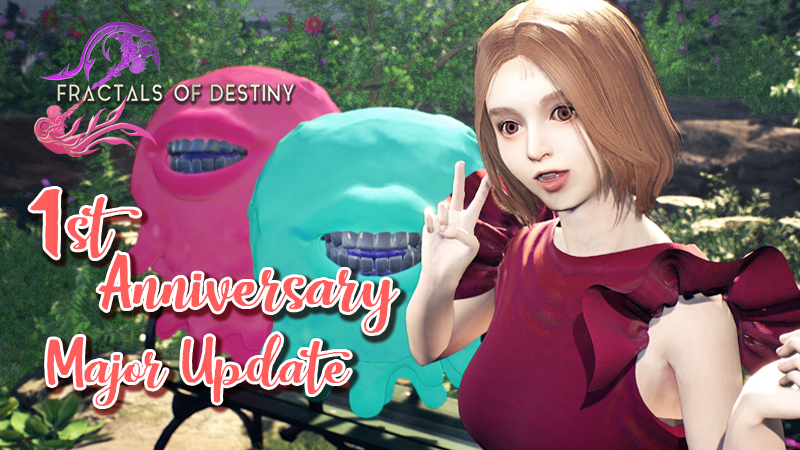
After a year since the release, we have received a lot of feedback, support, and suggestions from amazing players. Through messages we’ve read from the community, direct emails, and messages to our team, we are truly grateful to have kind-hearted players who continue to help us make the game better. We are dedicated to improving the game and making it the best experience possible for Fractals of Destiny players.
New Visual Enchancement Shaders : Toon (BETA) The Toon (BETA) shader brings an anime-realistic visual style to life with a dramatic and artistic presentation. It features stylized lighting, enhanced outlines on all characters, objects, and environments, and refined shading that will give you a comfortable feel, especially for those who enjoy fantasy-genre. This shader creating a unique visual identity that blends realism with anime-inspired expression. Although still in BETA, it supports most environmental effects and works with the game's dynamic lighting system.
Message: Using this shader will add more performance cost to your hardware.
System Update Progression Save System from Green Pedra Crystal to Profile System. Your progression will be autosaved after certain events or moving to other area/maps.
Upgraded Features Applied In-Game Settings (Main Menu and Alliance Gadget) We’ve upgraded the settings system to allow players to adjust options such as video, audio, and keybindings directly from both the main menu and during gameplay via the Alliance Gadget. This ensures a more seamless and flexible experience without needing to return to the main menu.
Added more settings
Shaders Switching (Default and Toon BETA)
Sensitivity and Look Inversion
Camera Bounce/Shake
Motion Blur (More detailed options)
Keybindings (You are now able to change prefered keys on keyboard/mouse and gamepad)
Game Balancing and Adjustment
Upgraded Dymloz difficulty on Phase 1
Game Optimization
Optimized VFX of Zerva's skill
Optimized several levels
Bug and Glitch Fixes
Fixed missing localization words
Fixed image UI issues
Fixed crash issues
Important News We sincerely apologize to Fractals of Destiny players. Due to a potential crash issue on some devices caused by the previous save system (Green Pedra Crystal), and after much consideration, we have decided to completely redesign the saving system. It is now an autosave system, which automatically saves your progress to your profile after certain events or when moving between maps/areas. We hope players can read this issue. Once again, we apologize for this unexpected incident.
Your feedback, support, and suggestions are truly precious to us. We are dedicated to creating the best possible gaming experience on playing Fractals of Destiny, it might even give you ASMR while playing our game.
If you haven’t joined us yet, we want to invite you to dive into the beautiful world of Fractals of Destiny. If you unexpectedly found any bugs, issues, or anything that feels off, please reach us to Discord, our community channels or if you doesn't feel uncomfortable in media, you can direct messages to our humble developers team. We’re always happy to listen — your feedback and suggestion helps us improve the game and getting better. Together, let’s make Fractals of Destiny better.
Once again, thank you for being part of our journey!
Best regards, Krakatoa Studios Team
Source
Changelog.gg summarizes and formats this update. How we read updates.