
In this update14
Full notes
Full Fractal Space update
Read the full published notes in a cleaner layout. The original post stays linked below.
What changed
- Performance
- Gameplay
- Fixes
- UI and audio
- Server
- Balance
Fractal Space changes
This is a massive update, including many fixes, optimizations & improvements from Experimental builds #5 through #9. Over 400+ player-reports from 0.612 have been solved, in addition to a major engine upgrade and new features, changes and visual improvements.
INTERACTIVE CHANGELOG
Steam post image
Please check the NEW INTERACTIVE CHANGELOG and bookmark it!
It makes it much easier to view and search all the player-reports fixed and implemented suggestions!
HIGHLIGHTS
Unity 6: The game has moved to the latest Unity 6 to stay future-proof and keep console support stable.
Chapter 2 - New Beginning: A significant rework of the opening of Chapter 2.
Smarter Shooting Cameras: Cameras now aim intelligently around cover and at peeking limbs.
- UV Flashlight reworkNew visuals and a much nicer hidden-text reveal.
Performance: Major CPU optimizations (skybox, cutscenes, typewriter text and more), especially on low-end PCs.
Consoles: Demo now has Performance 120 FPS or Quality 60 FPS modes in Graphics options - only visible if your TV supports 120hz - hidden if not compatible, using Quality 60 FPS instead
DISCORD
Join us on the official Discord server to talk about the game and the bugs you find!
ENGINE | UNITY 6
Unity 6: The game has been upgraded to the latest Unity 6. Following recent changes in how Unity delivers and maintains versions, moving up now keeps the game stable for the future and keeps console support acceptable.
DirectX 11: DirectX 11 is now the default on Windows. You can still force DirectX 12 to compare performance with the launch option -force-d3d12.
- Windows 10 requiredDirectX 10 has been fully removed from Unity, so the game now requires at least Windows 10 to run.
NEW
Below are all the new elements added in this update.
Cameras
Cameras: A Camera's main external texture and internal light now turn orange while it is actively detecting the player.
Shooting Cameras - Smarter Aiming: Shooting Cameras now have a smarter targeting system. They aim higher (player head) or lower (player lower body) based on what is most likely to hit you depending on which parts are currently hidden by cover. They also aim more left/right when you peek out of corners, to hit an exposed limb (arm/shoulder) instead of the cover itself. This is a major change that was hard to keep optimized, but should not impact performance.
Visual Effects
- LasersImproved visual effects with a slight pulse and a fade on turn on/off . Their effects are also no longer in sync, so they feel like individual lasers. Laser Fields received a similar overhaul.
- Laser FieldsThe new full Laser Field effects were a bit too bright and too white. Their brightness has been lowered and the effects improved.
- MinesThe effect inside the Mines' beams was changed to match the new Lasers above. The Mines' center is now orange instead of red (a temporary fix for consistency, will be improved later).
- White Vent GridsVent grids below Recordings or other lore items are now a new white variant instead of cyan, to avoid confusing them with energy/health pack respawn points.
- TaserShot impacts on walls and surfaces now have a new smoke visual effect . Only present with Particles enabled, and disabled in Performance Mode (intended).
Smoke VFX: Smoke effects in lifts and all other areas now have slightly varied animations so they're no longer perfectly in sync, for a more realistic look.
UV Flashlight
- VisualsReworked with more final visuals. It was never meant to look like a regular flashlight - you'll see, it's changed quite a bit.
Hidden Text Reveal: Hidden texts now reveal much more nicely - a gradual fade as you approach or move away, plus glow and scanline effects. Instead of showing the whole text while roughly looking at it, only the characters actually lit by the UV beam are revealed.
FoV Scaling: The UV light size now adjusts based on your current FoV, so it covers a similar surface area at all FoV values. It's meant to reveal hidden elements within a narrow area, so it is intended to feel small at high FoV.
Gameplay
- PhysicsSignificant changes to pushing non-interactive objects (small crates, cardboard, pipe debris, ceiling tiles). This prevents strafing from pushing them much faster (player-report 323789368959297) and makes them push at a consistent speed across all framerates (some objects couldn't be pushed at 15 FPS but could at 60 FPS - now consistent). Pushing these objects also feels much smoother. A dangerous change that may introduce new issues, but should be better overall - please report anything odd.
Taser Energy Packs: Standing on a not-yet-respawned energy pack now auto-reloads the Taser (or auto-adds to the Backpack) the moment it respawns, instead of requiring you to step out and back in. Shooting while standing on an ammo pack also instantly picks it up (intended).
Interface
- HeadbobNew slider to adjust headbob intensity in Options | Accessibility (value 1 is default, 0 is no headbob).
Tutorials: Now auto-hide when entering any Terminal.
Pause: Pausing with ESC still defaults to hiding the cursor and highlighting Resume for fast keyboard navigation, but the mouse movement needed to switch to mouse input is now much smaller, so the Pause menu feels more reactive when you reach for the mouse right after pausing.
Hover: The "Taser Energy required" hover hint now shows every 20s (was 10s), and only every 60s if the Taser is toggled ON.
Chapters
Chapter 0: The red platform's center surface is now illuminated red instead of nearly black. Pandora is slightly illuminated red when placed on it, and gradually returns to darkness after the platform is pressed down.
- Chapter 1The Taser's Math Code door has a surprise change for New Game+ ! This is NOT A BUG .
- Chapter 1Fixed a wild softlock reported by Chris - Cubes locked inside the explosive pipe corridor will now respawn if the player has no Dodge and the vent to access it is locked. This also lets you reach the upper floor to grab a potentially lost Power Core, so it all works out.
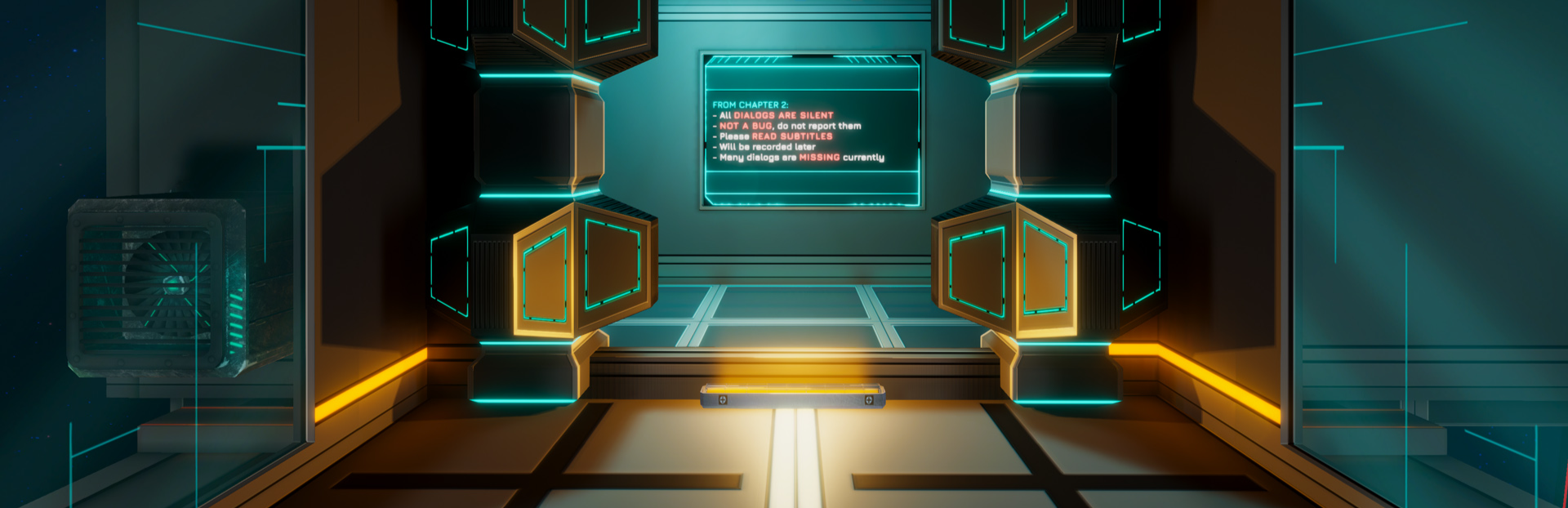
Chapter 2 - New Beginning: Significant rework of the beginning of Chapter 2. Please play it in New Game first, as most of it is skippable in New Game+ (intended)
- Chapter 2 - JetpacklessThe Big Room crossing was reworked to keep a similar difficulty, but a fan was added to more easily reach the Big Room screen to walk on. The left side of the tower still has a couple of vents to climb, but fewer than before.
- Chapter 2 - JetpacklessVarious fans were removed so the Big Room is no longer skippable through the Fragile Wall above it unless Jetpack is acquired. It's now a mandatory room for the Jetpackless Achievement, which should be far more reasonable now without exploits.
- Chapter 2Added basic rails to the moving platforms in the new first room (to be improved later).
Chapter 3: The timer switch that must be shot through the wall hole (just before Leaf) now requires Jetpack or Jump to be shot (it's higher than before) and has Cardboard Boxes in the way, to enhance both the fun and the annoyance.
- Chapter 3The Cube now initializes over a very short time (you may briefly see it happen) instead of the 1-second freeze introduced by the Unity 6 upgrade.
- Chapter 4Added an emergency exit in the pizza oven (before the Processing Center) to prevent softlock 3050665858115718. This area will be reworked in a future update.
Optimization
Skybox: Major CPU-side optimization for the far-away planets in the skybox. They aren't just a skybox and run various small effects, which always made them heavier than ideal - drawing them is now virtually free. On low-end PCs, areas that hit ~55 FPS may now hold a stable 60. The result is visually identical. A dangerous change - please report any bugs during cutscenes.
Menu Hidden: Optimized the game while the menu is hidden (unpaused), saving a non-negligible amount of CPU and helping low-end PCs during play.
- Chapter SessionsFixed a bug where starting a new chapter session used slightly more CPU until the next Last Checkpoint or Quick Load. Only felt on older CPUs, but a worthwhile gain.
- CutscenesOverall cutscene performance improved by roughly 15% less CPU usage , mostly felt on low-end PCs. A dangerous change - please report any new visual bugs.
CHANGES
Below are all the changes made in this update.
Rendering & Visuals
- TonemappingIn all previous versions, combining Maximum Tonemapping with Dynamic Reflections actually displayed colors closer to Medium - an intended fallback to avoid visual bugs. Those bugs are now fixed, so Maximum Tonemapping now truly uses full Maximum HDR colors even with Dynamic Reflections. With default Brightness, the game is now "as dark as intended" when using Dynamic Reflections + Maximum Tonemapping.
- TonemappingMaximum Tonemapping is unchanged, but Medium has been significantly improved to look closer to Maximum - the difference in brightness, color and contrast is now smaller. Maximum still has less color banding in dark areas; Medium still performs better. The game now looks slightly darker than before when using Medium.
Bloom: Slightly stronger in Medium Tonemapping with default Brightness settings.
Screen: The 3D in-game screens were showing too much saturation for green, red and cyan text. Restored to more readable, brighter, less saturated colors. Some may remain - please report them.
- Loading ImagesUpdated to reflect the latest Chapter versions and the game's current (much darker, more realistic) lighting. The old images dated back to 0.603 and looked far too bright compared to the current version.
Typewriter Effect
- Typewriter Effect (UI)Significantly optimized. This has always been an expensive effect (to the point it was fully removed from PE and consoles) and could lower FPS on low-end PCs. It now uses about 90x less CPU per text, so your PC should struggle far less while these gradually appear. A dangerous change, but the display result should be identical.
- Typewriter Effect (UI)Removed from the Options / Main Menu Options entirely, except for window titles and popups. Also removed from the Shortest Distance intro text.
- Typewriter Effect (In-Game)Most in-game wall screens with indications like "Go Left" now use a typewriter-style reveal, so more of these screens stay blank until you approach (intended). Focus was on Chapters 1 & 2; the others will be adjusted gradually. Performance impact should be negligible.
IG Diaries / Insights / Info Tablets: Main text is now hidden by default (by design, not a bug). You can no longer read them in advance - they now reveal with a nice typewriter effect once picked up at least once.
- IG DiariesOnce picked up in New Game, the text stays visible even after quick load or exiting the game. In New Game+, if the text is different, it is hidden again until picked up at least once in New Game+ - this helps you tell an unread Diary from one you've already read. All of this resets on New Game or Reset Save (but persists for New Game+ / Chapters page).
- InsightsNow follow the same text-reveal rules as IG Diaries, except they are New Game+ only by design.
Information Tablets: Now follow the same text-reveal rules, except their text is hidden every time you exit the game or restart the Chapter, so the typewriter effect plays again next session.
Interface & Controls
Navigation Bar: Now has a nice animation when it hides, to match the one when it appears.
- Screenshot ModeDefault shortcut changed to the INSERT key (no longer needs SHIFT).
Scope: Now fully consistent with the mouse - one scroll up = roughly 50% zoom, scroll again = maximum zoom. This logic now applies correctly to keyboard bindings too, and zoom-out behaves identically (it used to require more inputs). The zoom in/out animation is also faster while still smooth.
- User InterfaceCheckboxes, buttons and options in menus feel more reactive - the state changes instantly as Enter is pressed, even when navigating very fast (player-report 2777212341116). This may cause new UI bugs - please keep an eye out.
Controls Remapping: You can now leave the page with only a Secondary binding set. The game will show the Secondary binding in the UI if Primary is empty, and prioritize Primary when set. Various other remapping fixes were made.
Terminals & Keypads: Both now show the mouse cursor by default, even if you weren't moving the mouse when activating them.
Jump Tutorial: No longer shows [None] for an unset secondary binding. It shows the secondary binding if only that is set, or both if both are set. (Not yet done for the Zero-G Movement tutorial.)
Crouch Tutorial: Same improvement as above, and now correctly shows HOLD or PRESS depending on the Crouch type (Toggle or Hold).
Auto-Pause: Out-of-focus auto-pause now also hides the Navigation Bar during keypads, and hides all in-game UI (intended).
Audio
Audio Options: Changing the Music volume slider while paused now previews the final in-game volume. It correctly drops back to the "lower music while paused" level if you switch tabs or exit Options.
UI Audio: The same UI sound effect can no longer play twice at the exact same time (simultaneous notifications, tutorials, etc.). In rare cases a UI sound may be skipped - this is intended, to avoid messy double-sounds.
Relocation: The "relocation cancelled" sound (when you step back into the allowed area before the timer runs out) felt too much like an actual relocation. It's now a calmer, smaller sound.
Hover: The "Taser Energy required for Hover" notification now appears when you try to Hover with zero ammo (at most every 10s), including when enabling the Hover module mid-air with zero ammo. Enabling the Hover module also resets this 10s timer.
Gameplay
Moving Platforms: When moving downwards, they now try to push the player out of the way more often. You'll still be killed if fully squashed, but you'll be pushed clear more often (intended, to reduce player-report 418782591952081). A dangerous change that may need more tuning.
Quick Save: Now prevented and unavailable when the player is condemned to die (any Mine triggered in the Cube Cauldron), to avoid player-report 317791040351788.
- Quick SaveReworked cancellation when saving just before the final fade-out to the next Chapter. Any Quick Save interrupted by passing the "end of Chapter" point is now correctly cancelled and discarded, and quick saving beyond the last lift of Chapter 1 / Chapter 2 is prevented (intended). A dangerous save-system change - please report any new issues.
Death: The player can now die during the in-game button-activation cutscenes (the short glass-box-and-lever animation). The player used to be invulnerable here, causing player-report 1587613373210. Other cutscenes still keep the player invulnerable for fairness.
Death: The player can now also die while actively on the Cubic Cauldron's Upgrade Terminal interface (also caused player-report 1587613373210). Only this Terminal allows death, by design, due to how this Bonus Room is built - all other Upgrade Terminals keep you safe.
Cube Jump Exploit: You can no longer instantly jump off a Cube you picked up just 1 frame ago (player-report 171472592758).
- Reinitialize CubeThe "Reinitialize Cube" buttons now show a new Cube Reinitialized notification instead of "Cube Respawned".
- FansPhysics collisions are slightly simplified so small objects like Tablets can't incorrectly sink through the grid. They can still pass through the grid bars (intended, for fun collisions), which also fixes player-report 4123520389866. Shots still pass through to temporarily disable the rotor.
Vents: All (or most) vent doors now open at the same distance from both sides. Without upgrades and with Speedrun Mode off, they shouldn't slow you down. This may cause some doors to open slightly early - please report any you find.
Fragile Windows: Broken glass shards now stay around much longer and clip through walls and windows far less often. If the performance impact is too high, this may become a future Graphics option or be reverted.
Restart Chapter: Any restart request (UI or hotkey) now forces the player to stop, and further interaction requests are ignored (intended).
Chapters
- Chapter 0The Background Load option and Restart Chapter buttons are no longer available mid-cutscene after dropping Pandora, to prevent unfixable bugs. Change Background Load or restart the Chapter before dropping Pandora on the Pressure Plate.
Chapter 1: The "Exit" button in the "Laser Cages for Cubes" room (after the 6984 keypad, which only appears once you have the Taser) now stays usable multiple times. You can no longer softlock yourself by opening it and then getting back in via the ceiling.
Chapter 1: You can no longer softlock yourself in the Lockdown / Pablo Room. If you leave the Cubes on the upper floor and fall down, the Cubes are automatically respawned (only if Dodge isn't acquired, since with Dodge it's no longer a softlock).
Chapter 1: The Exit Door of the very first Camera room is now a Hyper-Door - slightly harder to skip with Hyper-Speed, but still doable.
- Chapter 1First Power Core Area - the first Power Core now respawns if you don't have Dodge yet but managed to place it somewhere unreachable (player-report 384944379568142). A Relocation was also added (only if Dodge isn't acquired) to prevent rare edge-case softlocks.
Chapter 1: Some vents with smoke particles in the Lifts weren't rendering smoke. All Lifts now render as intended.
- Chapter 1Lockdown Room after returning with the Taser - in New Game or New Game+ without Dodge, the relocation limit is now smaller to prevent backtracking to the Bridge area (softlock prevention). In New Game+ with Dodge, you can freely backtrack to the Bridge area and re-enter via the Fragile Window.
Chapter 1 - Pablo: Now respawned out of the way if you activate a manual button that triggers the manual switch cinematic.
Chapter 2: The Terminal is now in Lockdown while a Camera is actively detecting the player or in WARNING state. It's only accessible while CLEARED.
Chapter 2: The player will no longer be actively shot at by Cameras while interacting with a Terminal. This should never normally happen - it's a safety measure.
Chapter 2: The Bridge Minigame now respects the Performance Mode state and your custom Brightness Calibration (when Performance Mode is off).
- Chapter 2New geometry added to prevent a softlock if you dropped down the exterior of the lift without Dodge.
Chapter 3: Restored the musical hacking minigame to NOT auto-fail and reset on the first mistake by default. It only fails on the first mistake if Hard of Hearing is ON.
Chapter 3: For optimization, the lights for the small vent doors inside the first glass tubes (just after the Tunnel) now turn on only as you approach them and when relevant (intended).
Chapter 4: The Solar Panel combination hints have moved slightly. The UV message discovery dialogs ("F is red, OK", etc.) now play only 1s after the message is clearly visible, instead of instantly, so they don't trigger when you're just swiping past without paying attention.
Chapter 4: After the Train, in the Progress Room, the large Laser Field below the Color Sequencer Room is now ON directly and no longer has solid grounds blocking it.
BUGFIXES
Below are all the bugfixes in this update.
Engine & System
- Language ChangeFixed a Game Error when changing language, and fixed the font being reverted to a simpler font whenever the language was changed.
Statistics: Changing language after viewing the Statistics page at least once no longer incorrectly keeps the stats in the previous language.
- Save SystemFixed an extremely rare case where saving could cause an error. A safety change that shouldn't affect performance (if anything, slightly less CPU when starting to save). A dangerous change - hopefully all good.
- Save System / CheckpointFixed a major bug caused by simultaneous Last Checkpoint + Restart Chapter shortcut requests. A dangerous fix that still needs testing - similar cases may remain.
- TextFixed a Unity 6 bug causing some text symbols to display as squares (e.g. the Taser infinite-ammo symbol).
- LightingFixed many small lighting issues and light bleeding through some doors, vents and walls that regressed after the Unity 6 migration.
- ESCFixed a fairly random ~30% bug where ESC pause requests could rarely be ignored if you'd just used the mouse before pressing ESC (the "spam ESC three times to pause" bug). Watch for any mouse/keyboard switching issues.
- SkyboxFixed flickering planets after the skybox optimizations.
- End of Pre-AlphaFixed a bug that could cause Chapter 4 music to keep playing in the Main Menu (blind fix, to be tested) and cases of an "Invalid Time" speedrun counter. The fade-out to the Main Menu on completing the Pre-Alpha is also cleaner - the brief glimpse of the skybox is now gone.
Interface
Keypads: Clicking Resume from the Pause menu no longer leaves the next Keypad interface without a mouse cursor.
- MenuFixed various unresponsive or odd Menu behavior after rapidly spamming EXIT and the NO button in popups.
- ObjectivesFixed minor visual glitches that could appear for a single frame.
Bug Reporting: Bug report screenshots now display correctly again.
Bug Reporting: Pressing ALT+B while an Imminent Termination or Relocation timer is running now pauses that timer while the Bug Report window is open, and resumes it on exit.
Gameplay
- DodgeFixed rare cases of a micro-jump instead of a regular jump when jumping within 1s of a downward vertical dodge while blocked by ground.
Upgrade Terminals: Re-usable Upgrade Terminals should no longer ever show a RED light instead of CYAN before the second upgrade. Please report any remaining cases, with the affected Terminal shown while it is incorrectly red.
- Upgrade TerminalsFixed a bug where skipping the upgrade-acquiring animation very quickly after clicking wouldn't fire some important Chapter events (player-report 496249338272).
- LasersFixed OFF lasers having their lights incorrectly ON when switching to Maximum Dynamic Lighting, or when toggling Performance Mode off under Maximum Dynamic Lighting.
- Laser FieldsFixed a bug causing some Laser Fields to stop respawning Cubes for those that were meant to.
- Locking DevicesFixed a rare bug where Chests' or Vents' Locking Devices could be "lock disabled" yet still show their locking bars.
Portable Mirrors: Shooting the back side now also pushes them as expected (previously only the reflective front side worked).
- GeneratorsFixed Generator glass in Zero-G that could still be broken via Dodge - now fully removed as intended.
- Power CoresFixed an extremely rare bug that could place a Power Core or Encryption Key in the wrong position on Quick Load when it was meant to be inserted into a Slot.
Cubes: Silenced the water splash sound that played on Quick Load when a Cube was placed in water.
- Glass ShardsImproved the rendering of glass shards while submerged underwater - they used to ignore water and now look properly submerged.
- TaserFixed a rare offset on the Taser aiming laser when dodging and rotating the camera at the same time - it now always matches the muzzle perfectly.
- FlaresFixed offset flares while dodging with a Tablet in hand, and while dodging while aiming the Taser (flares are now off during that time, intended).
- FlashlightFixed the player seeing the Flashlight at the previous Iteration's position while respawning or moving quickly to catch up with the respawn position.
- RelocationFixed the relocation sound playing when relocation was cancelled at the very last moment or interrupted by a Quick Load.
- DeathFixed the screen sometimes not turning red when the player died.
- Performance ModeReturning to the Main Menu now correctly fully disables Performance Mode (fixing player-report 39539694411332), and Chapter 0 to Chapter 1 transitions now keep it fully enabled as intended. Previously some elements (particles, lens flares and more) weren't disabled, so chapter transitions didn't keep "full" Performance Mode until you toggled it off and on again.
Chapters
- Chapter 1Fixed an additional softlock case in the first dual pressure plates room.
Chapter 1 - New Ending: Both vents that can be opened by buttons in the last room now only work once, so you can't lock yourself in the left/right corridor parts (fixing player-reports 425411795071153 and 362481645221061).
Chapter 1 - New Ending: Pausing the game during the
epic elevator music
while going back down
after the explosion
now correctly
pauses the elevator music
too.
- Chapter 2Fixed broken top-down viewing angles on some Room Control interfaces.
- Chapter 2 - New BeginningFixed a falling ceiling tile that stayed in place (right corner, on a pillar) when it should have fallen, which let you skip in New Game where you'd normally need a Cube.
- Chapter 2Fixed a breakable physics light in the Don't Look Down area that could fall in advance.
- Chapter 3Fixed a case of triggering a Checkpoint too early, which broke Last Checkpoint.
- Chapter 4Fixed a softlock if you Quick Saved before taking Hyper-Speed at the Terminal, then Quick Loaded after acquiring it. Also fixed a similar situation when taking another upgrade from this Terminal in End Game mode.
- Chapter 4Fixed several more vent gaps, and many cases of the player falling into vent slopes instead of walking down them.
Chapter 4: In the Progress Room with 3 cameras, you can now hear the "start being spotted" sounds - you were previously too far from the cameras.
Chapter 4: The Fast-Shooting Camera area no longer incorrectly keeps the "Camera Detection" music playing after you complete it and cross the door.
Chapter 4: The Processing Center no longer pushes the player vertically upward while pushing them toward the walls to be crushed (only happened at low FPS).
370+ SOLVED REPORTS SINCE 0.612
Steam post image
Please check the NEW INTERACTIVE CHANGELOG and bookmark it!
It makes it much easier to view and search all the player-reports fixed and implemented suggestions!
Source
Changelog.gg summarizes and formats this update. How we read updates.