
In this update15
Full notes
Full Food Processing Simulator update
Read the full published notes in a cleaner layout. The original post stays linked below.
What changed
- Performance
- Gameplay
- Fixes
Food Processing Simulator changes
Hi everyone, 😄
Thank you very much for all the feedback, reports, and suggestions you have continued to share with us. We are still reviewing everything you send, especially reports related to large factories, heavy storage areas, and situations where many Boxes are active at the same time.
This update focuses on improving Box performance, save and load handling, and stability for larger factory progress. Several systems behind Box labels, icons, physics, distant visuals, and saving behavior have been adjusted to reduce unnecessary processing while keeping the original gameplay behavior intact.
In internal testing, heavy Box-stack scenarios showed more performance improvement. However, the actual result may vary depending on factory size, save progress, the number of active Boxes, and the device specifications used by each player.
With that in mind, here is what is included in this update.
Main Updates
1. Large Box Stack Performance Optimization
This update includes several optimizations for situations where a factory contains a very large number of Boxes.
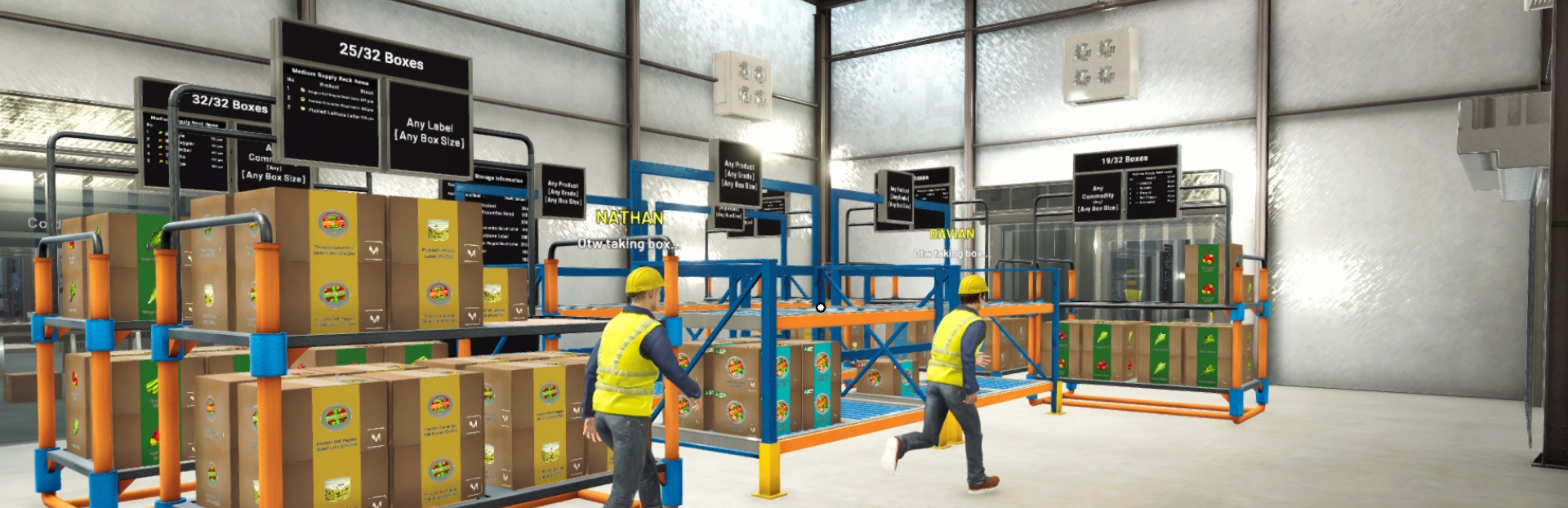
Large Box piles can create heavy processing load because each Box may display information such as its name, amount, capacity, icon, and status badges. When thousands of Boxes are visible or active at the same time, this can affect performance significantly.
To reduce this load, several Box display systems have been optimized.
a. Optimized Box Labels
Box label text now avoids unnecessary updates when the displayed information has not changed.
This helps reduce repeated processing from many Box labels being checked at the same time, especially in dense storage areas or older saves with very large Box piles.
Box names will also appear based on distance, so faraway Boxes no longer need to keep all label details active at once. A Box currently being carried will continue showing its name as expected.
b. Optimized Box Icons and Status Badges
Box icons and status badges are now handled more efficiently when many Boxes are visible together.
This reduces the amount of repeated visual work needed to display Box information, while keeping the icons and status information readable and consistent.
c. Simplified Distant Box Visuals
Boxes that are far away from the player can now use a simplified visual form.
When the player gets closer, the full Box appearance is restored. This is only a visual optimization. Box position, contents, and stored data are not changed by this system.
This helps reduce unnecessary detail from distant Boxes while keeping nearby Boxes clear and interactive.
Performance Improvements
1. Optimized Box and Item Physics
Box and loose item physics have been adjusted so that full physics behavior is focused around the player.
Boxes that are already still and far away from the player can temporarily reduce their physics activity. When the player gets close again, nearby Boxes can become active as needed.
This helps reduce unnecessary physics calculations in large Box piles while keeping nearby Boxes usable for normal gameplay actions such as picking up, dropping, and moving them.
A similar optimization has also been applied to loose production items that may be left on the floor or near machine outputs.
2. Faster Save and Load Processing
Save and load handling has been improved for factories with a large number of Boxes.
The game now processes heavy Box-related save and load tasks more efficiently, reducing the amount of work that needs to happen all at once.
Existing save files remain compatible, and the stored Box data is preserved.
This improvement should be most noticeable in larger factories or older saves with many Boxes. The result may still vary depending on each player’s factory size, save condition, and device specifications.
3. Smoother Machine Information Panels
Machine information panels now appear more smoothly when the player enters an area with many machines.
Previously, many panels could become active at the same time, causing a short performance spike in dense machine areas. The panels are now activated more gradually, and the process can be cancelled if the player has already moved away from the area.
This should make movement around larger production lines feel smoother.
4. Background Performance Adjustments
Several additional behind-the-scenes adjustments have been made to reduce unnecessary processing.
These include optimizations to Box rendering, inactive preview objects, and background task handling. These changes do not alter the intended gameplay behavior, but they help reduce extra load in larger factories.
Improvements
1. Steam Overlay Link Opening
In-game links can now open through the Steam Overlay when available.
This is intended to make link interaction more convenient, especially when opening links from inside the game without fully leaving the current session.
If Steam Overlay is not available, supported links will continue opening through the normal system browser as before.
2. Cold Storage Display Count Optimization
The item count display for Cold Storage has been adjusted to reduce excessive counting checks.
Previously, the displayed count could update continuously while Boxes were being carried into or out of the Cold Storage area by employees. To support performance optimization, the counting process now updates when a Box is dropped inside Cold Storage or dropped outside Cold Storage.
This keeps the displayed value tied to the point where the Box placement actually changes, while reducing unnecessary repeated checks during movement.
Bug Fixes
1. Floating Box and Large Stack Stability Fixes
Fixed several issues related to floating Boxes and large Box piles in older saves.
Boxes that were previously left floating in the air after loading a save can now settle down more naturally. Large Box piles are also handled more gradually to avoid applying too much movement at once.
This should help older saves with very large Box stacks become more stable after loading.
Also fixed cases where buying many Boxes at once could cause them to overlap too tightly or remain suspended after the Tablet was closed.
2. Delivery Truck Box Placement Fixes
Improved how Boxes are arranged inside the Delivery Truck.
Boxes loaded into the truck should now be placed into clearer positions, reducing cases where they could appear floating, overlapping, or incorrectly arranged after loading a save or after being loaded by employees.
3. Employee Box Merge Target Fix
Fixed an issue where an employee could become stuck while merging Boxes if the target Storage Rack or Supply Rack was moved during the task.
Employees should now properly stop or refresh the merge task when the target rack is relocated, preventing them from getting stuck in that state.
4. Orange Bowl Thinwall Icon Fix
Fixed the icon for the Orange Bowl Thinwall menu item.
Extra Notes
First Load After This Update
For older saves that already contain a very large number of stacked Boxes, the first loading process after this update may take around 1–2 additional minutes while the game adjusts and stabilizes the existing Box pile. This may vary depending on device specifications, save condition, and the number of Boxes in the factory.
After the save has loaded and is saved again, this process should become lighter in future sessions.
Some Boxes in very large older piles may still appear slightly overlapped as a visual result of their previous saved positions. This is expected to improve as the pile settles and the save is updated again.
Thank you again for your continued support, reports, and feedback. Optimization work will continue as we keep reviewing larger factory saves and the situations you report to us.
Some improvements may affect each player differently depending on their factory size and device specifications, so your reports remain very helpful for us when checking performance and stability across different save conditions.
If you encounter any issues or unexpected behavior, please report them through the in-game Bug Report Menu and/or the Steam Discussions so we can investigate further.
See you in the next update! 🥗🚚
Source
Changelog.gg summarizes and formats this update. How we read updates.