
Full notes
Full Flipper Frenzy update
Read the full published notes in a cleaner layout. The original post stays linked below.
What changed
0 fixes2 additions0 changes0 removals
- Compatibility
- UI and audio
addedAdded a new Compatibility Settings menu accessible from the shader precompile screen during startup, with full keyboard and gamepad support.
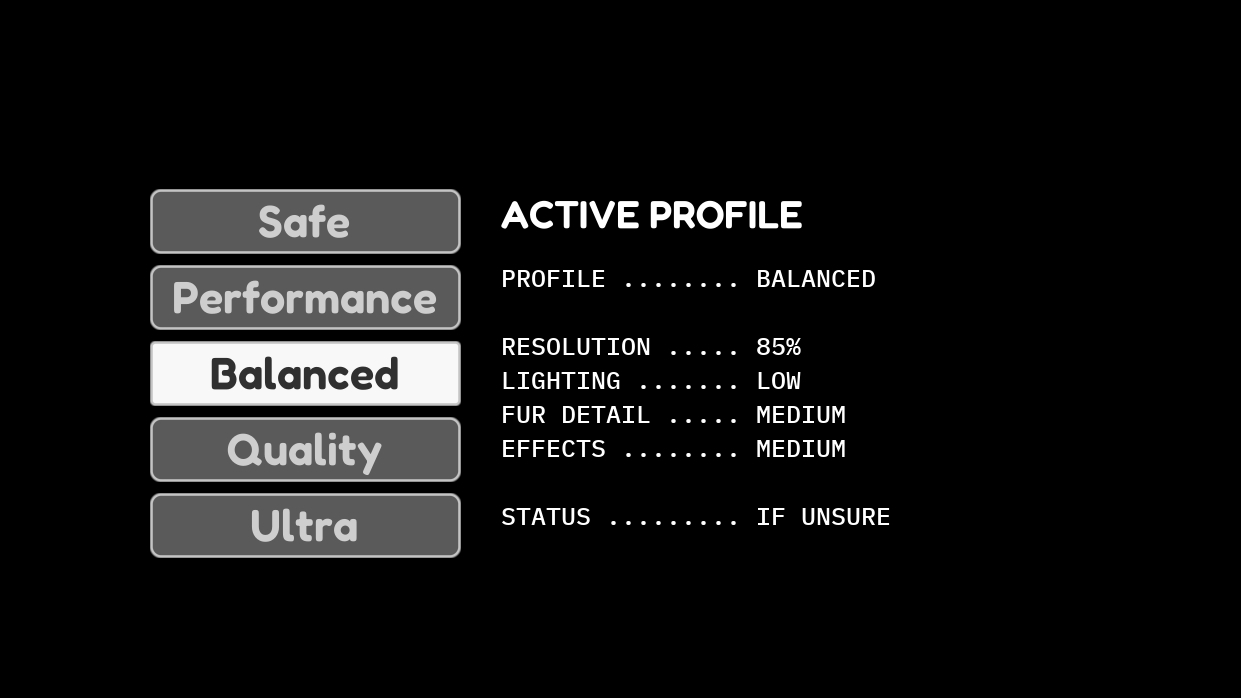
addedThis was added for players whose systems struggled with the 3D title screen, making it difficult to reach or select the normal graphics settings. You can now apply Safe, Performance, Balanced, Quality, or Ultra presets before entering the game, providing quick access to more suitable settings without first loading the full menu.
Flipper Frenzy changes
addedAdded a new Compatibility Settings menu accessible from the shader precompile screen during startup, with full keyboard and gamepad support.
addedThis was added for players whose systems struggled with the 3D title screen, making it difficult to reach or select the normal graphics settings. You can now apply Safe, Performance, Balanced, Quality, or Ultra presets before entering the game, providing quick access to more suitable settings without first loading the full menu.
Added a new Compatibility Settings menu accessible from the shader precompile screen during startup, with full keyboard and gamepad support.
This was added for players whose systems struggled with the 3D title screen, making it difficult to reach or select the normal graphics settings. You can now apply Safe, Performance, Balanced, Quality, or Ultra presets before entering the game, providing quick access to more suitable settings without first loading the full menu.
Source
Changelog.gg summarizes and formats this update. How we read updates.