New features: - External game Wikipedia https://firstfeudal.harpoon.games/ Lots of content is already added by dev team, but feel free to expand existing articles or add a new one!
Full notes
Full First Feudal update
Read the full published notes in a cleaner layout. The original post stays linked below.
What changed
0 fixes1 addition1 change0 removals
Maps
Compatibility
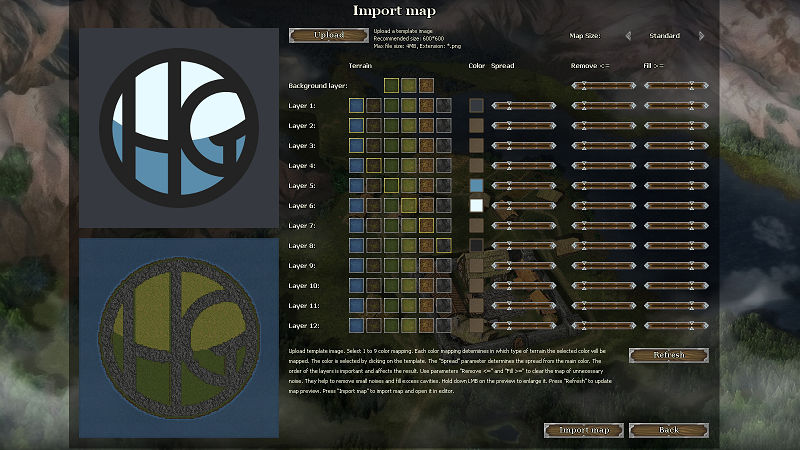
addedNew features: - External game Wikipedia https://firstfeudal.harpoon.games/ Lots of content is already added by dev team, but feel free to expand existing articles or add a new one! - Import map feature which allows you to make a map based on uploaded png image (you can use a part from real world or some fantasy map for example). This feature works only for 1600x900 or larger screen resolution. - Lots of QoL features and bugfixes.
changedIf you want switch version to Beta - press RMB on the First Feudal in the games library -> Properties -> Betas -> and select version "beta".
First Feudal changes
addedNew features: - External game Wikipedia https://firstfeudal.harpoon.games/ Lots of content is already added by dev team, but feel free to expand existing articles or add a new one! - Import map feature which allows you to make a map based on uploaded png image (you can use a part from real world or some fantasy map for example). This feature works only for 1600x900 or larger screen resolution. - Lots of QoL features and bugfixes.
changedIf you want switch version to Beta - press RMB on the First Feudal in the games library -> Properties -> Betas -> and select version "beta".
New features: - External game Wikipedia https://firstfeudal.harpoon.games/ Lots of content is already added by dev team, but feel free to expand existing articles or add a new one! - Import map feature which allows you to make a map based on uploaded png image (you can use a part from real world or some fantasy map for example). This feature works only for 1600x900 or larger screen resolution. - Lots of QoL features and bugfixes.
Full list of changes will be published upon release to default version
If you want switch version to Beta - press RMB on the First Feudal in the games library -> Properties -> Betas -> and select version "beta".