
In this update1
Full notes
Full Figurine Scene Simulator update
Read the full published notes in a cleaner layout. The original post stays linked below.
Repeated intro
Greetings all,
What changed
- Gameplay
- Store
- UI and audio
- Compatibility
- Server
Figurine Scene Simulator changes
We've added several collections of adult animations from the high quality studio AnimArts. This post is intended to help you find characters to use with the animations and outlines some steps for getting them to line up to create poses and quick clips.
New Animations
We previously had a male/female sampler set of adult animations; now we've added 4 additional sets:
Her Moments Blow Job (thanks @Jaggy1003) Missionary Dirty Dog Each set has several animations with multiple pose frames, providing a plethora of opportunities for different pose captures or movies. Try it out: BJ animations
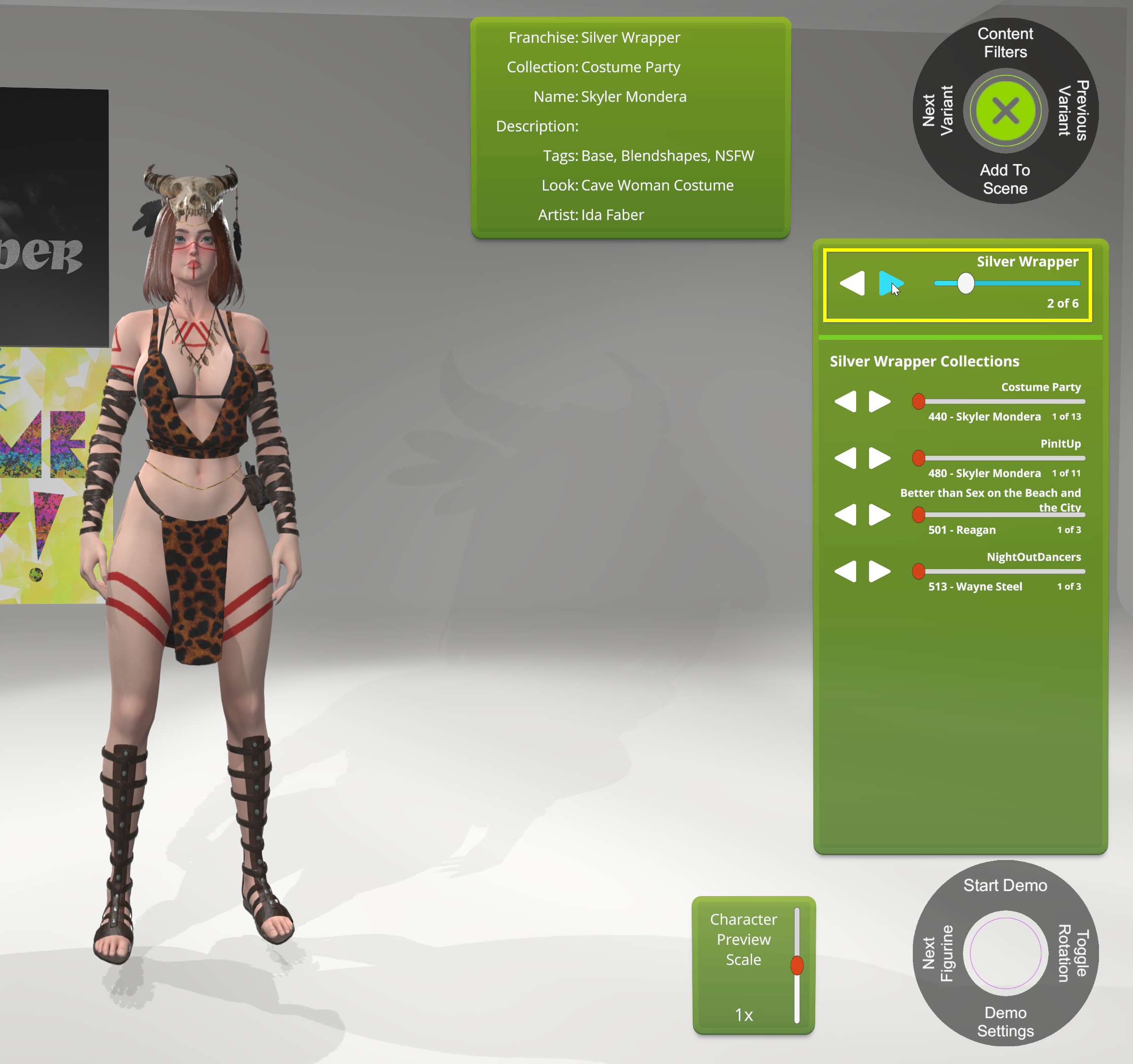
Open the figurine store and navigate to the Silver Wrapper franchise. Since we’re going to try the BJ animations, we'll use someone who has mouth blendshapes.
Preview the adult animations by going to the last collection in the animation browser (you can use the left arrow to go back up to the last collection).
You can preview different animations with the selected character.
After finding the character you want, click Add Character to add them to the scene. Remember, for this example we need to select a character with the correct blendshapes in order to setup the mouth for the BJ animation.
Switch to a BJ animation by opening the animation panel for the selected character and then selecting one of the BJ animations for “A”.
Close the Animations panel with the lower left X twice, then click on the ‘Advanced Customizer’ and then ‘Blendshapes and Expressions’.
Scroll down the list of blendshapes on the left and find the Jaw Open one.
Slide it all the way to 100 to open her mouth as wide as the blendshape will allow.
Click the Close character to add a second character to the screen.
Staying in Silver Wrapper, choose one of the figurines from the 'NightOutDancers' collection.
Use the 'Next Variant' button to find a nude variant.
Click the 'Add Character' button and then use the position gizmo to move the new character in front of the original character.
After moving the character, switch to the 'Rotate Character' tool.
Spin the character around to face the first character.
Open the new character's animation panel and select the matching '01 Kneeling B'.
Use the ‘Position’ tool to align the two characters. (You can switch between characters with Ctrl + Left mouse click.)
Use the ‘Phallus Adjuster’ on the male character to change the size and rotation of his penis to better fit the opening of her mouth. (You can find it under Animations & Effects -> Body Behaviors -> Phallus Adjuster)
You can also use different BJ animations in the same set to find different poses for both screen captures and movie clips.
Once you find a setup you like, you can use the Producer Mode to take pictures with different lens effects, frames and skyboxes.
Finished Picture
Roadmap: What’s Next In the current Jumpstart edition (alpha), you can usually find good angles for different animations that work well in captures or short clips with several different characters in the game. Improving the quality of interactions between characters is our primary focus for the release of our Founders edition (beta) which includes avatar posing and the ability to allow you to make adjustments to improve the characters' body part alignments during animations.
As we work on the Founders edition release we'll be adding more adult characters to all of the franchises, some related props and another collection of animations. If you'd like to suggest any ideas for animations, please give us your feedback in this discussion.
Thanks for your interest in Figurine Scene Simulator! -Arcade Player '99 Simulated Entertainment Discord Server
Source
Changelog.gg summarizes and formats this update. How we read updates.