
HomeGamesUpdatesPricingMethodology
Steam News4 May 20224y ago

Premium Unlock Feature 3 - Blendshapes / Expressions

Hello all, We will be releasing the premium unlock dlc shortly. We've completed the main functionality and are now completing content production and bugs.

Full notes

Full Figurine Scene Simulator update

Read the full published notes in a cleaner layout. The original post stays linked below.

Repeated intro

Hello all,

What changed

0 fixes3 additions3 changes0 removals
  • Store
  • Events
  • UI and audio
  • Gameplay
changedWe will be releasing the premium unlock dlc shortly. We've completed the main functionality and are now completing content production and bugs. Once we finish, we'll release the store pages and the "Jumpstart" discount bundle.
changedThe following example continues to use the dragon from the previous components event, now using their blendshapes in order to further modify their appearance.
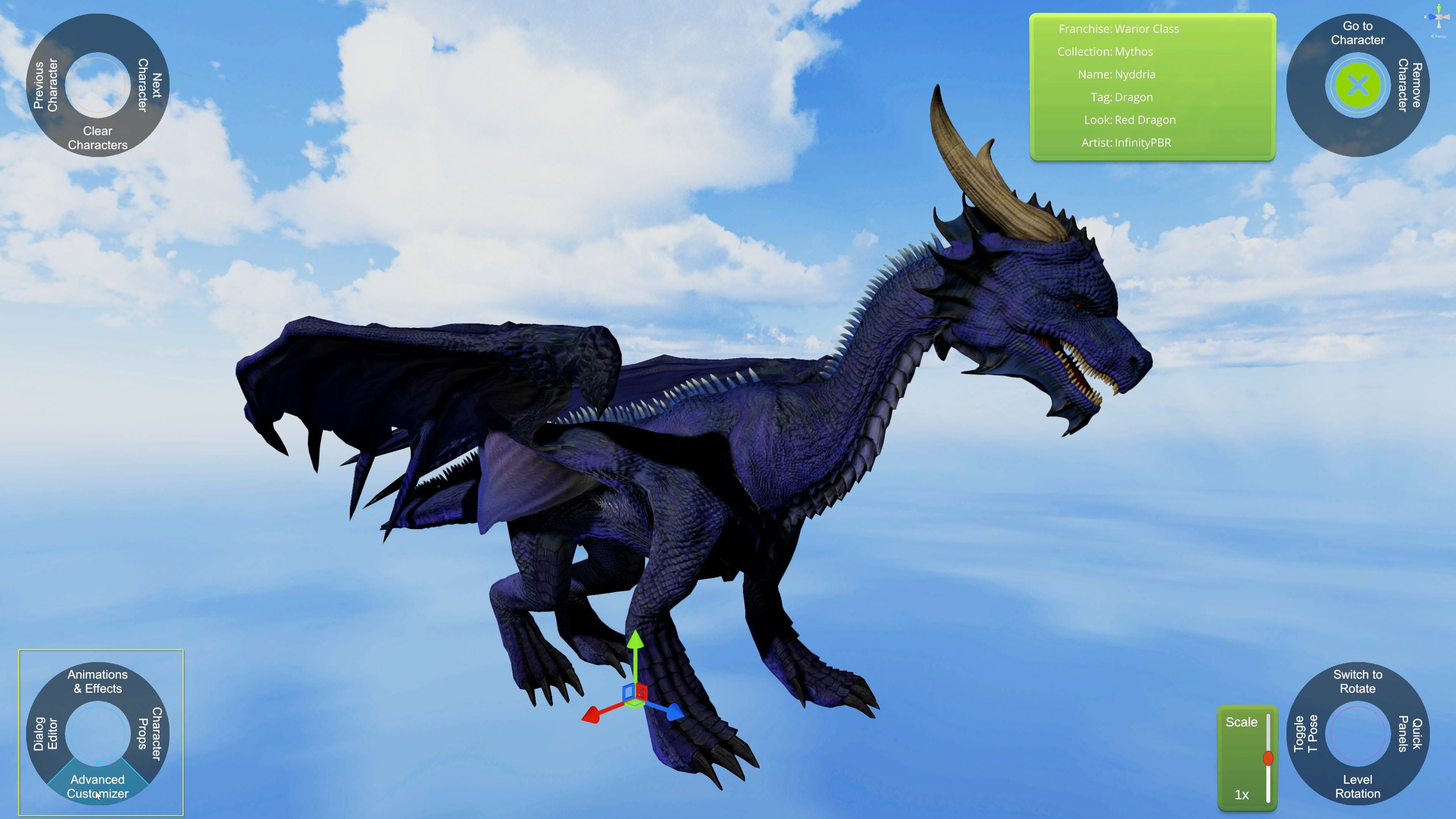
addedAdd a figurine with blendshape support to the scene and click the 'Advanced Configurator' button on the blue menu.
changedClick the Blendshapes/Expressions button.
addedFigures may have multiple sets of blendshapes, this dragon needs to have it's spikes blendshapes modified to fit the new size of the back.
addedIn addition to the starting expressions provided with these figurines, you can also blend them to make new expressions.

Figurine Scene Simulator changes

changedWe will be releasing the premium unlock dlc shortly. We've completed the main functionality and are now completing content production and bugs. Once we finish, we'll release the store pages and the "Jumpstart" discount bundle.
changedThe following example continues to use the dragon from the previous components event, now using their blendshapes in order to further modify their appearance.
addedAdd a figurine with blendshape support to the scene and click the 'Advanced Configurator' button on the blue menu.
changedClick the Blendshapes/Expressions button.
addedFigures may have multiple sets of blendshapes, this dragon needs to have it's spikes blendshapes modified to fit the new size of the back.

We will be releasing the premium unlock dlc shortly. We've completed the main functionality and are now completing content production and bugs. Once we finish, we'll release the store pages and the "Jumpstart" discount bundle.

This post provides an overview for the next premium feature, Figurine blendshapes / expressions. When an artist includes blendshapes for their models, we provide the ability to control them through the game and allow you to save the combination of blendshapes as an "Expression".

The following example continues to use the dragon from the previous components event, now using their blendshapes in order to further modify their appearance.

  1. Add a figurine with blendshape support to the scene and click the 'Advanced Configurator' button on the blue menu.

  1. Click the Blendshapes/Expressions button.

  1. Use the sliders to modify the blendshapes to customize the figure's appearance.

  1. When happy with a group of blendshapes, you can save them as an expression so you can quickly load them in the future or switch between multiple sets from the quick manager.

  1. Figures may have multiple sets of blendshapes, this dragon needs to have it's spikes blendshapes modified to fit the new size of the back.

  1. Before and after with our simple modifications.

  1. Blendshapes can work with components to offer multiple ways to modify the original figurine.

  2. In addition to some figurines have body blendshapes, some figurines have facial blendshapes.

  3. In addition to the starting expressions provided with these figurines, you can also blend them to make new expressions.

Thanks for your interest in Figurine Scene Simulator!

-Arcade Player '1999

Source

Steam News / 4 May 2022

Open original post

Changelog.gg summarizes and formats this update. How we read updates.