
Full notes
Full Figurine Scene Simulator update
Read the full published notes in a cleaner layout. The original post stays linked below.
Repeated intro
Hello All,
What changed
- Store
- Gameplay
- UI and audio
- Balance
Figurine Scene Simulator changes
In our latest release you'll find a new feature which rotates through characters in the store. You can stop the showcase demo at any time and add the selected character to the scene.
To try the new feature, please follow these steps:
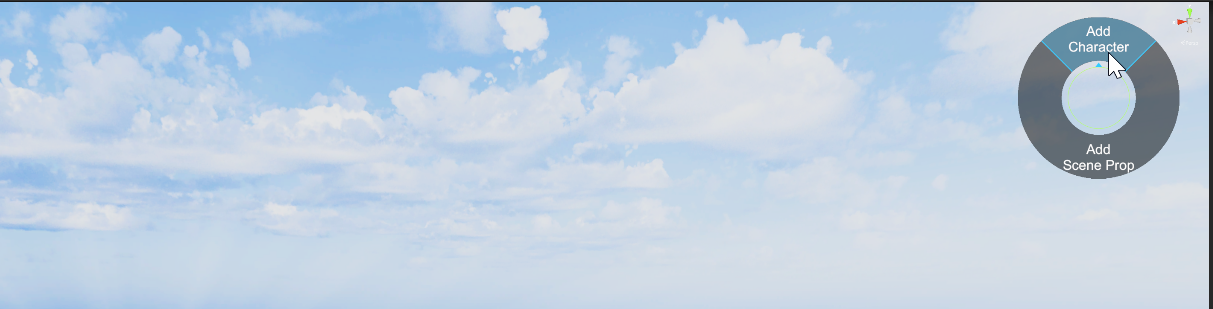
After the game opens, close the info panel and click 'Add Character' on the top-right menu.
Click the "Start Demo" button on the bottom-right menu.
The showcase demo will run through each figurine in the game, you can stop it at any time to add the figurine to the scene.
The showcase settings offer several options to customize the experience.
Random Mode: Randomly selects a figurine based on the scope of the Demo Mode.
Exhibition Mode: Presets that will select an animation group and some preset settings.
Rotate Target: Rotate the character during the demo.
Rotate Speed: Adjusts the speed of rotation.
Target Time: The duration each character will be displayed before going onto the next.
- Demo ModeStudio (all available characters), Franchise or Collection
Animations: Options to select which animation that will be used when each character is loaded.
Animations Speed: Select between 10% and 100% or Random Frame.
Capture Mode: Movie and image capture settings you can use to record the demo and PNGs or MP4s.
User Producer Settings: If you go into the Producer Mode, you can set a frame and lut. Turning this setting to yes will enable them during the showcase demo.
Using these settings can make it easy to capture a bunch of images or movies while the characters trade out in different poses or animations. Steam post image
We will be building off this feature to allow you to use it in scenes you build to have the camera navigate through and trigger character animations. ... Few other fixes, including some UI elements to better support Ultrawide screen monitors.
Rez you later, Arcade Player 1999
Source
Changelog.gg summarizes and formats this update. How we read updates.