
Full notes
Full Fernbus Simulator update
Read the full published notes in a cleaner layout. The original post stays linked below.
What changed
- Compatibility
- UI and audio
- Gameplay
- Events
- Fixes
- Performance
Fernbus Simulator changes
There's another BETA update for Fernbus Simulator available for you! For the full detailed list of changes, please, see the changelog below. --- Please create backup copies of your savegame files before switching to the BETA Update. Savegames may not be compatible with the new version of the game. --- ATTENTION: This is a BETA update. Technical problems, instability of the game as well as bugs during gameplay can be possible.
How to install the beta version of the update? Quite easily:
In your Library, you click with the right mouse button on the entry of the "Fernbus Simulator"
In the drop-menu, you click on the entry "Properties"
In the window "Fernbus Simulator - Properties" you select the tab "BETAS"
In the field "Select the beta you would like to opt into:" select the entry "beta-beta"
Now you can close the window and the beta version of the update should download right away
After downloading the update you can start Fernbus Simulator via the "PLAY" button
In the main menu should now be the corresponding version number of the beta version of the update and you can test the update
--- Changelog 1.34.77043 Beta
Upgrade to Unreal Engine 5.3
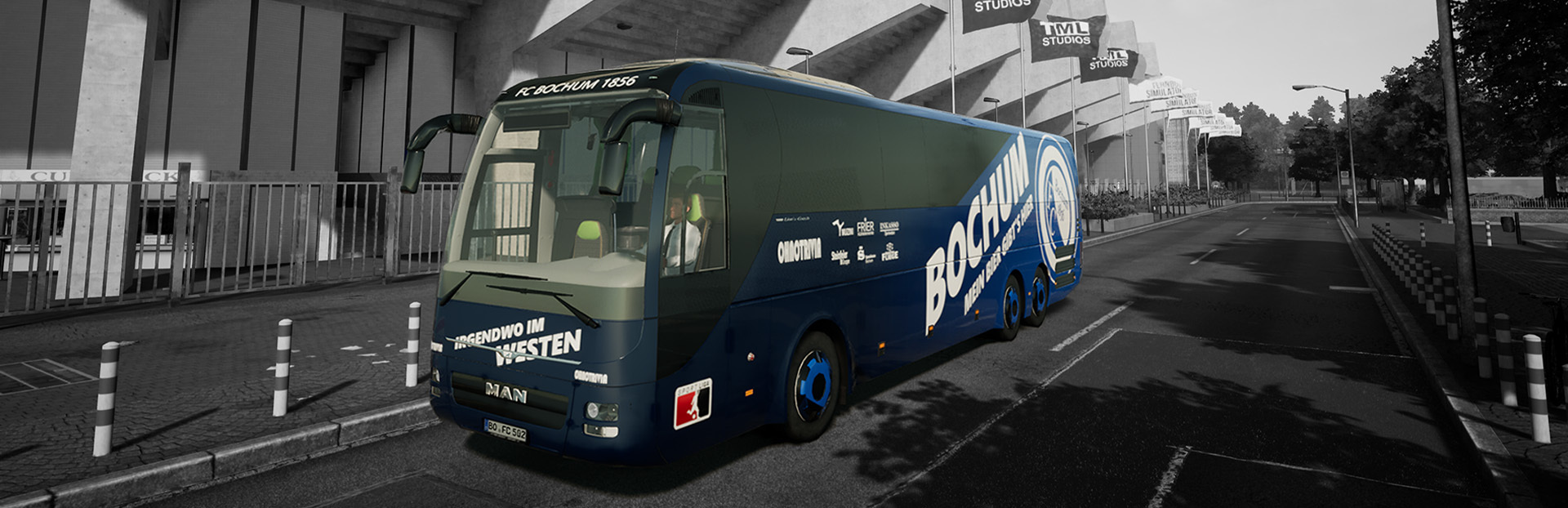
Added new Cities Heidenheim and Bochum
Added new parts with soccer stadiums to the Cities Berlin, Hamburg, Freiburg and Kiel
Added new season 2024/2025 to Team Bus DLC
Added new soccer clubs “FV Heidenheim”, “Ultra Berlin”, “FC Bochum”, “VB St. Pauli”, “FC Kiel”
Added new stadium “Europapa Stadion” for “SV Freiburg”
Fixed many issues in Team Bus DLC
Added gamepad support for Team Bus DLC
Updated window and glass materials
Reworked Antialiasing Settings
Reworked buttons and lights for most busses
Level Art Fixes
Performance Optimizations**
Changelog 1.34.78299 Beta
Added support for Aerosoft Truck & Bus Wheel System
Reworked keybinds for Gears, Wipers, Indicator and Light Switch
Reworked device assistant to allow for multiple devices
Increased 32 Button Limit for devices
Fix wrong cross selector in Scania busses*
Fix Futura FHD 2 dashboard lighting*
Fixed being unable to select passengers at breaks*
Fixed Lions Intercity cross selector*
Fix ignition breaking when used while in wrong gear*
Reworked neoplan, Lions Coach buttons and lights
Removed broken “Shop” stop*
Fixed deactivated lights in bus stations*
Level Art Fixes
Performance Optimizations
Changelog 1.34.78656 Beta
Fixed default keybinds not working in some busses*
Fixed MAN Lion’s Coach and Neoplan Skyliner cross selector*
Fixed Grass missing in large parts of the world*
Fixed Scania Interlink, BB40 and W906 gear and cruise control*
Fixed parking bus repaints
Fixed digital mirrors*
Fixed driver seat position*
Level Art Fixes
Performance Optimizations**
Changelog 1.34.78878 Beta
Fixed Indicator not turning off when cancelled*
Fixed Wiper keybinds being inverted*
Fixed Flixbus announcements playing in shuttle mode*
Fixed cross selector icons for Neoplan Skyliner*
Level Art Fixes
Performance Optimizations**
Changelog 1.34.80547 Hotfix 2
Fixed wiper keybinds for Scania Touring
Fixed broken repaints causing startup crash
Fixed Radio keybinds not working
Fixed Passenger counting in Cityliner
Fixed cross selector aircon options
Fixed wheel connection issues
Fixed general keybind issues
Fixed Aerosoft Truck & Bus Wheel System issues
Fixed UI issues in Team Bus DLC
Level Art Fixes
** Please be aware that the impact of performance optimisations varies from system to system due to hardware configurations, installed software and other programs running in the background.
Source
Changelog.gg summarizes and formats this update. How we read updates.