
Full notes
Full Evil Twin update
Read the full published notes in a cleaner layout. The original post stays linked below.
What changed
- UI and audio
Evil Twin changes
- Venomhero
I. THEME START MENU INTERFACE
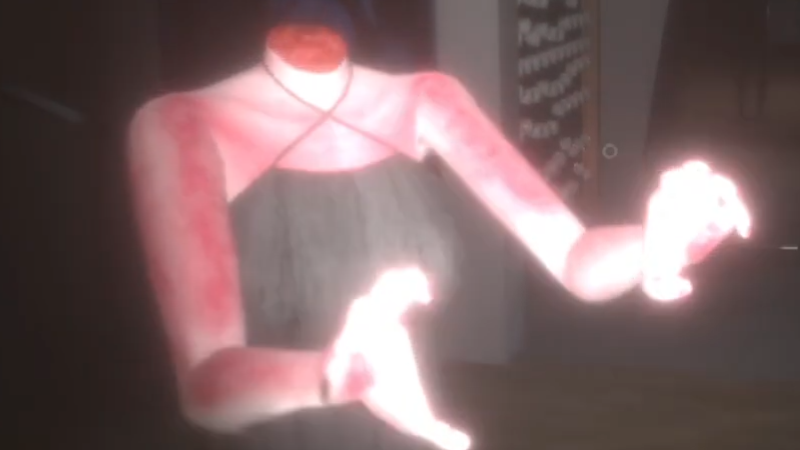
This is the first place when you open the game (before that you may have seen the Pykatellar studio logo and the ESRB Rating logo for Mature). You will immediately see the scene in a place that looks like a bathroom, the main camera will be sitting on the floor. On your left is a slightly dirty white bathtub and the faucet is dripping with disgusting drops of blood, the bathtub also has a broken oval mirror leaning against the side to test the hand tracing reflection effect (if you turn it on, you will immediately see a reflection of a picture of a girl wearing a white kimono-like dress, a ghost face, a sewn-up mouth and horrifying blood, this picture is actually a framed photo placed on the wall behind the camera). To your right is a black living entity like venom and on the slimy surface there are moving veins, one root clings to the floor and the other clings to the ceiling like a tree, on its trunk are bright orange eggs (this egg will hatch into a monster). On the right wall is the door to this room. In front of the camera in the room architecture is a modern Japanese style window looking out is a rain, the rain is also red like blood, sometimes there is thunder and lightning. The camera is not static but moves as if trying to look up at everything in the room, when looking down right on the floor you will see the bloody horror style text of the game title with the note Early Access and Pykatellar Studio. The floor and ceiling seem dirty.
Now let's take a look at the UI/UX interface on the screen. In the lower left corner is a three-line text, line 1 is "Reduce resolution when lagging or stuttering", line 2 is "Early access includes 2 chapters out of 6 chapters with a total playtime of 2 hours", line 3 is "Bnar full release will be made on Flax Engine and have a total playtime of more than 10 hours". In the lower right corner is an option menu frame including 5 buttons arranged from top to bottom: Play button, Option button, Credit button, pykatellar.com button (access the home page), Quit button. Above the menu frame is the bloody banner logo seen on the floor as mentioned.
This scene menu has the instrumental background music of Sad made by Pykatellar studio.
II. SETTINGS INTERFACE
The language options frame includes English, Japanese, Traditional Chinese and Vietnamese. As a Vietnamese game, it must have Vietnamese, English is mandatory, Japanese is a game without Japanese, who would play it, and Traditional Chinese is because the studio has the contribution of design from friends from Taiwan. Next in the frame, there is also the option to turn on or off the bull's eye when playing, subtitle options, "Uncensored" option (if enabled, the overlay for 2ten 18+ content will be removed). The default three options below are off and English language.
The resolution frame, which only supports SD, HD, HHD, FHD, FHD+, 2K and 4K, will automatically select the one that fits the device screen by default. There is also a line displaying the scan frequency.
The sound frame includes three channels: total sound, ambient sound and background music. These are the 3 sliders that default to 0 for balance. If you reduce it to negative, it will be smaller, if you increase it, it will be larger, simple.
The graphics frame, first is the label that informs whether
Source
Changelog.gg summarizes and formats this update. How we read updates.