
Full notes
Full Escape the Backrooms update
Read the full published notes in a cleaner layout. The original post stays linked below.
What changed
- Store
- Gameplay
- Fixes
- Maps
Escape the Backrooms changes
🎶 Walking in a winter wander(er)land… 🎶
Time to celebrate this wonderful time of the year in the best way possible – navigating unnerving spaces and avoiding a grizzly death by terrifying Entities. The free ‘Winter Wanderer’ update for Escape the Backrooms launches on Steam on December 10!
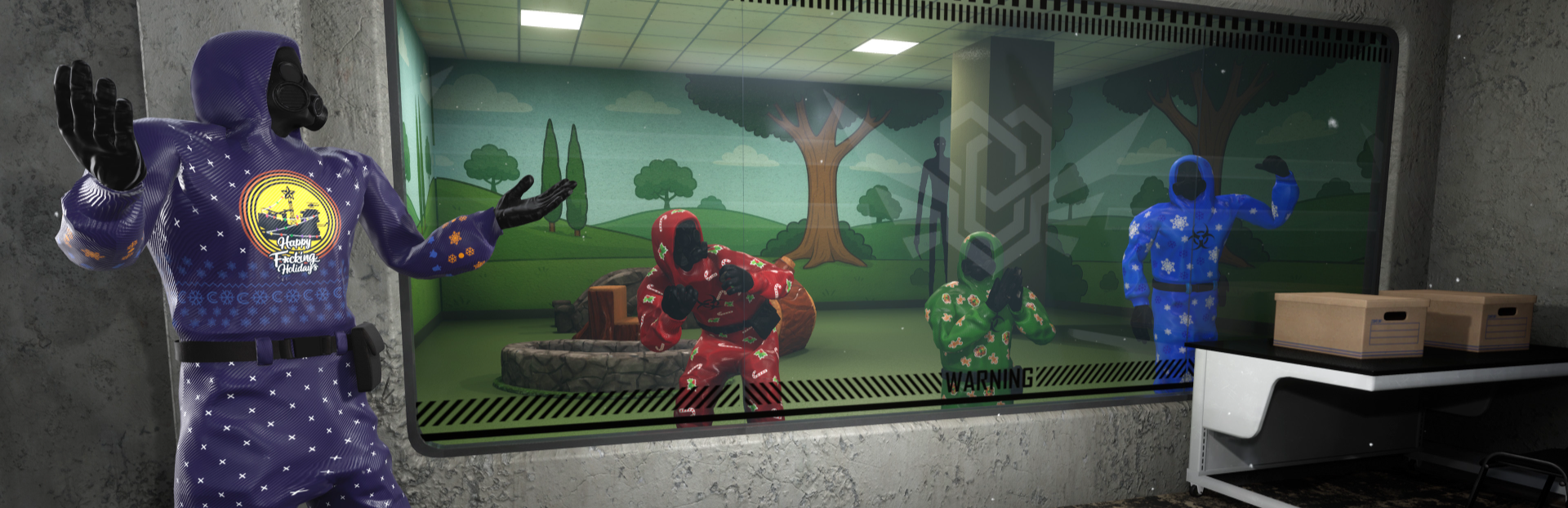
This update and content drop, free to all players on Steam, adds a range of winter and festive-themed outfits to select for your Wanderer. From reindeer, to snowflakes, to an oil rig-based reference… there’s a little something for everyone’s taste in here.
Adding the cosmetic options also means the addition of a ‘character select’ screen, so you can choose which outfit to don before diving into the Backrooms. We’re hyped to add this and will be adding more customisation options in future updates!
Alongside the new content, Update 1.1 brings some more fixes and improvements based on community feedback. The full patch notes are available below.
This update is the first content drop mentioned in the 1.0 roadmap for post-launch support, with plenty more to come throughout 2026. Find out more here, and join us over on Discord and TikTok for more on the Winter Wanderer update!
PATCH NOTES FOR UPDATE 1.1 (WINTER WANDERER UPDATE)
Added screens and functionality to select different player outfits, available from the main menu
Added 11 new player outfits to select – eight festive themed outfits, along with red, blue, and green versions of the default Wanderer outfit
Nightmare Mode – checkpoints and save files are no longer accessible and the mode works as intended. If any player dies at any point in the playthrough, all players must restart from the beginning
Fixed instances of players being able to see through walls after adjusting visual settings
Level 0 – Fixed rare instances of the Bacteria entity falling out of the map
Level 4 – corrected the behaviour of camera detection
Added functionality and on-screen messaging to inform players if they are matched with a player on a different version of the game, which can happen if a players does not update their game
Fixed rare instances of items not appearing correctly when held by a player, with specific visual settings applied
Source
Changelog.gg summarizes and formats this update. How we read updates.