
Update log
Full EreaDrone : FPV Drone Simulator update
The complete published notes, normalized for clean reading and source attribution.
Extracted changes
- Compatibility
- Events
- Gameplay
- Maps
Hi!
This is a small update to introduce the new launcher, now in Beta, and some bugfixes. This is part of the upcoming UI update!
Remember to sign up to the Challengers #2 - Boreas Race event on 31/01 !
New EreaDrone Launcher beta
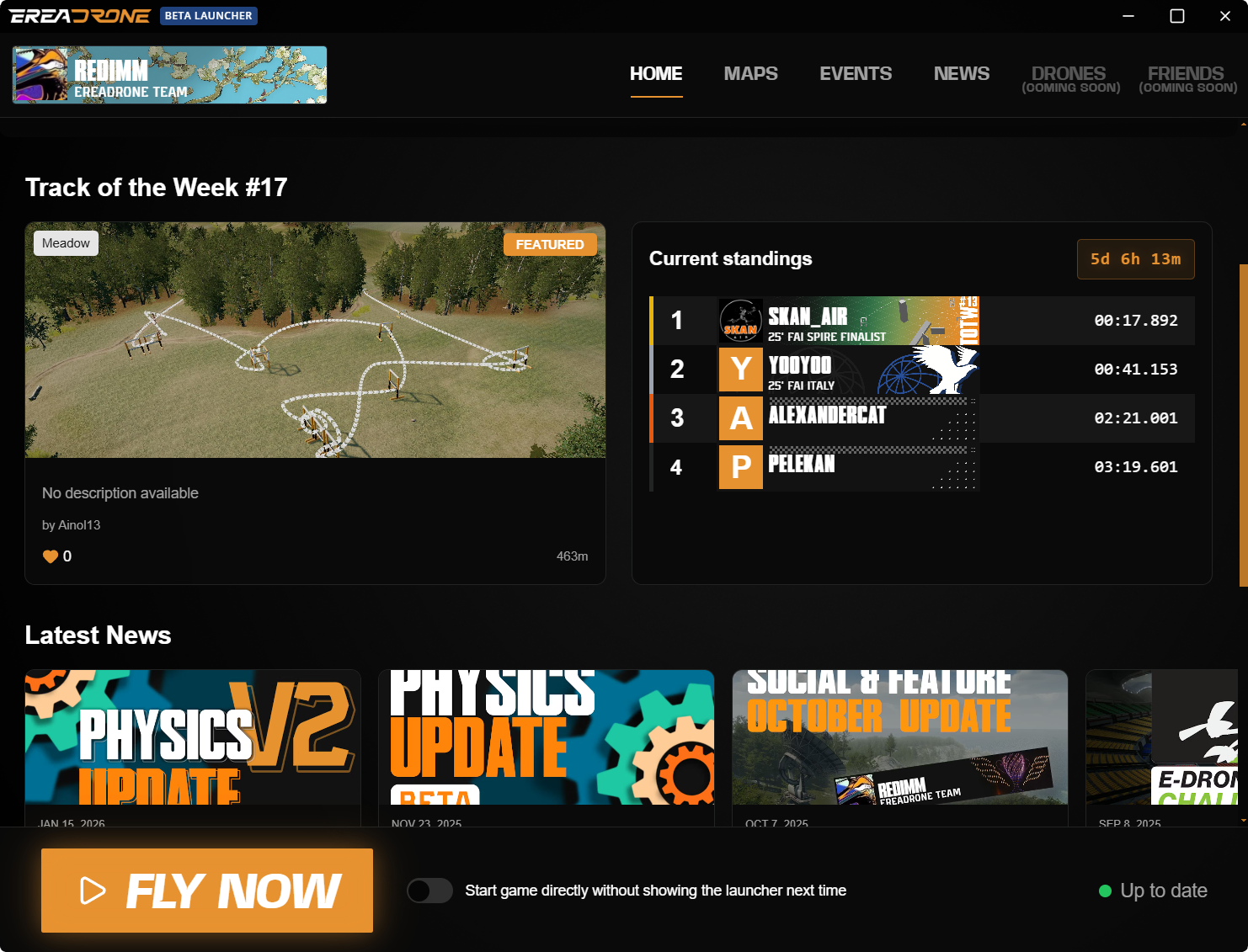
Behold! This is the shiny new EreaDrone Launcher. Here, you will be able to find all the latest about EreaDrone, browse Maps, look for Events and much more!
The idea is to be able to handle most tasks before even launching the game, except flying of course.
If you simply want to get into the game as fast as possible, there is an option to skip the launcher.
Due to the launcher changes, you will have to log in to your account again, sorry for that!
Tell us what you think in the Discord!
Line-of-sight & 3rd person flying
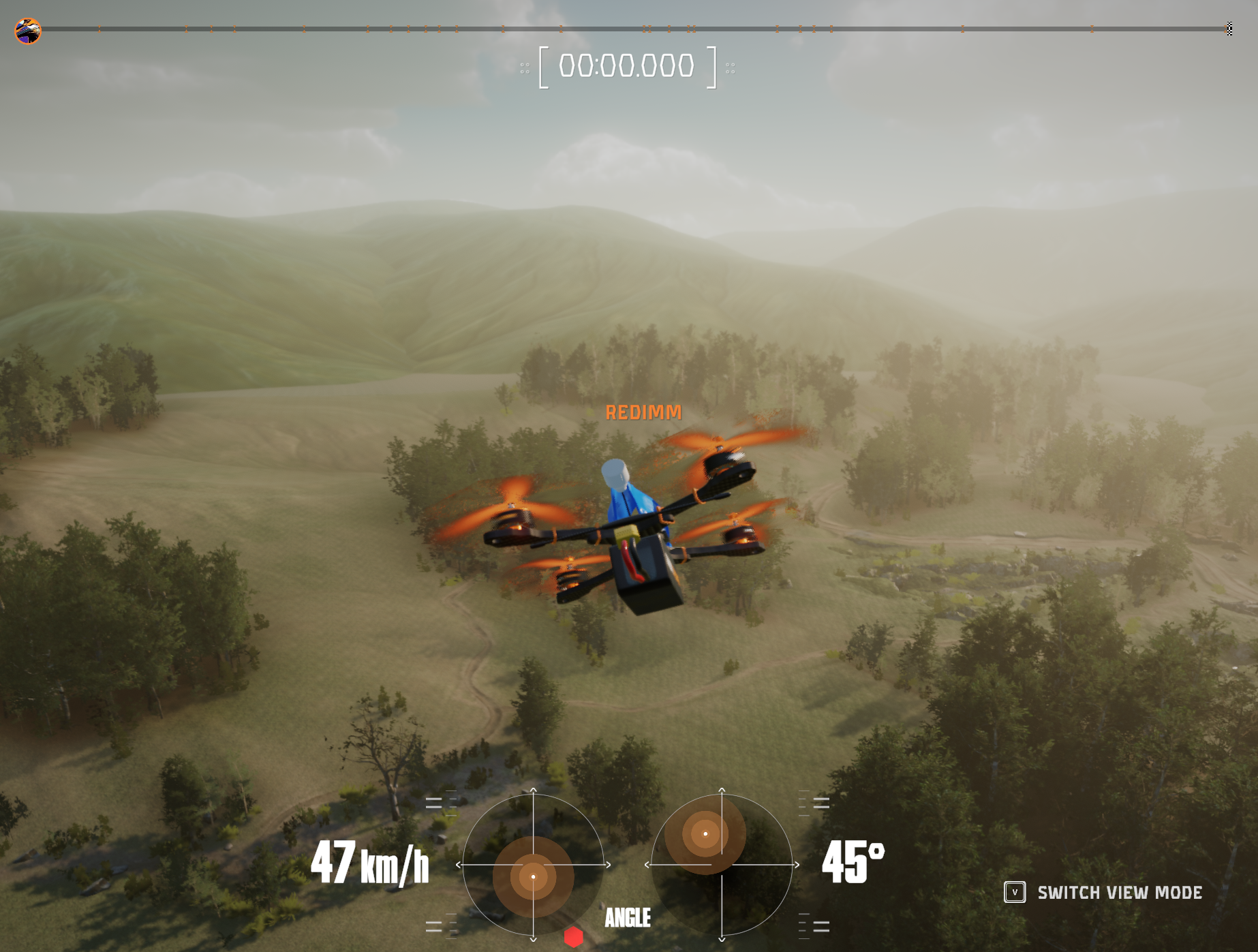
When flying, try pressing 'V'! (by default, this can be remapped)
The game now switches from the traditional FPV to 3rd person view, or Line of Sight! This is great to practice flying without goggles, or simply try out the new mode.
Improved UI
Axes settings
The axis settings were moved from the popup (when clicking on the gear) directly to the Controls settings screen. This makes the menu more clear, and easier to use.
Steam post image
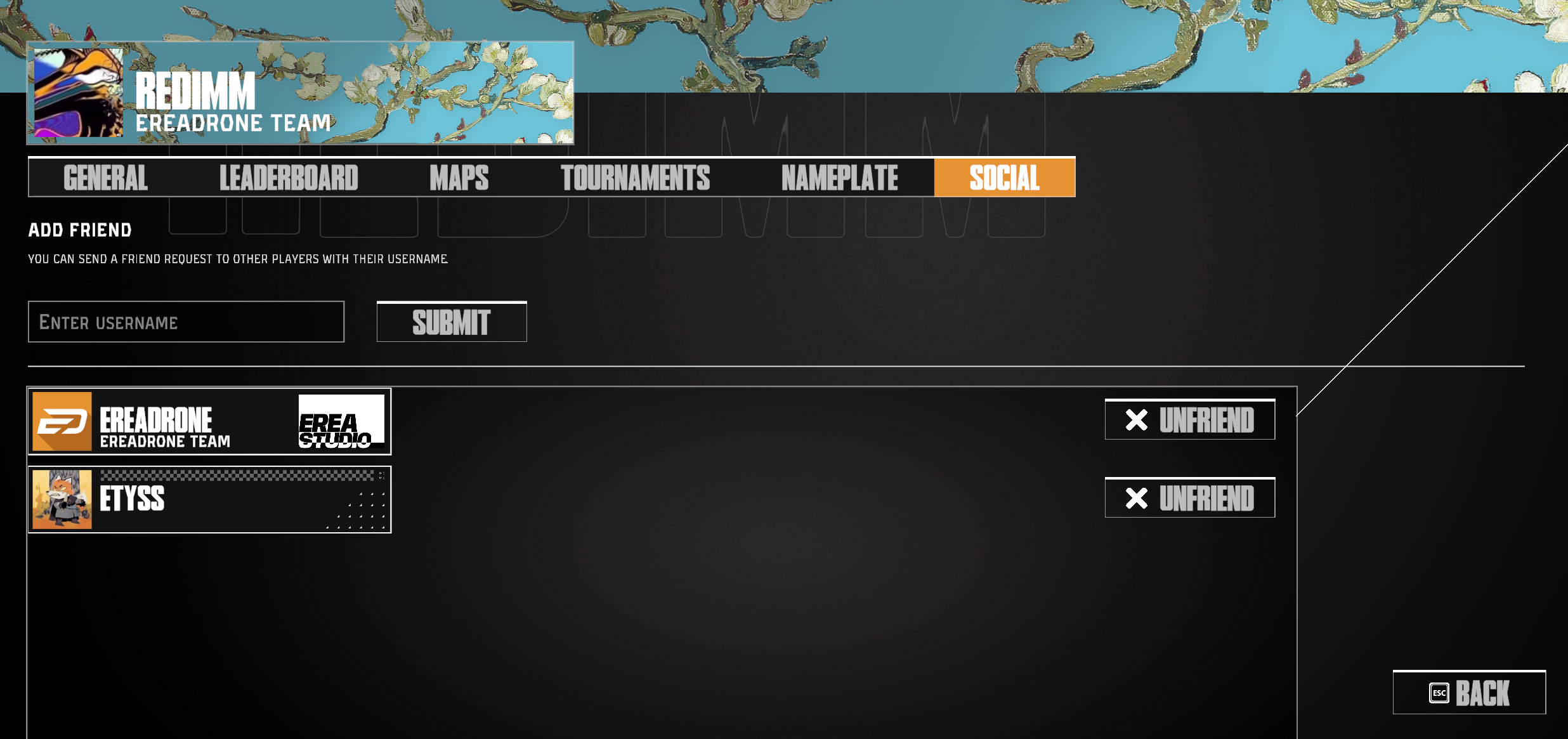
Social menu moved to Profile screen
The social menu (where you can add and manage friends) was moved to the Profile screen. We also consolidated the Banner and Title menus into a single Nameplate menu where you can customize your profile! Expect some changes on that menu very soon.
Bug fixes
Fixed an issue where the Main Menu background displaying incorrectly when exiting from View Map mode or the Map Editor
Fixed an issue where pressing F12 would lock the camera in the Map Editor and the Map View Mode
In the Map Editor checkpoint list, the checkpoint numbers are now displayed in monospace and will remain aligned for better readability
Fixed an issue where Triggers were not working in the Map Editor
Fixed an issue in the Map Editor Fly mode where the drone could not be controlled
Fixed minor UI problems in the Map Editor
Fixed a major issue where saving the Map Editor would cause the UI to be stuck, forcing the player to force-close the game to get out
The Round Trigger path marker can now be offset (like for the rectangular trigger)
Propellers in Main Menu have been slowed down
Fixed an issue where two environments could be loaded at the same time when changing maps in a multiplayer lobby
Pressing ESC in the Main Menu now correctly opens up the "Quit game" menu instead of the usual Escape menu.
Unity game engine has been upgraded to 6000.2.15f1
Packages and internal components have been updated
See you in the sky!
Source