
In this update1
Full notes
Full Epic Auto Towers update
Read the full published notes in a cleaner layout. The original post stays linked below.
What changed
0 fixes2 additions1 change0 removals
- Gameplay
- Compatibility
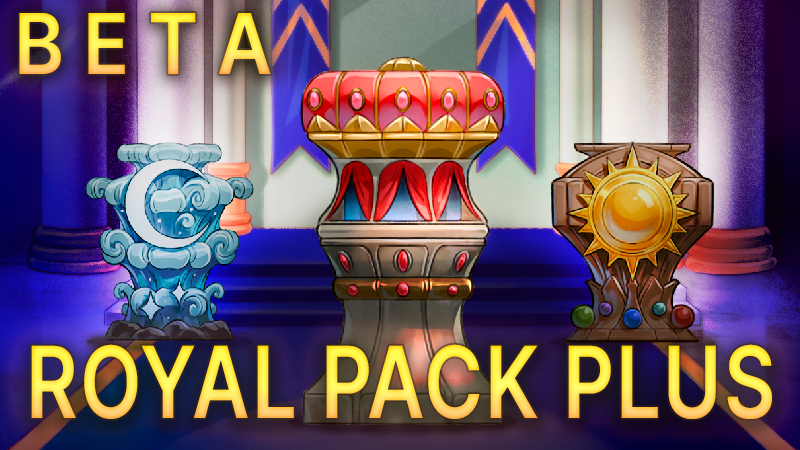
addedNew Tower Pack: Royal Tower Plus!This set is based on the Royal Tower pack. Essentially, it's the Royal pack, but with new common, uncommon, and rare towers added, and with the Guild Tower available.
addedNew Tower Pack: Royal Tower Plus!New Towers:
changedNew Tower Pack: Royal Tower Plus!This update has been uploaded to the beta branch. If you want to play with the new pack now, right-click on Epic Auto Towers in your Steam library, then select "Properties..." -> "Betas" -> "beta - Beta Branch." Steam post image In the library, the game will now look like this:
Epic Auto Towers changes
addedThis set is based on the Royal Tower pack. Essentially, it's the Royal pack, but with new common, uncommon, and rare towers added, and with the Guild Tower available.
addedNew Towers:
changedThis update has been uploaded to the beta branch. If you want to play with the new pack now, right-click on Epic Auto Towers in your Steam library, then select "Properties..." -> "Betas" -> "beta - Beta Branch." Steam post image In the library, the game will now look like this:
New Tower Pack: Royal Tower Plus!
This set is based on the Royal Tower pack. Essentially, it's the Royal pack, but with new common, uncommon, and rare towers added, and with the Guild Tower available.
New Towers:
Rooster Tower
Boot Tower
Moon Tower
Sun Tower
Mimic Tower
Rook Tower
This update has been uploaded to the beta branch. If you want to play with the new pack now, right-click on Epic Auto Towers in your Steam library, then select "Properties..." -> "Betas" -> "beta - Beta Branch."Steam post image In the library, the game will now look like this:
Source
Changelog.gg summarizes and formats this update. How we read updates.