
HomeGamesUpdatesPricingMethodology
Steam News6 September 20169y ago

Big VR Update - HTC Vive users now have hands!

Hey guys, I have been working and testing and working more to get the VR as polished as possible. I see your reviews and comments about the Vive and this update has all of the fixes.

Full notes

Full Emily Wants To Play update

Read the full published notes in a cleaner layout. The original post stays linked below.

Repeated intro

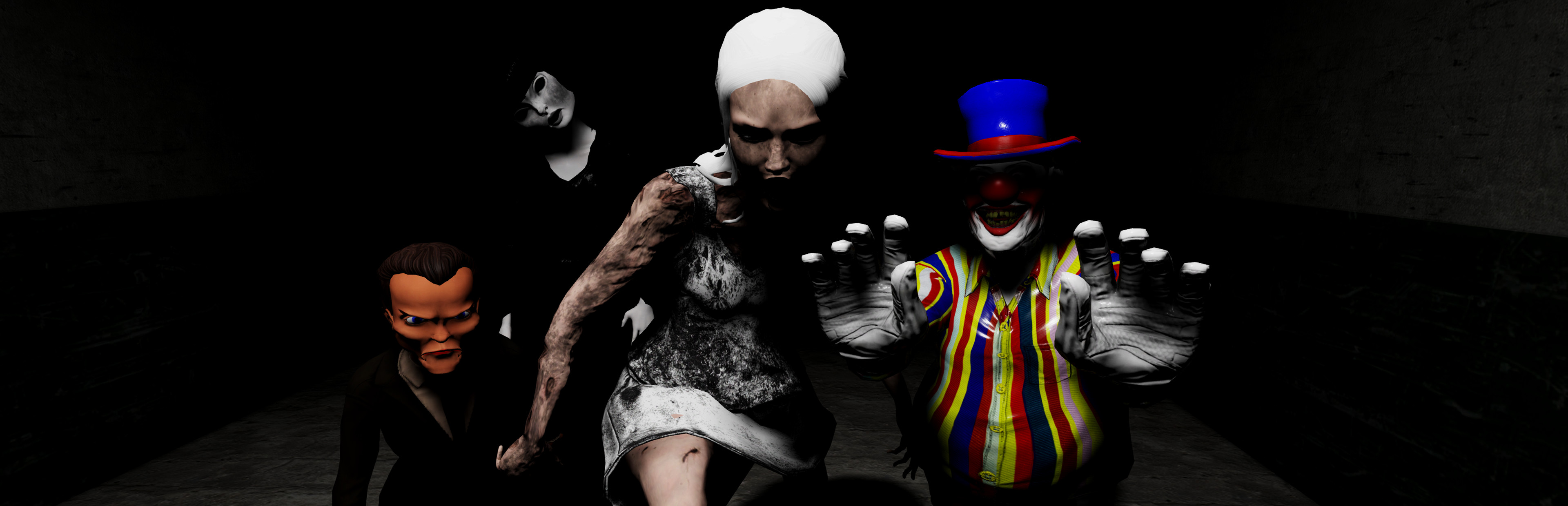
Hey guys, I have been working and testing and working more to get the VR as polished as possible. I see your reviews and comments about the Vive and this update has all of the fixes. The game now has full HTC Vive controller support. You have hands that can grab and you can teleport all over the place! Using the Vive makes Emily Wants to Play scarier than ever. During testing, I was literally trying to jump out of the way so that Chester couldn't get me. The dolls are more creepy when you feel like you are in the world with them. Entering and exiting the game is much more user friendly in both Vive and Oculus. You can grab or interact with the menu options and it will send you into the game. Users shouldn't experience motion sickness, or at least not as much. The entrance and clock scenes still move on their own, I may remove them for VR users, but it is all working smoother and better. Thanks again to everyone that plays or at least watches people play Emily Wants to Play! :) -Shawn Full update notes:

What changed

1 fix2 additions1 change0 removals
  • Gameplay
  • UI and audio
addedHey guys, I have been working and testing and working more to get the VR as polished as possible. I see your reviews and comments about the Vive and this update has all of the fixes. The game now has full HTC Vive controller support. You have hands that can grab and you can teleport all over the place! Using the Vive makes Emily Wants to Play scarier than ever. During testing, I was literally trying to jump out of the way so that Chester couldn't get me. The dolls are more creepy when you feel like you are in the world with them. Entering and exiting the game is much more user friendly in both Vive and Oculus. You can grab or interact with the menu options and it will send you into the game. Users shouldn't experience motion sickness, or at least not as much. The entrance and clock scenes still move on their own, I may remove them for VR users, but it is all working smoother and better. Thanks again to everyone that plays or at least watches people play Emily Wants to Play! :) -Shawn Full update notes:
changedAll VR UsersUser friendly interface VR Help menu on first screen Better output for recording gameplay Easy way to quit game in VR ESC key will also quit if you are at the main menu Smoother frames Automatic calibration and height adjustment when game starts* *C and Right Stick can still re-adjust in game if needed
addedHTC Vive usersFull Motion Controller support Vive users now have hands Use the triggers to grab objects like notes and interact with doors and lights Use your thumb pads to blink / teleport around the house Teleport back and forth away from Chester while laughing at him :) Grip buttons turn your flashlight on and off Quit the game by pausing it and then pressing both triggers and thumb pads at the same time. Theres two little boxes you can throw around for absolutely no reason!
fixedOculus Rift usersRift users highlight the menu by looking at the option you want and interacting Interact with objects by pressing A or X, plus the old buttons still work Push in the right stick to sprint Quit game by pausing and pressing both Left and Right triggers or both Mouse buttons Oh yeah, I fixed the X and Y axis not inverting properly for normal users!

All VR Users

User friendly interface VR Help menu on first screen Better output for recording gameplay Easy way to quit game in VR ESC key will also quit if you are at the main menu Smoother frames Automatic calibration and height adjustment when game starts* *C and Right Stick can still re-adjust in game if needed

HTC Vive users

Full Motion Controller support Vive users now have hands Use the triggers to grab objects like notes and interact with doors and lights Use your thumb pads to blink / teleport around the house Teleport back and forth away from Chester while laughing at him :) Grip buttons turn your flashlight on and off Quit the game by pausing it and then pressing both triggers and thumb pads at the same time. Theres two little boxes you can throw around for absolutely no reason!

Oculus Rift users

Rift users highlight the menu by looking at the option you want and interacting Interact with objects by pressing A or X, plus the old buttons still work Push in the right stick to sprint Quit game by pausing and pressing both Left and Right triggers or both Mouse buttons Oh yeah, I fixed the X and Y axis not inverting properly for normal users!

Source

Steam News / 6 September 2016

Open original post

Changelog.gg summarizes and formats this update. How we read updates.