What changed
0 fixes0 additions6 changes0 removals
changedIMPORTANT NOTE : As we are tweaking the game in the different languages we are also trying our best to optimize the way each language is showcased in the game! If you see any issues with either the translation or running text, please feel free to let us know in our Discord !
changedTo switch languages:
changedGo to Languages
changedSelect your language
changedFor now, language can only be changed from the main menu — we're working on letting you switch anytime. Translations are still being polished, so if you spot anything off in either version, let us know on our Discord !
changedWe are working on other languages too, but if there’s a particular language that you are looking for, please let us know in either our Discord or feel free to post in our community page!
Duo Quest changes
changedIMPORTANT NOTE : As we are tweaking the game in the different languages we are also trying our best to optimize the way each language is showcased in the game! If you see any issues with either the translation or running text, please feel free to let us know in our Discord !
changedTo switch languages:
changedGo to Languages
changedSelect your language
changedFor now, language can only be changed from the main menu — we're working on letting you switch anytime. Translations are still being polished, so if you spot anything off in either version, let us know on our Discord !
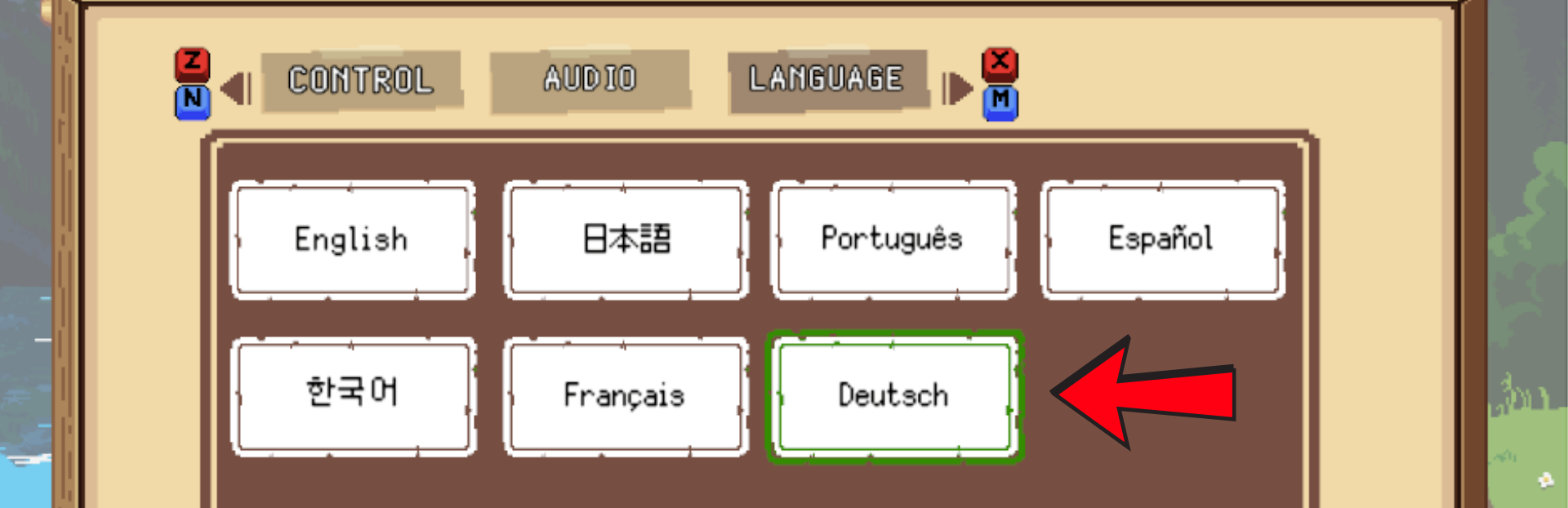
We've officially launched the German version of Duo Quest!
IMPORTANT NOTE: As we are tweaking the game in the different languages we are also trying our best to optimize the way each language is showcased in the game! If you see any issues with either the translation or running text, please feel free to let us know in our Discord!
To switch languages:
Open Settings from the main menu
Go to Languages
Select your language
For now, language can only be changed from the main menu — we're working on letting you switch anytime. Translations are still being polished, so if you spot anything off in either version, let us know on our Discord!
We are working on other languages too, but if there’s a particular language that you are looking for, please let us know in either our Discord or feel free to post in our community page!