
In this update5
Full notes
Full Dungeon Deathball update
Read the full published notes in a cleaner layout. The original post stays linked below.
What changed
- Gameplay
- UI and audio
- Maps
- Store
Dungeon Deathball changes
The first big update for Dungeon Deathball is here!
Make sure Steam downloads the latest version (check pending downloads) to grab the new changes.
Here's what's new in version 1.1...
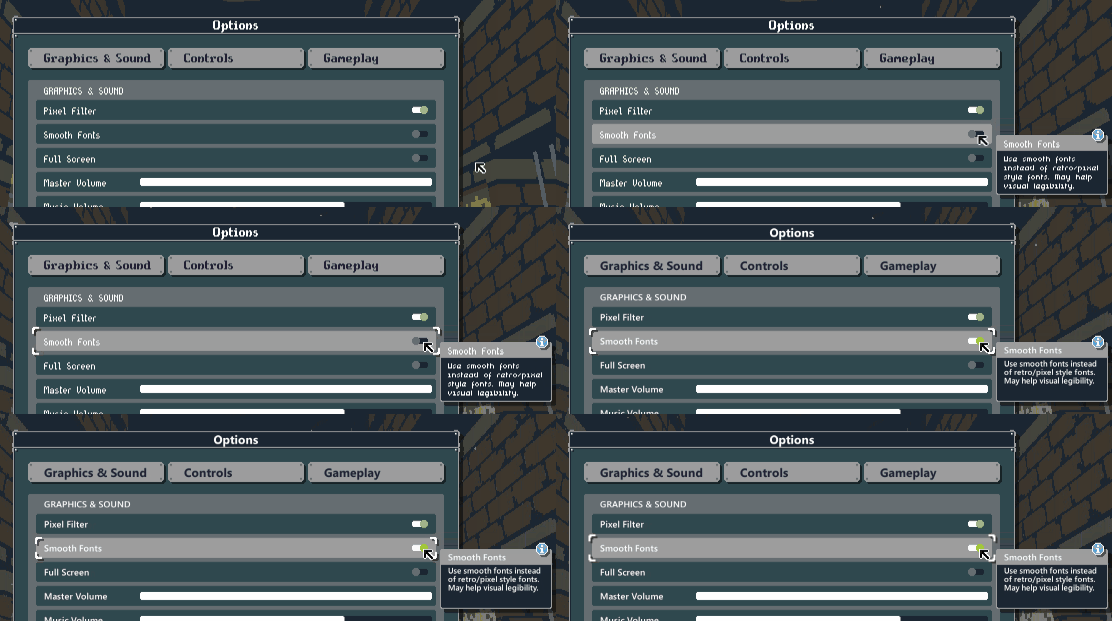
Smooth Fonts option
You can now choose to display all text with a smoother, non-pixelated font instead of the usual retro-style font.
This option was added in response to feedback from players with low vision and aims to make the in-game text more legible.
Enable Smooth Fonts in the Options menu for this to take effect.
Clearer warnings when players are in danger
When players are standing on a dangerous tile, the tile's hazard stripe effects now pulse orange.
The intent is to make it more eye-catching when players are about to die, particularly when being targetted by a lightning attack ⚡ (I noticed several players getting zapped without realising it while watching some of your livestreams).
In addition to this, spike traps now display this warning if a player is standing on them (unless that player is safe because they have the Hardfoot perk).
Text changes
Some text has been edited for clarity.
Lone Wolf achievement text changed to make it more clear that you need to begin the final stage with only one player alive.
Bulldozer perk description now mentions that it's a "charge-attack".
Powerball perk description no longer refers to "enemies" since it also affects players and obstacles.
Perk descriptions have been repositioned on the upgrade screen so that it's easier to see what effect they have.
Bug fixes
'Move is in the Heart' achievement no longer unlocks if you move then Undo then move again.
'Move is in the Heart' achievement will now correctly unlock even if the player dies or the stage ends during that turn.
Stunning the final boss now clears his lightning attack marker on the tile he was targeting.
Fixed typo in How To Play section about Gold.
Several HUD elements are now scaled correctly when using 1680 x 1050 resolution.
I hope you enjoy this update! More to come very soon... 👀
Matt
https://store.steampowered.com/app/861330/Dungeon_Deathball/
Follow me on Steam | Mailing List | Discord | Patreon | Twitter | Facebook | YouTube | Homepage
Source
Changelog.gg summarizes and formats this update. How we read updates.