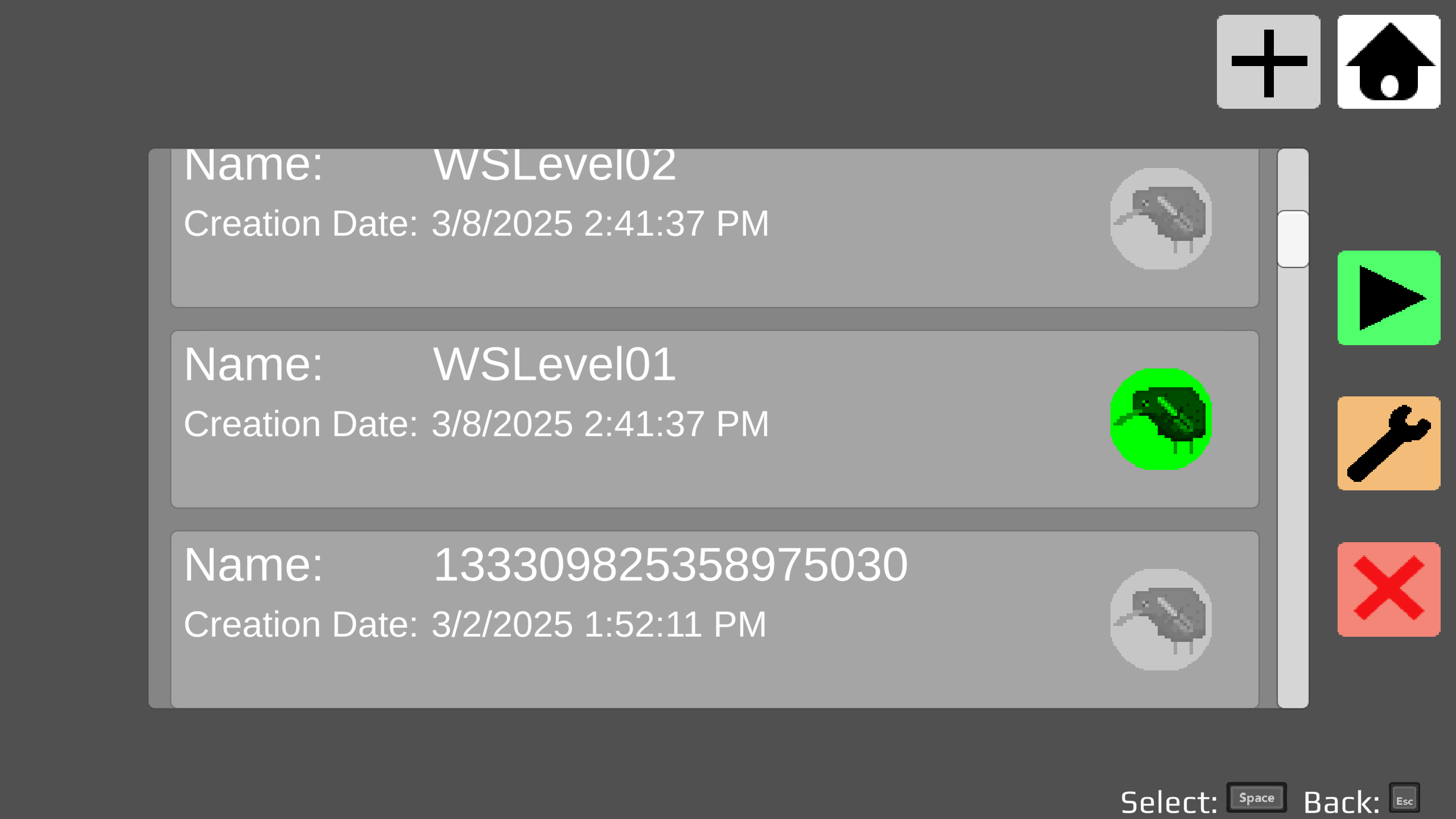
This update adds several features to Dualikiwi: Custom Level Completion Indicator After completing a level from the Level Browser, it will be given a green "Completed" Badge.
Full notes
Full Dualikiwi update
Read the full published notes in a cleaner layout. The original post stays linked below.
What changed
0 fixes3 additions2 changes0 removals
Gameplay
Workshop
addedThis update adds several features to Dualikiwi:
addedCustom Level Completion IndicatorAfter completing a level from the Level Browser, it will be given a green "Completed" Badge. Levels with this badge can be used in collections using the new World Creator!
addedWorld CreatorPlayers can now create Worlds i.e. level collections in-game using Badge-Verified levels!
changedWorld CreatorFrom the "Workshop" menu, select the "+" button. Then choose the levels you want in your world, in the order you want them to appear, and hit the "+" to create your world!
changedWorld CreatorAfter a world is created, it can be uploaded to the Steam Workshop using the "up arrow" button in the Workshop menu.
Dualikiwi changes
addedThis update adds several features to Dualikiwi:
addedAfter completing a level from the Level Browser, it will be given a green "Completed" Badge. Levels with this badge can be used in collections using the new World Creator!
addedPlayers can now create Worlds i.e. level collections in-game using Badge-Verified levels!
changedFrom the "Workshop" menu, select the "+" button. Then choose the levels you want in your world, in the order you want them to appear, and hit the "+" to create your world!
changedAfter a world is created, it can be uploaded to the Steam Workshop using the "up arrow" button in the Workshop menu.
This update adds several features to Dualikiwi:
Custom Level Completion Indicator
After completing a level from the Level Browser, it will be given a green "Completed" Badge. Levels with this badge can be used in collections using the new World Creator!
World Creator
Players can now create Worlds i.e. level collections in-game using Badge-Verified levels!
From the "Workshop" menu, select the "+" button. Then choose the levels you want in your world, in the order you want them to appear, and hit the "+" to create your world!
After a world is created, it can be uploaded to the Steam Workshop using the "up arrow" button in the Workshop menu.