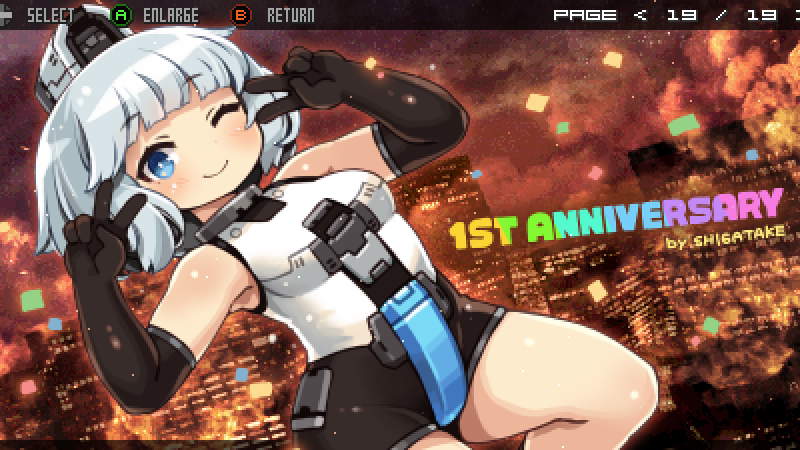
Celebrating the 1st Anniversary of Release (Update Note ver.1.2.1)
It's a little belated, but the game has officially reached its first anniversary since release. I’m deeply grateful to everyone who has played and supported the game, and for all the positive feedback it has received.
Full notes
Full DEVIL BLADE REBOOT update
Read the full published notes in a cleaner layout. The original post stays linked below.
What changed
1 fix4 additions1 change0 removals
Gameplay
UI and audio
Fixes
addedThe release date is yet to be determined, but we are planning an update (ver.1.3) that will introduce new content. We would greatly appreciate your patience as you wait for it.
addedUpdate Details (ver.1.2.1) ・Added one new secret illustration.
added・Added scanline settings to the screen menu. Access it via: OPTIONS MENU → SCREEN
changedNote: Increasing the scanline intensity will darken the screen, but you can reduce the darkness by adjusting the saturation and brightness settings under: OPTIONS MENU → SCREEN EFFECTS When used in conjunction with a bilinear filter, it is possible to create an expression similar to that of a CRT monitor.
added・You can now view achievements and global rankings from the SB Config Menu. (accessible by pressing the Esc key)
fixed・Fixed a display bug that had been occurring in some of the option menus. (ver. 1.2.1-B)
DEVIL BLADE REBOOT changes
addedThe release date is yet to be determined, but we are planning an update (ver.1.3) that will introduce new content. We would greatly appreciate your patience as you wait for it.
addedUpdate Details (ver.1.2.1) ・Added one new secret illustration.
added・Added scanline settings to the screen menu. Access it via: OPTIONS MENU → SCREEN
changedNote: Increasing the scanline intensity will darken the screen, but you can reduce the darkness by adjusting the saturation and brightness settings under: OPTIONS MENU → SCREEN EFFECTS When used in conjunction with a bilinear filter, it is possible to create an expression similar to that of a CRT monitor.
added・You can now view achievements and global rankings from the SB Config Menu. (accessible by pressing the Esc key)
It's a little belated, but the game has officially reached its first anniversary since release. I’m deeply grateful to everyone who has played and supported the game, and for all the positive feedback it has received.
The release date is yet to be determined, but we are planning an update (ver.1.3) that will introduce new content. We would greatly appreciate your patience as you wait for it.
Update Details (ver.1.2.1) ・Added one new secret illustration.
・Added scanline settings to the screen menu. Access it via: OPTIONS MENU → SCREEN
Note: Increasing the scanline intensity will darken the screen, but you can reduce the darkness by adjusting the saturation and brightness settings under: OPTIONS MENU → SCREEN EFFECTS When used in conjunction with a bilinear filter, it is possible to create an expression similar to that of a CRT monitor.
・You can now view achievements and global rankings from the SB Config Menu. (accessible by pressing the Esc key)
・Fixed a display bug that had been occurring in some of the option menus. (ver. 1.2.1-B)