
Full notes
Full DeMiriam Magic: Blueprint of Miracle update
Read the full published notes in a cleaner layout. The original post stays linked below.
What changed
- Gameplay
- UI and audio
- Fixes
- Store
DeMiriam Magic: Blueprint of Miracle changes
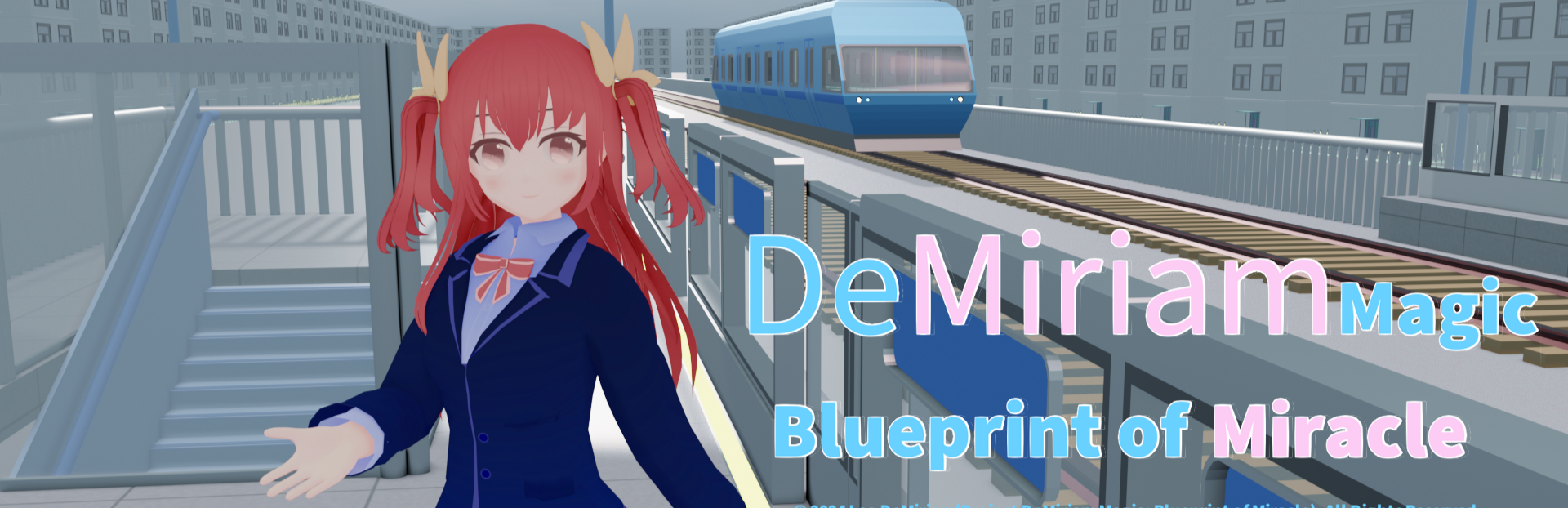
DeMiriam Magic: Blueprint of Miracle is an independent game entirely created by individuals, using UE5 for production. It is currently being released on Steam in an early accessing state. The main gameplay of this game is simulation&management, using a 3D first person perspective for gameplay. In the future, the function of cultivating roles will be added, and the world view will be gradually improved through serialization of the plot. The character interaction function is continuously improving, and the maximum monthly update is planned. Stay tuned for more content and gameplay.
During the early accessing period, there may be some lag or BUGs that do not affect the game process, but I can ensure that players can play normally when entering the game.
At the beginning of the game, players will have a storyline that cannot be replayed temporarily. This storyline is currently automatically played by the system. With future updates, when supporting storyline replay, users will be able to manually play it.
In the future, more features such as dialogue and character storylines will be implemented, and more characters will appear one after another. Please stay tuned :)
A.Start an interactive game of Gobang
Approaching the characters that can participate in interaction, a UI will appear on the head. Click on the leftmost icon, select Gobang. In the player's room, you can play Gobang games (second floor - Lord's room).
The player moves to the flashing location in the room (using the mouse to click on the door handle to open the door and enter the room) to start preparing for the Gobang game. If the character cannot reach the location with the player at the same time, the interactive game can be started immediately by clicking the button in the bottom right corner, or if the character reaches the location but cannot start interacting, this button is also effective.
To cancel the activity while preparing for interaction, click on the same icon on the far left side of the UI to cancel the interaction.
Before the start of the Gobang game, there will be a rock-paper-scissors game to determine the first move and then the second move. Sometimes, there may be a situation where the character wins the rock-paper-scissors game but does not place any pieces. In this case, the player can place the pieces first (at this time, the player will place a black piece). This is a bug caused by a character's inability to call a certain function when starting the game, and this bug will be fixed soon.
When playing Gobang games, you can scroll the mouse wheel to zoom in and out, helping to see the position of the pieces clearly.
B. UI
Click to always follow the player's character "Vina", and the Main UI will appear. All the functions required by the player will be displayed in the UI panel, and players can query the following content on the UI interface.
Level: Currently only related to flight arrangements.
Resources: Obtained through flights, currently mainly used for building construction.
Daily data recording: including the victory or defeat count of rock-paper-scissors game, as well as the flight time while piloting the plane, etc.
At the bottom of the interface is the function button, and the button for building a building is located in the bottom right corner of the interface.
Click on the green dot in the upper right corner to hide the UI, and then Vina will continue to follow you.
C. Place the first building
Now let's move outside the house and click on the Vina to get the Main UI. The icon in the bottom right corner is the building icon.
It should be noted that the ground area where the house is located not support players to place buildings temporarily due to the addition of some special buildings (such as possible school and other buildings) will in the future updates. Players can place buildings on green ground.
When placing a building, the button shown in the picture can be used to move the building. When the building is in a buildable position and does not overlap with other buildings, green light will appear around the building, and the building can be constructed. When the building is surrounded by red light, it cannot be constructed.
Building brings an increase in the number of residents and tourists to players, filling the scene while also playing a more functions will in the future.
In the future, there will be more buildings with special functions, please stay tuned :)
D. User Moving and metro
The game does not have a teleportation function. In order to save players movement time, there are metro connecting three key areas, which can reach the airport (Airport station), the player's residence (Central City station), and an important area opened for subsequent updates (Harbor station).
Players can use the WASD key on the keyboard to move.
For long-distance movement, it can also be achieved by using Ctrl+left mouse button to click on the scene. This is a test function and cannot be used inside of the airport tower and inside of metro.
Right click and drag within the scene to adjust the view direction.
E. Operation of the Airports and Flights
Flight management is the core gameplay of this work, which brings resources and accumulates experience through it. When the experience reaches a certain level, the airport scale can be expanded.
In May, the airport will be able to upgrade by one level and expand th apron.
Players can currently purchase two types of airplane models, and I will continue to update them. Please stay tuned for more airplanes :)
After the flight task is started, the corresponding aircraft will start taxiing and taking off. When the system time is later than the expected arrival time, the aircraft will land and taxi back to the designated parking gate.
Players can manage their flights through the UI interface or tower display screen, and there will still be optimizations in the future.
Currently, only temporary crew members can be hired to carry out flights. In future updates, players will be able to form their own flight crew lineup. Stay tuned for the active participation of new characters :)
F. Airport Tower
Only players can enter the tower, and players need to take a vertical elevator to reach the tower control area. The exclusive character of the tower "Miaya" has special actions and functions. Currently, the tower has a large number of functions waiting to be implemented, and special interactions about Miaya are also waiting for updates.
Please stay tuned :)
G. Airplanes that can be piloted by players themselves
Entering the apron from the terminal, the aircraft that can be operated by players is located at Gate 101. Click on the left side door handle (located below the bottom left corner of the left side door glass) to start piloting the aircraft, and still use the right mouse button to rotate the field of view here.
Rotate the field of view to the middle position of the aircraft's driving area, click ELEC MASTER to turn on the power, all screens will be displayed, and then click STARTER to start the engine.
The QE key is used to control the rudder The WS key is used to control the elevator The AD key is used to control the ailerons The O key reduces engine power The P key increases engine power
The position of the middle screen that needs attention
PWR is engine power The minimum value after engine startup is 20% The value can less than 20% only the engine is turning off
The screens on both sides are completely identical ①Speed ②Height ③Vertical speed rate ④Heading ⑤Horizontal rotation degree ⑥Attitude indicator
Auto Flight system is currently undergoing functional testing. To be used after the aircraft has completed takeoff, click on the screen to set it up.
AF = Auto Flight main switch AS = flies at the set speed, which needs to be set first HDG = Heading setting ALT = Height setting VERT = Vertical speed rate Setting (There are currently some issues that need to be resolved, but they are available)
After understanding these, let's start operating the aircraft to complete the flight around the island! By piloting this aircraft, accumulate your own flight time (flight time will become a dependency on certain functions in the future).
**The latest update within two weeks will update the logic of flight control for easier operation.
H. Diurnal variation
According to the system time, there will be day and night changes, and the current default setting is sunrise at 05:00 and sunset at 20:00. In the future, I will implement the custom day and night variation feature for players. Please stay tuned :)
X. Currently known causes of loading lag
It is currently known that loading the pathfinding function can cause certain lag. Characters rely on this feature. Players also rely on this feature when using Ctrl+left mouse button for long-distance movement. I will still optimize the number of mesh faces and other optimizable content. Used to cope with the impact of a large amount of resources on game loading in the future. In addition, the game process has been validated and there are no situations where the game cannot be played.
***If you encounter any problems or need help in the game, please contact customer service support email
Z. The story is about to go live
The main story that lives up to the title. A light hearted and unforgettable story created based on my unpublished original work "DeMiriam Magic"
Write at the end
This game was launched on Steam in an early accessing state, as fully original content consumed a lot of time and cost. The author was a full-time producer and initially planned to release a crowdfunding plan. However, in order to provide players with a comfortable (or terrible =_=||| ) experience as soon as possible, I longed to get support from the comfortable experience and also wanted to understand what changes I needed to make due to the terrible experience. Therefore, I gave up crowdfunding and decided to release it first, let someone who interested in this game to experience this independent game I made. I need to make this game more sustainable and made players to experience the game as soon as possible. As the author, I can receive income and support from purchasing, and all of my income will be used to support my project and my family. I would like to express my sincere gratitude to all users who have purchased my works. Thank you.
Wishing you a pleasant game and reaping wonderful memories during a wonderful period of time
Leo DeMiriam
Source
Changelog.gg summarizes and formats this update. How we read updates.