
Full notes
Full DA_RL update
Read the full published notes in a cleaner layout. The original post stays linked below.
What changed
- Gameplay
- Balance
- Compatibility
- UI and audio
- Performance
DA_RL Secrets of the Dungeon is out now!
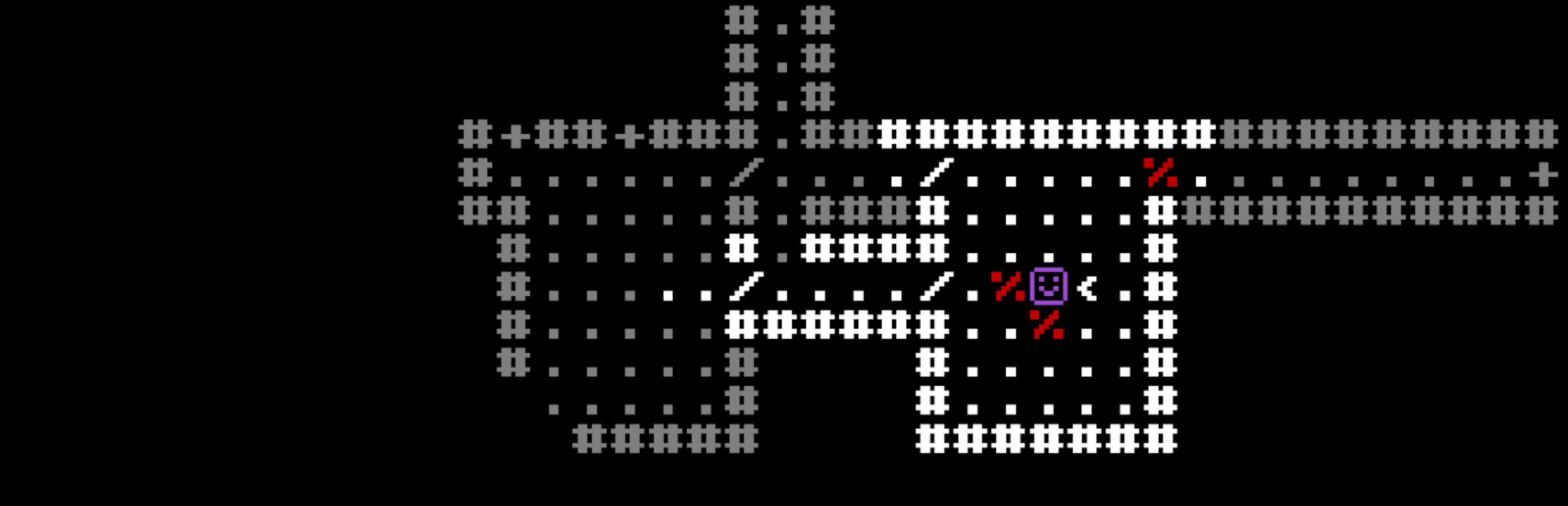
Explore this new update to DA_RL which adds dark rooms, traps, secret doors, and more to the game. This is more of a small minor update as I work towards getting another big update out soon! Hope you enjoy!
New Features
Dark Rooms
Some rooms are now pitch black. When you walk into one without a light source, your vision drops to 3 tiles. You can light up dark rooms with a lantern, a Ring of Light, the Light spell, or by having enough favor with Umbra. Enemies in dark rooms can still find you, so just because you can't see them doesn't mean they can't see you.
Traps
Traps are now in the game. They start hidden and reveal themselves when you step on them. There are 7 types: Trapdoor, Arrow, Sleep, Bear, Teleport, Poison Dart, and Blast. Each one does something different. Some you can dodge, some you can save against, and one just drops you to the next floor immediately. They can also hit enemies, which is sometimes useful.
Saving Throws
A lot of effects now let you roll a saving throw before they apply. There are 5 save types: Poison, Paralysis, Death, Breath, and Magic. Your level makes saves easier over time, and some rings and god boons give bonuses to specific saves. Traps, spells, and a few other things all check for saves now.
Secret Doors and Searching
Some walls are actually secret doors. They look identical to regular walls and you won't stumble onto them by accident. To find them, press X (or left stick on controller) to search the area around you. Searching checks a 3x3 area and can also reveal hidden traps. The base success chance is 20% per tile, and each point of Intelligence adds 5% on top of that. Searching costs a turn. High Intelligence characters will also sometimes passively sense a draft when walking near a hidden door. Vault rooms always use secret doors for their entrances.
Controller Support
The game now fully supports controllers. Every action, menu, and hotkey works on a gamepad. The tutorial and UI also update to show controller inputs when you plug one in. I've tested it on the Steam Deck and it works, I am working on getting the game Steam Deck verified.
Quality of Life
Drop from inventory -- press D (or X on controller) while hovering an item to drop it. The inventory stays open when you do this.
Inventory stays open after use -- using an item no longer closes the inventory. The list just refreshes in place so you can keep going.
Equip hand prompt -- when you equip a one-handed weapon, the game now asks you which hand you want to put it in before equipping it.
Redone tutorial -- the tutorial has been fully rebuilt (again). It covers movement, combat, inventory, spells, curses, food, stairs, shrines, and the god system, and it shows the right control labels depending on whether you're on keyboard or controller.
Resolution settings -- you can now change the resolution and fullscreen mode from the options menu. It shows all resolutions your monitor supports and saves your preference between sessions.
Bug Fixes and Other Changes
Performance improvement -- the delay between turns is now calculated based on how many enemies you can see instead of every enemy on the floor. This should make the late game noticeably less slow.
UI fix -- fixed UI going off screen at certain resolutions.
Removed in-game change log -- I just didn't think it was needed.
Steam cloud saving -- saves should sync to the Steam Cloud now.
Various small fixes and adjustments.
Source
Changelog.gg summarizes and formats this update. How we read updates.