
HomeGamesUpdatesPricingMethodology
Steam News30 September 20196y ago

Photo Mode + Opponent Driver Profiles

This updates includes two new features that were requested most in the recent survey: Opponent Driver Profiles / Back Stories Ramming into opponents is a lot more fun when you know who you are actually dealing with!

Full notes

Full Crumple Zone update

Read the full published notes in a cleaner layout. The original post stays linked below.

What changed

1 fix2 additions1 change0 removals
  • Gameplay
  • UI and audio
  • Compatibility
addedThis updates includes two new features that were requested most in the recent survey:
addedPress "H" to hide the Photo Mode UI and then trigger your capture. For Steam, the Steam in-game overlay has to be enabled. The default key on Steam is F12.
changedYou can press A/Enter to trigger a screenshot capture within Crumple Zone. The UI will be hidden automatically. All screenshots are lossless PNG and saved here: <Your main Steam folder>\steamapps\common\Crumple Zone\CrumpleZone_Data
fixedThere are also a couple of smaller fixes/improvements in this update: - support for 16:10 resolutions (cutscene texts are no longer cut off) - improved camera manual spin control when reversing (no longer inverted) - player 2 in split screen no longer has a blank avatar - fixed a bug where sound controls in pause menu would stay on screen when exiting pause menu

Crumple Zone changes

addedThis updates includes two new features that were requested most in the recent survey:
addedPress "H" to hide the Photo Mode UI and then trigger your capture. For Steam, the Steam in-game overlay has to be enabled. The default key on Steam is F12.
changedYou can press A/Enter to trigger a screenshot capture within Crumple Zone. The UI will be hidden automatically. All screenshots are lossless PNG and saved here: <Your main Steam folder>\steamapps\common\Crumple Zone\CrumpleZone_Data
fixedThere are also a couple of smaller fixes/improvements in this update: - support for 16:10 resolutions (cutscene texts are no longer cut off) - improved camera manual spin control when reversing (no longer inverted) - player 2 in split screen no longer has a blank avatar - fixed a bug where sound controls in pause menu would stay on screen when exiting pause menu

This updates includes two new features that were requested most in the recent survey:

Opponent Driver Profiles / Back Stories

Ramming into opponents is a lot more fun when you know who you are actually dealing with! Now you can find out more about each character in the Extras -> Opponent Profiles menu. Note: Any resemblances to real or fictional characters are purely coincidental! That being said, can you figure out all the "coincidences"? ;-)

Photo Mode

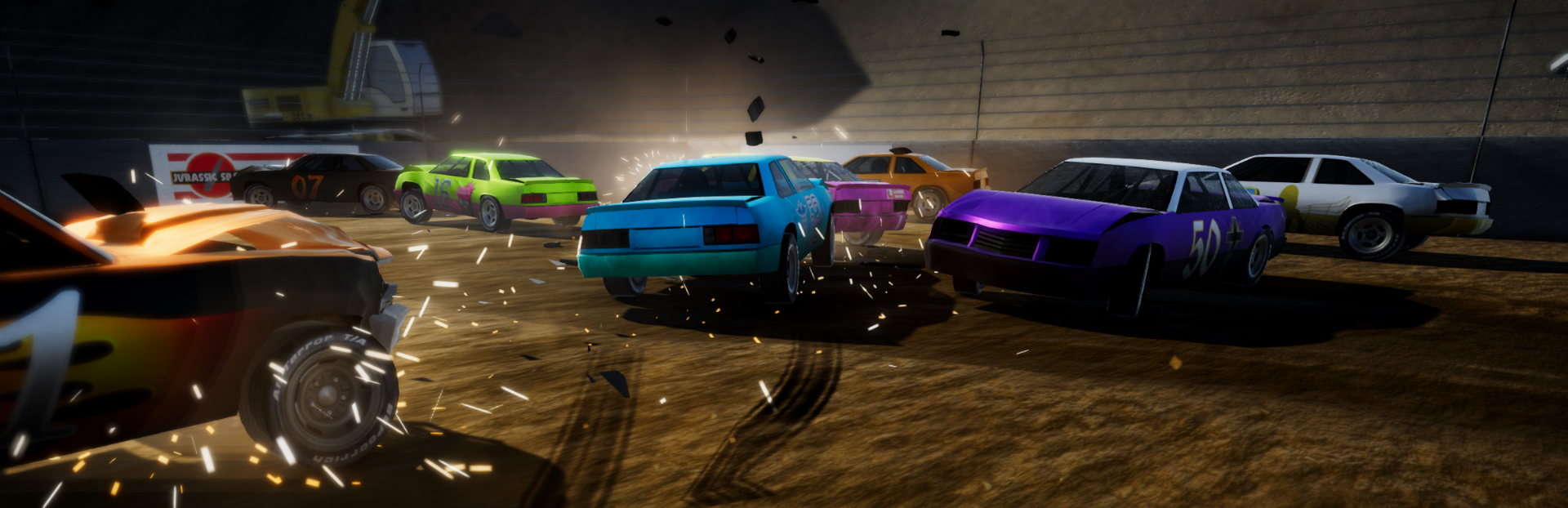
Now you can capture all those insane moments in Crumple Zone in all their glory! Simply open photo mode from the pause menu. If you want to take/share a screenshot, there are two ways to go about it:

  1. Use Steam or another capture software (e.g. Fraps)

Press "H" to hide the Photo Mode UI and then trigger your capture. For Steam, the Steam in-game overlay has to be enabled. The default key on Steam is F12.

  1. Use Crumple Zone's capture feature

You can press A/Enter to trigger a screenshot capture within Crumple Zone. The UI will be hidden automatically. All screenshots are lossless PNG and saved here: \steamapps\common\Crumple Zone\CrumpleZone_Data

There are also a couple of smaller fixes/improvements in this update: - support for 16:10 resolutions (cutscene texts are no longer cut off) - improved camera manual spin control when reversing (no longer inverted) - player 2 in split screen no longer has a blank avatar - fixed a bug where sound controls in pause menu would stay on screen when exiting pause menu

Source

Steam News / 30 September 2019

Open original post

Changelog.gg summarizes and formats this update. How we read updates.