
In this update2
Full notes
Full CRASH EFFECTS Inc. update
Read the full published notes in a cleaner layout. The original post stays linked below.
What changed
- Performance
- Gameplay
CRASH EFFECTS Inc. changes
- Hulkhero
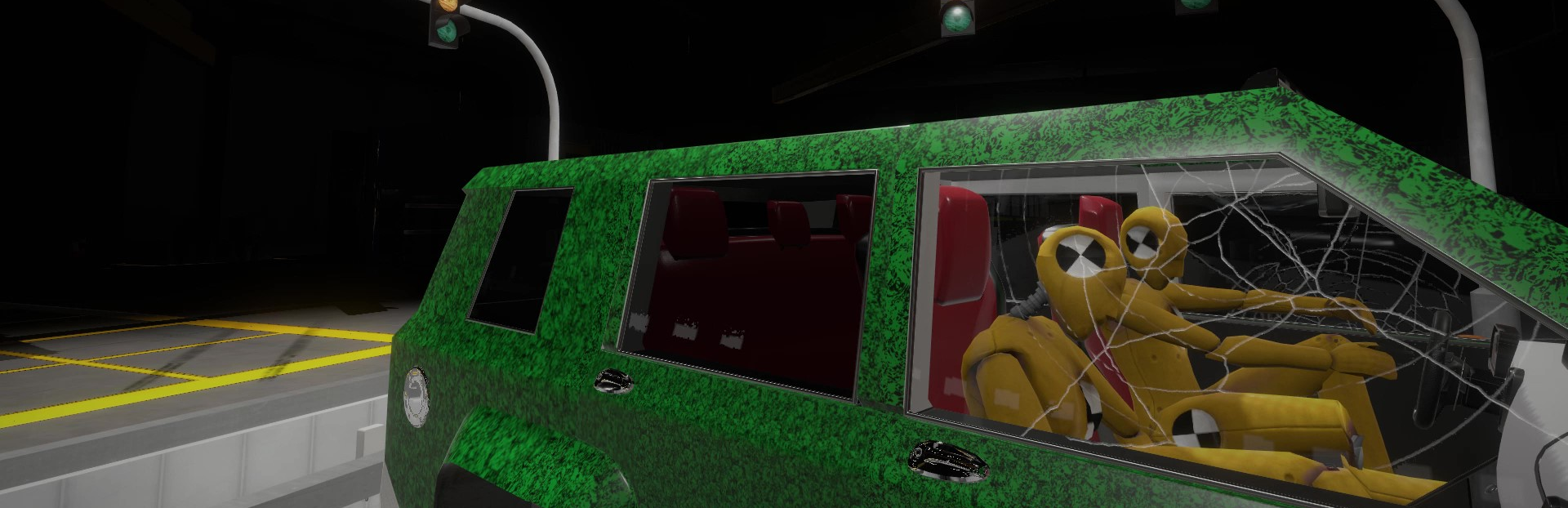
Happy Halloween Crash Test Engineers! Crash Test Jake back with another installment of the Crash Effects Inc. Development Vlog. Today we're going to talk about the high tech Crash Test Dummies you will get to use in game. These sophisticated pieces of equipment are at your disposal to test and evaluate the impacts of crashes on the human body. The dummies are lined with all sorts of sensors that measure various metrics in order to capture the extent of damage during an impact. They are very sensitive so keep that in mind when placing these things as they capture even the slightest changes in velocity.
You can place these dummies in the seats of your vehicle prior to executing a crash in the Vehicle Bay. When setting up your dummies for evaluation you can give them names, weights, height profiles, whether they were buckled up during impact, occupations, relationship status...
Ok so maybe not the last two but we are working on that tech to make them more personable. There are various configurations of dummies that can be seated including:
Male Crash Test Dummy
Female Crash Test Dummy
Seated Child Crash Test Dummy
Baby in a Car Seat Crash Test Dummy (Included in future release stay tuned)
Data Collection
Enough of the chit chat, let's show how we use them. In the gif below I just picked up and threw Crash Test Steve here onto that Electric Forest Runner's windshield we showed off at Next Fest 22' to create some data. Thank you for the applause I've been working out with the Hulk lately!
All we need to do now is walk up to him after a crash test and extract the data to our work tablet by pressing the Interact button to dump the data collected.
Dummy Evaluation
Now, once we have collected the data from him we just need to open our work tablet up and select the Data Evaluation Tab to see the data collected from all of our dummies.
We can click around on the various body parts of the dummy to see the data recorded during the crash test by the dummies sensors. The severity of damage to each extremity is recorded as: None, Minor, Severe and Critical. These extent of the injury is also color coordinated to how severe the injury was with the colors mapping to injury classification as follows:
Green - None
Yellow - Minor (think scrapes and bruises)
Red - Severe (Think Fractures and broken bones)
Pink - Critical (I leave this one to the imagination)
As we can see, Crash Test Steve took a pretty hard hit on the right side of his body when we threw him up onto the Electric Forest Runner in this example. He may have suffered extensive damage to his pelvis and right foot from the looks of it. We also can see metrics such as the peak G Force applied to the extremity, peak impulse measured and even peak velocity. I will let you do your homework on those terms if you don’t already know what they are.
In the future, a readout of the types of injuries captured by the dummy will be recorded in the far left column of the data collection view. Injuries such as a broken foot or fractured ribs to name a few. We are still working on fine tuning the bugs with this super cool feature so stay tuned!
Welp, that’s all I have for today folks. Let us know if there is something you want to see these high tech dummies do or any other feedback you want to share! Feel free to post on this blog post or in the steam forums.
Crash Test Jake Out!
Source
Changelog.gg summarizes and formats this update. How we read updates.