What changed
1 fix1 addition4 changes0 removals
changedThis update has made various improvements and fixings to the operations in the game.
changedThe biggest improvement is the swapping of the left mouse and the right mouse usages, such that now, the left mouse click will enter the mining mode or do mining operation, and the right mouse click will enter the making mode or do building operation. This way is not only more consistent with some other operations, it also avoids a few problems that existed previously.
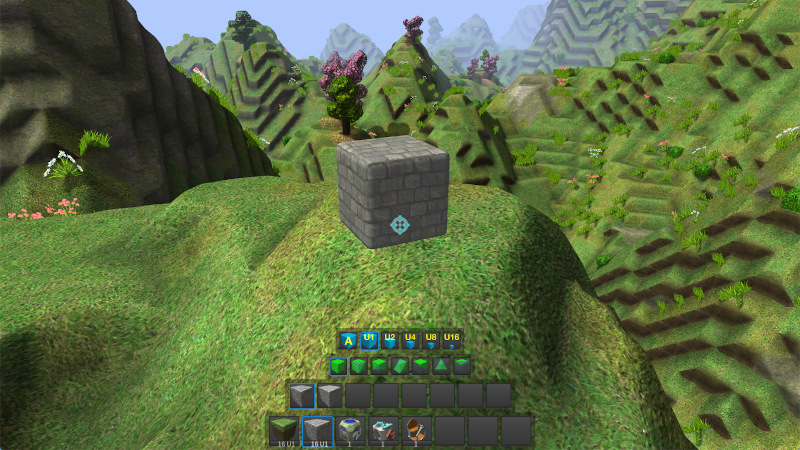
changedAnother improvement is the hotkey support for selecting block sizes for making and mining. Previously, this was done automatically according to the block amount (or unit) in the active slot of the hot bar and the block size of the targeting chunk. But it appeared to be confusing for new players. So adding this hotkey support will make it easier for new players to get familiar with building and mining, and also make it more convenient for everyone.
changedWith the support for explicit block size selection, the mining mode is also improved to support three types of mining:
addedIn order for players seeing the block/item and its placement better, its placement preview now supports a fading animation based on transparency. With this new support, the hotbar widgets are made slightly smaller to make better view for players. Also the selection of blocks/items, variants and shapes is slightly improved to make it easier to select using digit keys.
fixedThis update has also made various fixings, mainly to the torch, lantern and driving seat etc. items, as well as to block/item placement. It also fixed a position drifting problem at game loading for player characters and some other agents.
Craftica changes
changedThis update has made various improvements and fixings to the operations in the game.
changedThe biggest improvement is the swapping of the left mouse and the right mouse usages, such that now, the left mouse click will enter the mining mode or do mining operation, and the right mouse click will enter the making mode or do building operation. This way is not only more consistent with some other operations, it also avoids a few problems that existed previously.
changedAnother improvement is the hotkey support for selecting block sizes for making and mining. Previously, this was done automatically according to the block amount (or unit) in the active slot of the hot bar and the block size of the targeting chunk. But it appeared to be confusing for new players. So adding this hotkey support will make it easier for new players to get familiar with building and mining, and also make it more convenient for everyone.
changedWith the support for explicit block size selection, the mining mode is also improved to support three types of mining:
addedIn order for players seeing the block/item and its placement better, its placement preview now supports a fading animation based on transparency. With this new support, the hotbar widgets are made slightly smaller to make better view for players. Also the selection of blocks/items, variants and shapes is slightly improved to make it easier to select using digit keys.
This update has made various improvements and fixings to the operations in the game.
The biggest improvement is the swapping of the left mouse and the right mouse usages, such that now, the left mouse click will enter the mining mode or do mining operation, and the right mouse click will enter the making mode or do building operation. This way is not only more consistent with some other operations, it also avoids a few problems that existed previously.
Another improvement is the hotkey support for selecting block sizes for making and mining. Previously, this was done automatically according to the block amount (or unit) in the active slot of the hot bar and the block size of the targeting chunk. But it appeared to be confusing for new players. So adding this hotkey support will make it easier for new players to get familiar with building and mining, and also make it more convenient for everyone.
With the support for explicit block size selection, the mining mode is also improved to support three types of mining:
When the working block size is the same as the block size of the target chunk, a whole block will mined out. This can avoid mistakingly mining out partial blocks when the mouse is not properly aimed;
When the working size is smaller than the target size, it will support mining a partial block just like before;
When the working size is bigger than the target size, it supports mining multiple blocks within the working size range at the target location.
In order for players seeing the block/item and its placement better, its placement preview now supports a fading animation based on transparency. With this new support, the hotbar widgets are made slightly smaller to make better view for players. Also the selection of blocks/items, variants and shapes is slightly improved to make it easier to select using digit keys.
This update has also made various fixings, mainly to the torch, lantern and driving seat etc. items, as well as to block/item placement. It also fixed a position drifting problem at game loading for player characters and some other agents.