
In this update1
Full notes
Full Block Block Block update
Read the full published notes in a cleaner layout. The original post stays linked below.
Repeated intro
Hello everyone, it's been almost a month since the new Demo release and there has been a lot of feedback and changes already with last week's updates.
What changed
- Gameplay
- UI and audio
Block Block Block changes
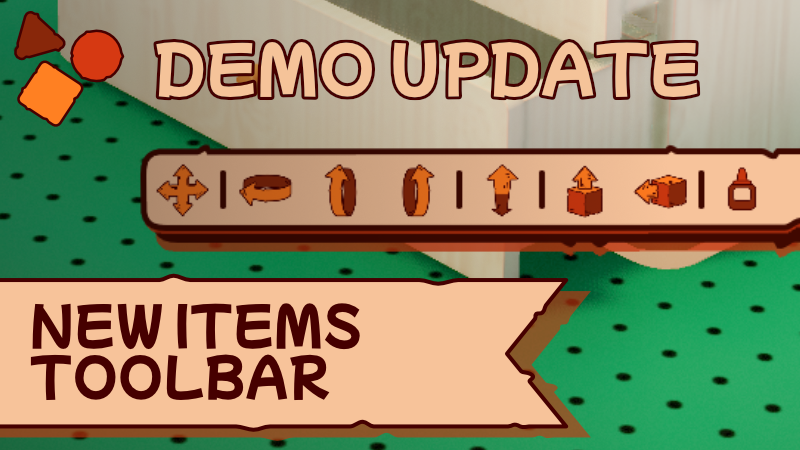
Today Demo Update (1.0.0-27_5_2026-2) with the bug fixing and Gamepad supporting Group screen, we also have a great highlight with the new Items toolbar.
Once again I am expecting to focus on the missing Gamepad features that if I am not mistaken is Duplicates, Offset and Interact. Still, let me know what you would like to see around, but for today...
Update Highlight
New Items Toolbar:
This new piece of UI element was requested a couple of times before and helps to visualise better all the tools available for you to edit an item, tools that are usually quite hidden between shortcuts or input combos that you can still use when it is active, this also brings more options to mouse only experience.
Easy to activate, just click the new button next to the bar in the lower part of the screen when you select an item.
All the changes:
- UINew items toolbar over items.
- UINew top tips added related to how to use the Offset, that one that allows you to make items float.
UI: When duplicating an item that is tagged as Cake, the Duplicate label is changed to Duplicate.
UI: New Duplicate icons are shown now when duplicating.
UI: Buttons floating over the item now show duplicate info and icons when holding shift if the button supports it.
UI: Buttons floating over Items dedicated to changing the Item Shape now show the UI reference related to the Shape operation when hovered.
Duplicate: Notifications now stay longer to communicate better why it was canceled.
Duplicate: Duplicate now cancels if the amount of items you are trying to duplicate reaches the scene limit, sometimes it doesn't cancel, but limits the amount of copies you can create while duplicating to prevent you from reaching the limit.
Gamepad: Group Items screen now supported with Gamepad.
Bugs Solved:
Bug System: Counting items in the scenes were not totally right when groups were included, generating some issues.
Bug Duplicate: Multiple bug issues were related to the counting not working properly, including not limiting the player's amount of items to duplicate and probably coloring some items in grey tones.
Bug Puzzle: Sometimes carving an item was giving an error in the background if the item supports interactions.
Bug Groups: Game breaking bug that was quite funny to trigger, but grouping a pile of Items starting for the higher one and assigning the ones this item was over later was not telling properly how the hierarchy should work in the group and breaking the game.
Bug Release and Click Setting: When this was on, items were deselected after confirming the edit.
Thank you for playing and sharing your feedback with me this first month of the Demo release to make Block Block Block even a better experience. There is still a lot to put in and is coming together.
Don't forget to share your creations, and if you have a little extra time give a review for the Demo, something that could do wonders for the project.♥️
Best,
Aender Lara
Source
Changelog.gg summarizes and formats this update. How we read updates.