
Full notes
Full Bleak Faith: Forsaken update
Read the full published notes in a cleaner layout. The original post stays linked below.
What changed
- UI and audio
- Balance
Bleak Faith: Forsaken changes
Words can't describe our excitement to introduce you to the latest slew of improvements. This patch is a huge milestone for the dev team - it includes combat improvements such as a complete redesign of the parry system and charging heavy attacks which add crucial fluidity to combat, UI improvements and Controller Overhauls along with a huge amount of fixes, rebalances, and additional loot. Lore expansions and special Shaders have been introduced as well to enhance exploration and deliver a more intriguing than ever journey through the Omnistructure.
- New "Relocation" UI- Interacting with a homunculus now opens a new full-screen UI, allowing relocation to any previously visited homunculus. - You can now rest at the current homunculus from this menu to respawn enemies and refill your health and flux. - Each zone now has its own lore.
- Settings UI Overhaul- Settings have been reorganized into further categories and given a full-screen overview. - Keybinds and button mappings are now easier to navigate. - Added a lootable post-process that can be activated from the settings menu. These appear as red loot across all maps. - Added several new loading screen tooltips.
- Inventory UI Overhaul- Newly obtained items are now marked with an icon until inspected by the player. - Backpack and Equipment have been separated into their own tabs. - Crafting materials are no longer inventory items but are now under a separate system. Access the Crafting UI for details. - Reduced the number of crafting materials from 33 to 9. - Removed videos from weapon ability inspections; they now switch display in the item overview. - Two-handed weapons will now always be placed in the right hand in the UI and will also occupy the left-hand slot. - Lore pages are no longer inventory items. - Added a new "Data Logs" tab containing previously obtained lore pages and new logs with additional world lore. - Current location and coordinates are now always visible from any menu in the Inventory UI. - New Perk icons! - Added 4 additional belt slots. - Added another 4 belt slots for special items, which are set by the game and accessible by holding the interact action in both Type A and Type B setups: - Mobius Blade: Use this to respawn. - Scanner: Scan the surroundings to highlight certain interactables, display current objective markers, and uncover hidden secrets. - Relocating Device: Use this to teleport to Blok6147. - Homunculus Mirage and Homunculus Mirage Husk: Your personal checkpoint, previously accessed by holding the interact action.
- Handler UI Overhaul- The Handler now displays only currently equipped items by default. - Equipped items now have an additional icon in the top left corner. - Updated the "Tutorial" icon in the Handler UI.
- Controller and Keyboard New Button Mappings- Switching to this patch will reset your keybinds. - Added an option to unbind the currently hovered action. - Added a toggle to sprint option. - Crouch is no longer necessary to progress on certain maps; unbinding it in favor of the sprint toggle is recommended. - Removed all presets and replaced them with Type A and Type B mapping styles. - Each mapping style has its own HUD. Selecting one changes the HUD outline. - Type A Mapping Style: - Uses a modifier button, allowing use of all 8 belt slots and all 4 abilities without scrolling. - Quickly select the current arrow type while aiming with the bow. - Type B Mapping Style: - Cycles through items and abilities to select them, then press the dedicated button to use them. - Holding each cycle action will now select the first item/ability in that selection. - Quick Wheel has been moved under Type B mapping style. - Quick Wheel no longer slows time but allows movement while active. - With the bow equipped, heavy attack will now cycle arrows. - Swimming and Climbing actions can be bound separately. - Modifier Action is now limited to predetermined actions.
- Combat Adjustments- Removed parry and perfect parry. - Introduced perfect block and counterattack. - Some damage now passes through blocks (10%-25%, depending on weapon type and its mark). - Stamina consumption remains unchanged. - Yellow attacks still break guard. - Perfect Block consumes half the stamina of a regular block and no damage passes through it. - Perfect Block will interrupt most enemy attacks and stagger them (excluding yellow attacks and giant enemies). - Bosses have different perfect block resistance: - The number of perfect blocks required before a stun animation plays varies between bosses. - Perfect Block will ignore all yellow attack damage. - Red attacks cannot be blocked or perfect blocked. - Shields have longer Perfect Block timings. - Arrows and physical projectiles can be perfect blocked to reflect them back at the enemy.
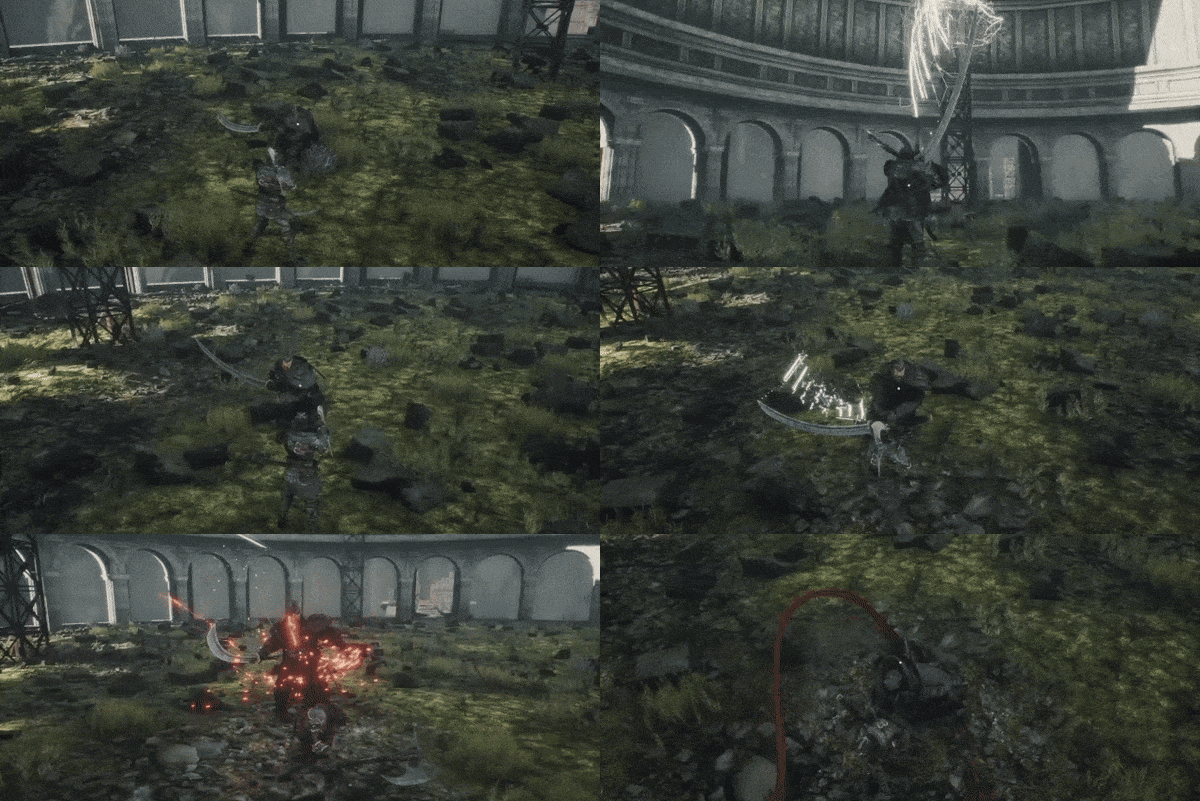
- New Features- Introduced charged heavy attacks: - Default damage is 125% of weapon damage. - Fully charged heavy attacks perform 175% of weapon damage. - After a Perfect Block, pressing heavy attack will perform an instant fully charged heavy attack with a guaranteed critical hit, consuming only 5 stamina and executable even with no stamina. - New abilities for Longbow, Ratagan Saber, Evolved Staff, Mechanomad Staff, and Halberd. - Several weapons and characters, including the protagonist and Konrad the Traitor, received updated models. - Konrad the Traitor now has a new soundtrack and several VFX and SFX upgrades. - Improved Nurgei the Blademaster's FX. - Improved Nurgei the Blademaster's animations. - Improved Plagued Nemesis animations. - Three new enemy types across several maps. - Several enemies received updated models. - New medium armor set available in the monastery, with alternative pieces found elsewhere. - Added a red glow to enemy attacks that cannot be blocked, requiring the player to avoid, jump over, or roll through them. - Enemies now dissolve upon death. - A new splash screen has been added. - Photosensitivity and autosave warnings are now displayed at the game start. - Metal Arrow Pack and Piercing Arrow Pack added: - These consumables add 9 arrows directly to your quiver.
Balancing:
Great weapons animations have been slightly sped up. - Archangelos passives have been slightly nerfed. - Added stronger windup animations to most faster enemies. - Enemies can now parry the player only while in a blocking stance. - Underwater enemies in the Deluge now have smaller health bars, allowing players to survive the encounter at lower levels.
Fixes:
Fixed several enemies spawning in incorrect locations across the maps. - Fixed giant red laser robots sometimes walking in circles in Upper Blocks. - Fixed halberd showing damage numbers in reverse order. - Fixed visual bug in the Handler UI where embedded crystals were not properly displayed. - Fixed unequipped belt items being automatically re-added the next time they are looted. - Fixed being unable to unaim with a staff while crouching. - Fixed the player being stuck in aiming position if inventory was accessed without releasing aim. - Fixed Homunculus Mirage sometimes being placed in walls or underground. - Fixed level transition being triggered if jumping into an empty elevator shaft. - Fixed "Continue" button remaining active after deleting all player saves. - Fixed "Anomalous Collector" achievement not triggering beyond 8/12 progress. - Fixed triggering both inventory and pause menu simultaneously if both buttons were pressed at the same time. - Fixed "Bloodthirst" ability being marked as active. - Fixed oxygen bar remaining on screen during recalibration sequences. - Fixed sliding animations on the ground while rolling after being slammed by enemies. - Inventory now properly auto-closes if the player receives any damage while in the inventory. - Nurgei the Blademaster's thunderstorm no longer persists if he is killed while airborne. - Fixed bows not bending while drawing. - Fixed missing subtitles in certain cutscenes. - Fixed a memory leak caused by quickly switching between backpack sorting options.
Source
Changelog.gg summarizes and formats this update. How we read updates.