
In this update11
Full notes
Full Beyond Solar update
Read the full published notes in a cleaner layout. The original post stays linked below.
What changed
- Events
- Store
- Balance
- Gameplay
- UI and audio
- Maps
Beyond Solar changes
Development preview: This is a look at work currently in progress. The features shown below are not yet available in the public Steam build, and their visuals, balance, content, and final release scope may change during development.
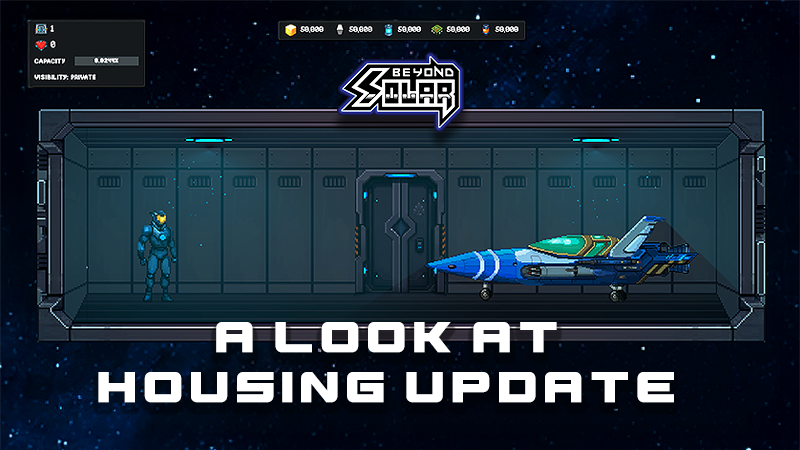
A work-in-progress home assembled room by room.
Since the last update, most of our development time has gone into one of the largest additions we have attempted for Beyond Solar: player housing.
We are building housing as a useful part of the game, not a static trophy room. It will be a place you can build, customize, use between missions, and eventually share with other pilots. To make that work, housing now connects to progression, combat rewards, achievements, the campaign, the Arsenal, drones, friends, multiplayer, and save data.
Here is what has been taking shape behind the scenes.
Build a home, one room at a time
Every home begins with a permanent Starter Cabin. From there, the current development build supports houses of up to 20 connected rooms (subject to change), with seven additional room shapes ranging from compact Pods to a full Grand Hall.
Choosing a room, selecting a free connection, and expanding the house.
Rooms can be connected north, south, east, or west, letting the house grow vertically as well as horizontally. A schematic overview keeps the full layout readable, while doors and vertical transitions let you move naturally through the finished structure.
Eight room templates: Starter Cabin, Pod, Small, Medium, Wide, Long, Gallery, and Grand Hall.
Room management: add, swap, or store rooms as the layout changes.
Safe storage: storing a room returns both the room and its furnishings to inventory.
Undo and redo: building decisions can be reversed without rebuilding everything by hand.
House capacity feedback: the interface tracks both the room limit and the saved-layout capacity. We will be changing the limits as we develop and after limits.
Furnish it, rearrange it, make it yours
Inside each room, furnishings are organized into Decor, Furniture, Utility, Lighting, Interactive, Comfort, and Achievement categories. Items can be bought or placed from storage, moved around the room, duplicated, and stored again later.
Placing a furnishing (the placements can be moved around when editing, duplication, undo/redo functionality)
Placement is being designed to feel physical rather than weightless. Supported objects settle onto the floor or onto furnishings beneath them, with landing motion, camera feedback, audio, and gamepad haptics helping each placement feel deliberate. Invalid positions are clearly marked before anything is committed.
Frequently used rooms and furnishings can also be marked as favorites, creating a shorter personal catalog when a collection grows large.
Room lighting and a live house map
Each room has its own lighting color. Fixed lamps can follow their room automatically, while independent lights can keep a separate color. Newly placed lights immediately adopt the correct room setting, and the selection is saved with the house.
Changing a room's lighting, then opening the schematic map to see the full house and its room items.
The house map is drawn from the rooms you actually built. It can show live player markers and important terminals, making larger homes easier to navigate.
Blueprints connect housing to the main game
Important furnishings will not all appear in a shop on day one. The new blueprint system connects housing rewards to regular play.
Enemies and bosses can now roll chapter-specific blueprint pools. A discovered blueprint appears as a rarity-colored pickup, is added permanently to the player's collection, and can then be crafted once the required materials have been gathered.
A blueprint dropping in combat, being collected, reviewed, and crafted.
Five rarity tiers: Common, Uncommon, Rare, Epic, and Legendary.
One-time crafting recipes: blueprints can require Nuts, Power Cells, Kinetic Cores, Circuit Chips, and other resources.
Collection tracking: the existing Achievements screen is becoming a wider Collections area with separate Achievement and Blueprint tabs.
Clear progression states: Locked, Found, and Crafted cards show what has been discovered and what still needs materials.
- Duplicate protectioncollected and crafted blueprints are removed from future eligible drops.
Future event support: limited-time discovery windows can end without taking away anything a player already found, crafted, stored, or placed.
Your home is becoming a functional hub
Interactive furnishings can open services, grant rewards, change state, and remember their individual settings. A modular interaction system now supports all of these uses without turning them into separate menus outside the house.
A quick tour of the Workshop Arsenal UI in-house for example
- Campaign Terminalreview chapters, mission status, scores, and recovered fragments, then launch an available operation from home.
Workshop Terminal: access the personal Arsenal to buy and equip guns, rockets, specials, and ship upgrades.
and many more!
Personal service terminals use the interacting pilot's own progression. That means a visitor can open their own Campaign, Arsenal, or Drone Workshop from a shared terminal without touching the owner's private save. The Health Tube follows the same separation: its physical cooldown belongs to the host's placed item, while the extra life is awarded to the pilot who used it.
There are smaller functional pieces too. The Health Tube can grant an extra combat life before entering a persistent recharge cycle, and an Achievement Display lets a completed achievement become a physical part of the home. Interactive decorations can preserve their changed color or state independently for every placed copy.
Using the Health Tube, watching it begin to recharge, and placing an earned Achievement Display.
The first time an unfamiliar utility is used, a short in-game guide explains what it does for the owner and what, if anything, a visitor is allowed to do with it.
Open the door to other pilots
The social side of housing has grown into its own multiplayer flow. A home can be kept private, opened only to friends, or listed publicly through the Residential Relay. The current target is four players in one house: one owner and up to three visitors.
Changing house visibility, finding the home in the Residential Relay, and joining as a visitor.
Visitors receive the owner's current layout and can explore the rooms while player movement, direction, animations, room transitions, and live owner changes stay synchronized. The owner's inventory is never shared, and every visitor's personal house remains protected and is restored when the visit ends.
For this stage of development, the owner keeps control of construction and furnishing edits. Visitors can move through the home and use specifically shared interactions, but they cannot rearrange someone else's house.
The Residential Relay also includes friends and request management, an on-screen keyboard designed for controller use, public and friends-only discovery, protected removal actions, and clear status feedback when a house is full or unavailable.
Reactions, names, and navigation
Housing sessions now have proximity-aware player nameplates, and a radial emoji wheel that works with either keyboard or gamepad. Emoji reactions appear above the sending player so visitors can communicate without leaving the room view.
Meeting another pilot, sending an emoji reaction, opening House Comms, and checking the map.
The map and contextual control strip remain available to help everyone navigate a large house without covering the screen in permanent UI.
House Duels: settle it without leaving home behind
One of the most experimental pieces is the House Duel. The owner can select one connected visitor and send a clear accept-or-decline invitation. If accepted, those two pilots enter an unranked PvP arena while the housing session continues running.
Selecting a visitor, accepting the invitation, and following the live duel broadcast from inside the house.
Other visitors remain inside the home and can follow the live names, portraits, and score on the placed Duel Terminal. When the match ends, both fighters return to the same house session and the previous Public or Friends Only visibility is restored. Invitations can be declined, expire safely, or recover if a player disconnects.
This is an intentionally separate, unranked social activity. It does not replace or modify the normal ranked and friend-invite PvP flows.
A smoother first arrival
Because housing now includes many connected systems, new saves receive a six-step introduction rather than being dropped into every tool at once:
Enter the Starter Cabin.
Explore the room.
Choose the first lighting color.
Place a complimentary starter decoration.
Move that decoration.
Attach a complimentary starter room.
The work-in-progress onboarding card and context-sensitive controller hints.
The guide follows completed actions rather than specific keys, so it remains compatible with rebinding and keyboard/gamepad switching. Prompts change automatically between keyboard, Xbox, and other gamepad specific controls. The housing UI is also receiving dedicated Steam Deck scaling, controller focus handling, audio feedback, and haptics.
Housing text is now connected to the localization pipeline for English, Arabic, German, Japanese, Korean, and Simplified Chinese. Translation review and interface testing will continue as the feature changes.
Keeping every home safe
A large part of this work is invisible in screenshots. Homes now have a dedicated save format and separate persistence paths for signed-in and signed-out play. Signed-in players use Cloud Save, signed-out players use local storage, and older prototype housing data can be migrated forward.
Multiplayer visits use protected, read-only visitor replicas. Disconnect recovery, corrupted or missing network data, incompatible multiplayer versions, host loss, and scene transitions all have explicit fallback paths so another player's layout can never overwrite the visitor's own home.
This work is less visible in screenshots, but it is the foundation that lets everything above exist safely.
What happens next?
The systems are now broad enough that the next phase is about making them dependable and fun: more content, tuning costs and rewards, improving art and animation, completing localization, testing large homes, testing Steam Deck and controllers, stress-testing visits and House Duels, and fixing the edge cases that only appear when all of these parts meet.
To repeat: this is a development progress report, not a released patch. None of the features above should be read as available in the current public build, and we are not announcing a release date yet. We wanted to show the scale of what has been built since July and the direction Beyond Solar is heading.
Thank you for following the project and for giving us the time to build this properly.
We would love to hear what kind of home you would make, and which functional room item you would want to place first.
Source
Changelog.gg summarizes and formats this update. How we read updates.