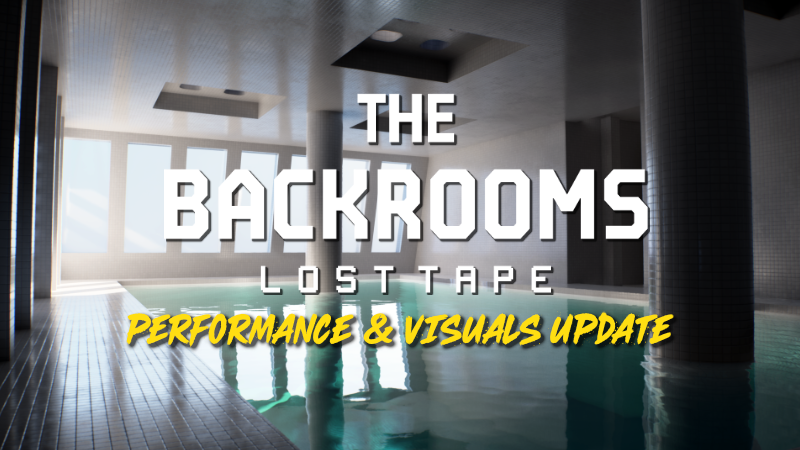
Hi everyone, We just pushed a quick update focused on making the game run smoother and giving you better control over your frame rates.
Full notes
Full Backrooms: Lost Tape update
Read the full published notes in a cleaner layout. The original post stays linked below.
What changed
1 fix2 additions1 change0 removals
UI and audio
Gameplay
Performance
changed⚙️ New Upscaling Options (DLSS & TSR) We have officially added DLSS and TSR to the game, meaning any graphics card—whether you are on AMD or NVIDIA—will now heavily benefit from upscaling technology. If you have a compatible card, you will see a few new options in your settings menu to help push your frame rate to the max:
addedFrame Generation Multipliers (2X, 3X, 4X): You can now manually choose exactly how much you want to multiply your frame rate for maximum smoothness on high-refresh-rate monitors.
added✨ Ray Tracing & MegaLights Support We have also added official Ray Tracing support to the graphics menu! If your hardware supports it, you can now enable ultra-realistic reflections, lighting, and shadows to drastically increase the visual depth and atmosphere of the game.
fixedMegaLights Optimization: When you turn on Ray Tracing, MegaLights will automatically be enabled under the hood. For supported cards, this brand-new tech allows the engine to handle massive amounts of dynamic lights efficiently, actually increasing your performance by a lot even with Ray Tracing active. Other Fixes: - Fixed: Resolution values not displaying correctly on settings. - Fixed: Entity from Chapter 1 camping the Lab exit
Backrooms: Lost Tape changes
changed⚙️ New Upscaling Options (DLSS & TSR) We have officially added DLSS and TSR to the game, meaning any graphics card—whether you are on AMD or NVIDIA—will now heavily benefit from upscaling technology. If you have a compatible card, you will see a few new options in your settings menu to help push your frame rate to the max:
addedFrame Generation Multipliers (2X, 3X, 4X): You can now manually choose exactly how much you want to multiply your frame rate for maximum smoothness on high-refresh-rate monitors.
added✨ Ray Tracing & MegaLights Support We have also added official Ray Tracing support to the graphics menu! If your hardware supports it, you can now enable ultra-realistic reflections, lighting, and shadows to drastically increase the visual depth and atmosphere of the game.
fixedMegaLights Optimization: When you turn on Ray Tracing, MegaLights will automatically be enabled under the hood. For supported cards, this brand-new tech allows the engine to handle massive amounts of dynamic lights efficiently, actually increasing your performance by a lot even with Ray Tracing active. Other Fixes: - Fixed: Resolution values not displaying correctly on settings. - Fixed: Entity from Chapter 1 camping the Lab exit
Hi everyone,
We just pushed a quick update focused on making the game run smoother and giving you better control over your frame rates.
⚙️ New Upscaling Options (DLSS & TSR) We have officially added DLSS and TSR to the game, meaning any graphics card—whether you are on AMD or NVIDIA—will now heavily benefit from upscaling technology. If you have a compatible card, you will see a few new options in your settings menu to help push your frame rate to the max:
Frame Generation Multipliers (2X, 3X, 4X): You can now manually choose exactly how much you want to multiply your frame rate for maximum smoothness on high-refresh-rate monitors.
Auto Mode: If you don't want to mess with numbers, just leave it on Auto. The game will automatically adjust the frame multiplier in real-time, giving you extra frames only when your system needs the help while keeping your controls responsive.
✨ Ray Tracing & MegaLights Support We have also added official Ray Tracing support to the graphics menu! If your hardware supports it, you can now enable ultra-realistic reflections, lighting, and shadows to drastically increase the visual depth and atmosphere of the game.
AddedMegaLights OptimizationWhen you turn on Ray Tracing, MegaLights will automatically be enabled under the hood. For supported cards, this brand-new tech allows the engine to handle massive amounts of dynamic lights efficiently, actually increasing your performance by a lot even with Ray Tracing active. Other Fixes: - Fixed: Resolution values not displaying correctly on settings. - Fixed: Entity from Chapter 1 camping the Lab exit