
In this update9
Full notes
Full Aura of Worlds update
Read the full published notes in a cleaner layout. The original post stays linked below.
What changed
- Gameplay
- UI and audio
- Events
- Store
- Security
- Compatibility
Aura of Worlds changes
Happy Lunar New Year, folks 🏮🐎!
Here's what we've been working on over the past several months:
Inventory Overhaul
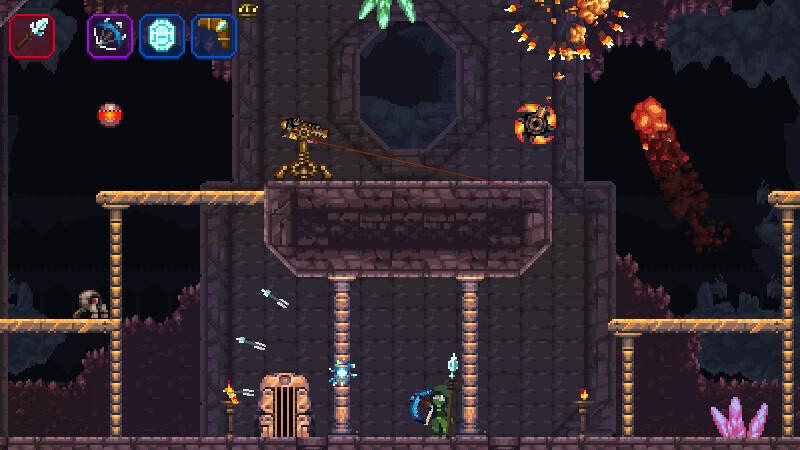
We've been reworking the inventory to be more intuitive and to encourage multitasking between items. There are now 4 hot bar inventory slots.
For main weapon
For offhand weapon/tools
For Offhand abilities/tools
For Offhand abilities/tools
Additionally:
In Weapon wheel mode, shortcuts exist to choose between categories (1-4 on keyboard) or the trigger or bumper buttons on gamepad.
Pressing a button corresponding to a slot in grid inventory/weapon wheel mode will map the selected item to that slot.
Dropping Items: Most items can now be dropped from your inventory in grid view, to make more space.
There are multiple other refinements to display and sorting of items.
New Arenas
Added new survival arenas to challenge your combat skills in late game areas of Cold Crust Caverns
and Mantle's Edge.
Completing an arena can open a shortcut to optionally skip one level (so long as it's not the boss of the area).
Control Updates:
We've reworked the controls to be more intuitive, in addition to working around the mapping of the 4th item hot slot on gamepad.
On Gamepad (Xbox/Steam Deck or your equivalent on dual shock controllers):
A: select/swap item.
/ Up: Interact/Pick Up/Tackle stunned enemies.
RB (Right Bumper): item slot 4 for offhand items/abilities.
In weapon wheel mode, the trigger and bumper buttons may also be used to filter items by category.
On Keyboard/Mouse:
/ E: item slot 3
R: item slot 4
Rebinding: Remember, you can rebind the controls in Options Menu->Controls
Progression
Early game progression is now faster and more forgiving.
Purchasing cosmetic pets, now also grants resonant for upgrades, just as unlocking equipment/character backgrounds/world shortcuts does. If you've bought pets in the past, you will be rewarded with resonant fragments accordingly.
New Audio 🎼
The Colossal Worm boss fight now has its own unique music theme 🎵.
Bosses and Enemies
Several bosses have had their attack patterns reworked for greater variety.
Several enemy telegraphs have been reworked on moderate & easy difficulty modes to be clearer/easier to exploit.
Improved Mac Support
We've reworked the engine to better support macOS platforms, fixing compatibility issues and supporting up to Mac OS 15 Sequoia.
NOTE: Please be advised that you will need to mark the application as having special "Open Anyway" permission to run on macOS 14 Catalina and macOS 15 Sequoia.
Other Quality of Life Enhancements Include:
Fixed bug where dodge roll lost momentum on the last frame
Reduced mobility penalty (jumping height and running speed) when carrying heavy objects by hand.
Fixed numerous edge cases where objects would unintentionally block friendly projectiles or thrown objects
Reworked various menu and HUD layouts.
Reduced penalty of wearing down crystal weapons (from 25 to 10% reduced damage).
Much more
Be sure to claim your gift at the top-left of the hub:
Patch 1.5.2
Fixed Mac, Linux, and Steam Deck builds being several patches being behind Windows. Sorry about that, the compiler silently crashed during the previous export 🤦♂️.
Reverted loading screen for Mac & Linux builds.
You can now roll twice in succession.
Fixed dark garden theme never appearing.
You can now pick up chests without automatically looting them on gamepad.
New Pet Budgie !
We thank you for your support ❤️, especially those who took a moment or so to review the game. It's what makes updates like this possible 🌠.
Source
Changelog.gg summarizes and formats this update. How we read updates.