
Full notes
Full Atomcraft update
Read the full published notes in a cleaner layout. The original post stays linked below.
What changed
- Gameplay
- UI and audio
- Fixes
Atomcraft changes
A couple new things in this update:
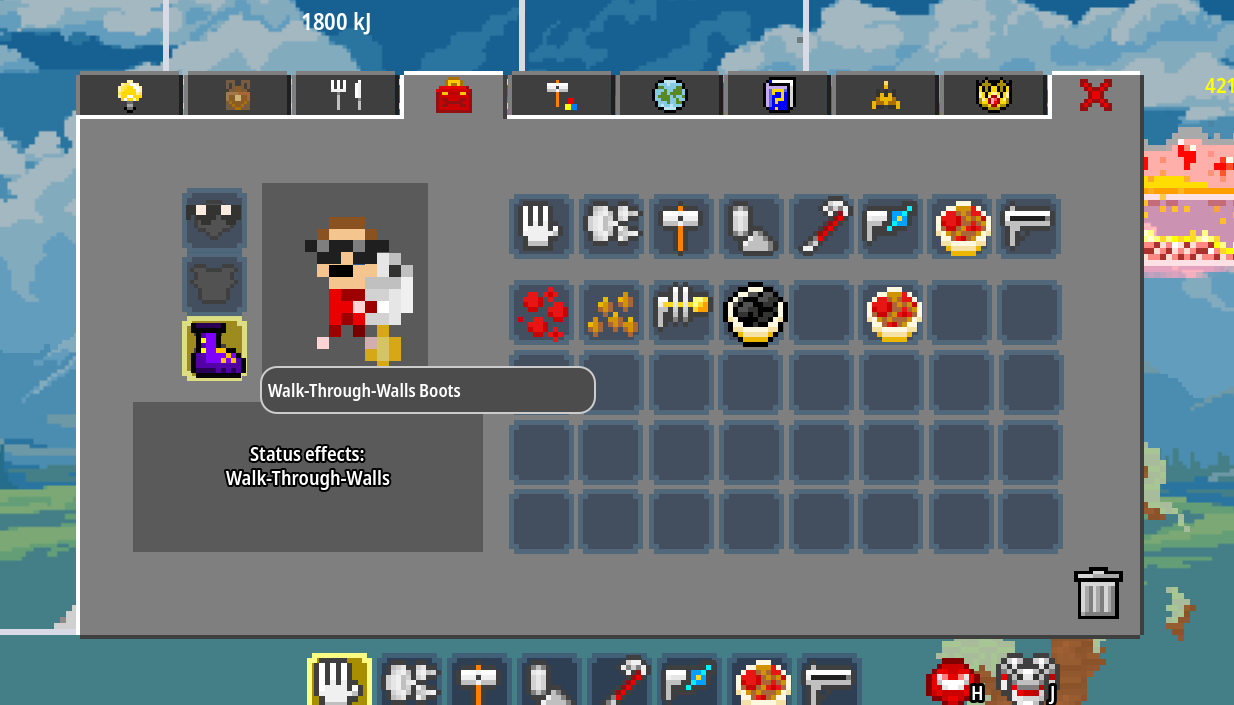
Walk-Through-Walls Boots were an idea from the Discord community this weekend - equipping them lets you fly through any and all built pixels: walls, conveyor belts, machinery, etc. They require Uranium and Ectoplasm and are intended to be in the last quarter of the game as an improvement to Allow Player pixels. Convenient!
Ruby can now be built into Ruby Crystal pixels that stay in place, so you can build structures out of Ruby. This also makes it easier to place Ruby Crystal pixels in the middle of a forge and expose it to Molten Alumina and Molten Chromium, which will grow additional Ruby Crystal pixels that you can then mine. (remember: you can mine a specific material by holding Ctrl while you drill!)
The F1 Help Screen now has a rotation of tips and tricks to help surface a lot of the helpful hotkeys and controls that tend to go unnoticed until someone mentions them. :)
Other additions:
Ctrl + Alt with the Hand will now pick up everything EXCEPT the hovered pixel :)
Ctrl + Mousewheel will now zoom the camera in and out (in addition to the plus/minus defaults) (NOTE: I changed this to Z + Mousewheel so it wouldn't conflict with the row-changing hotkey)
There is a language page in the Settings Window for a duplicate way to set localization; some people were still not seeing the localization button in the corner of the front-end and in-game menu. Those are still there, but now the Settings Window, where those people were looking, also has a way to do the same thing.
- READABILITYadded a cause-of-death message for radiation death, as it was confusing some people when they died to it in the underworld
BUGFIX: Sim Loader pixel now counts as Mechanical
- BUGFIXsome Mechanical pixels had an incorrect setting preventing them from being crowbarred - this is now fixed
MISC: if a reaction has a required temperature of 0, don't show it in the visual (since it doesn't actually affect anything but was confusing)
MISC: Burning Charcoal now blends into Carbon for consistency
MISC: Made the Handbook icon in the F1 menu look like the Handbook instead of the Guide Tab icon
Some more additions on Jul-28-2026:
Z + Mousewheel for the added zoom shortcut so it doesn't conflict with row-changing hotkey
BUGFIX: single width lines of pump wouldn't pump liquids that were stagnant because pixels of the same liquid or gas material would swap with each other and not simulate more the same frame - now we don't both swapping same substance materials and single-width pumps work again
BUGFIX: put in something to prevent a bug where segments of the world would save as all sand - not sure what causes this yet but now, for safety's sake, the system will not save segments if they appear as all sand index (all zeroes) because this is almost certainly unintended
I think that's everything new for now - we'll have some more cool things coming in the next day or two. Keep bringing your suggestions and feedback in the Discord, and see you soon!
And by the way, thank you to everyone reviewing the game!
Source
Changelog.gg summarizes and formats this update. How we read updates.