
In this update3
Full notes
Full Angry Birds VR: Isle of Pigs update
Read the full published notes in a cleaner layout. The original post stays linked below.
What changed
- UI and audio
Angry Birds VR: Isle of Pigs changes
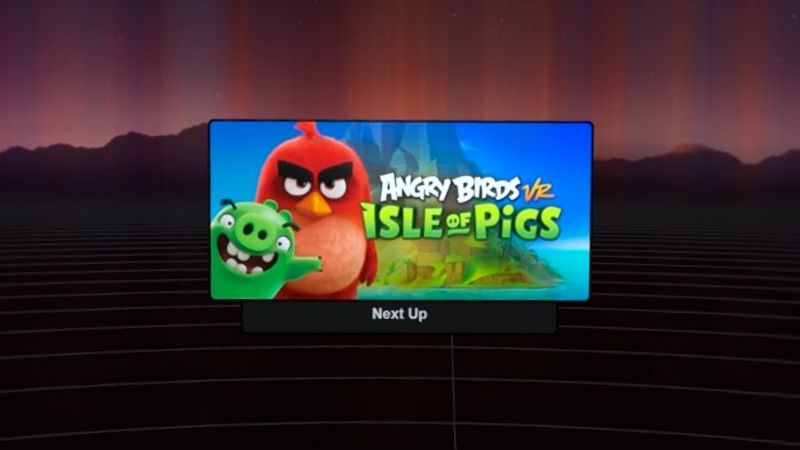
If you're using Steam Link on any of the Meta Quest headsets and can't get Angry Birds VR past the "Next Up" step on the headset (see the screenshot above), so that it only runs on your main monitor, the cause is likely that you don't have SteamVR set as you current OpenXR runtime. This post will give you some background on this issue and show you how to fix it.
Background
Angry Birds VR uses OpenXR which means that it can and will run with any OpenXR runtime on your computer. Which runtime is used can't be controlled by the game. Rather, whatever runtime is set as the current OpenXR on your computer will be used.
The Oculus PC client will give you an explicit warning if it isn't set as your current OpenXR runtime, with a button to set is as such. Hence, most Quest users using the Quest with their PC will most likely have Oculus set as their current OpenXR runtime.
This is fine when running the game using Meta Quest Link as it will work with both the Oculus client and SteamVR. Steam Link only works with SteamVR however which means that you will need to set SteamVR as your current OpenXR runtime instead.
How to fix
To set SteamVR as you current OpenXR runtime, you must:
Run SteamVR
In the STEAMVR window on your computer, click ≡ in the upper left corner followed by Settings in the dropdown:
In the SteamVR Settings window, go to the OpenXR tab and click SET STEAMVR AS OPENXR RUNTIME:
(For older versions of SteamVR, this option can instead be found under the Developer tab after clicking Show under Advanced Settings)
Result
When SteamVR is set as your current OpenXR runtime, your SteamVR settings should look as follows:
At this point, you should be able to start the game using Steam Link without any issues.
If you ever set Oculus or any other OpenXR runtime as you current OpenXR runtime after this, you will need to revisit this guide to set SteamVR as your current OpenXR runtime again before you can run Angry Birds VR through Steam Link again.
Source
Changelog.gg summarizes and formats this update. How we read updates.