
Full notes
Full AI LIMIT update
Read the full published notes in a cleaner layout. The original post stays linked below.
What changed
- Gameplay
- Balance
- Events
- UI and audio
- Fixes
- Performance
AI LIMIT changes
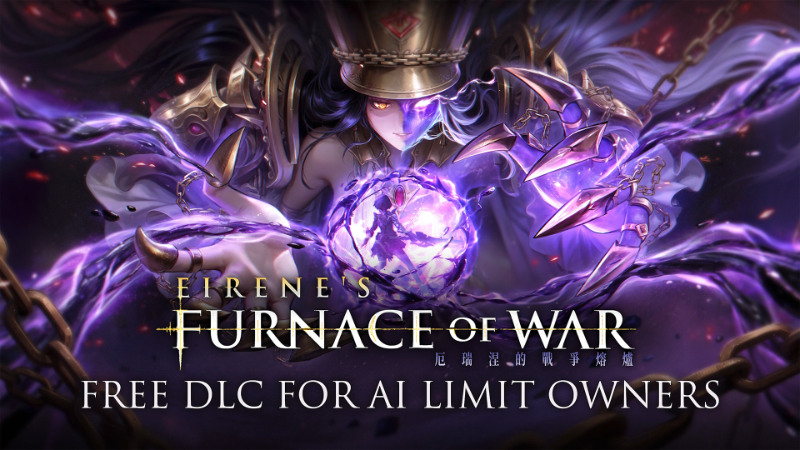
As a thank you to our players for their continued support, the AI LIMIT DLC Eirene’s Furnace of War will be released as a Free DLC for all AI LIMIT owners .
At the same time, the base game will also receive a version update, including new features and various improvements.
※About the Eirene’s Furnace of War DLC:
Following on from the ending of the main game, Eirene‘s Furnace of War takes players on a new journey into the Northern Parish, where they’ll step into the domain of Eirene, the Warfare Bishop, and face a new trial within the Furnace Arena, where long-forgotten myths of Havenswell rise once again.
Within the Furnace of War, players can obtain a range of new weapons, armor, and Spells, allowing for more personalized and flexible combat builds. The DLC also introduces challenge modes, enabling players to challenge both previously defeated bosses and new enemies from Eirene’s Furnace of War across multiple difficulty levels. Successfully completing these challenges will reward players accordingly.
※Unlocking the Eirene’s Furnace of War DLC
After completing the main story in your current playthrough, choose not to start a new cycle.
From the main menu, select “Continue.” You will be returned to the Branch Outer-Wall Ruins – Temporary Campsite. Speak with the robot Assis to trigger the event and obtain the key to the DLC.
This key can be used to unlock the gate in Sewer Town – North, located in front of the Branch Sewer Bypass, which was previously sealed during the main story. Beyond this gate lies the new DLC area.
※Eirene’s Furnace of War – FAQ
The main DLC mode, Trials of War, features its own independent scaling system and is not affected by New Game+ progression. Players can also choose to enable or disable Semi-Void Form within this mode independently, without impacting settings outside of Trials of War.
New weapons, armor sets, Seals, and Spells introduced in the DLC can be brought back and used in the base game.
The DLC does not add any new trophies or achievements.
※AI LIMIT – Base Game Update Notes
Systems
·Arrisa’s spell slots have been increased from 1 to 3, with a new Switch Spell button added (default: D-pad Down on controller / C on keyboard).
·To accommodate the new Switch Spell button, the default button for Map/Notebook has been changed to Touchpad (DualSense) / Select (Xbox controller).
·Added a new option in the settings menu: Automatically Lock-on After Landing a Melee Attack. This feature is disabled by default and can be toggled on or off.
·Fixed an issue where sprint input could not be buffered under certain control configurations.
Combat
·Improved animations and behavior for certain support characters.
·Added edge protection during attack animations to prevent players from accidentally falling off ledges with significant height differences.
Visuals & Performance
·Optimized performance in certain areas.
·Fixed various visual issues.
Miscellaneous
·Fixed incorrect damage calculations and parameter issues for certain enemies.
·Fixed text errors and localization issues in some languages.
·Improved map loading logic to reduce the occurrence of infinite loading on certain hardware configurations.
·Added Italian and Polish language localization.
※AI LIMIT – Technical Troubleshooting FAQ
Q: The game gets stuck on “Compiling Shaders,” freezes on a black screen, or shows a Unity error and won’t launch. What should I do?
A: This issue may be caused by insufficient VRAM. If your GPU has less than 6GB of VRAM (the minimum requirement), the game may not run properly due to hardware limitations.
You can try lowering the resolution to mitigate the issue. For example, in Steam:
Properties → Launch Options, enter:
-w1280 -h720
If the game launches successfully, please set the in-game resolution to 720p.
Q: The game gets stuck in infinite loading or freezes when loading a save or fast traveling. What can I do?
A: This may be caused by minor corruption in the game data or save files, possibly related to Steam Cloud or GPU load. You can try the following:
Verify the integrity of game files, then restart the game, or reinstall via Steam.
In Steam Settings → Downloads, disable Shader Pre-Caching to reduce GPU load during loading.
Right-click the game → Properties, disable Steam Cloud, then restart Steam.
Q: Issues such as fog gates not disappearing after a boss dies, incorrect boss HP, bosses getting stuck, camera freezing, or enemies not dropping crystals—how can these be fixed?
A: These issues are typically caused by memory/cache overflow. Restarting the game usually resolves them. You can also lower graphics settings to reduce the likelihood of this occurring.
To further improve stability and reduce GPU strain:
Enable FPS limit, disable V-Sync, set Anti-Aliasing to TAA, and turn off Motion Blur.
Lower all graphics settings and resolution, and disable shadow effects.
Important Notice
Modifying save data or using cheats/third-party tools may cause irreversible save corruption or prevent access to the DLC.
Source
Changelog.gg summarizes and formats this update. How we read updates.