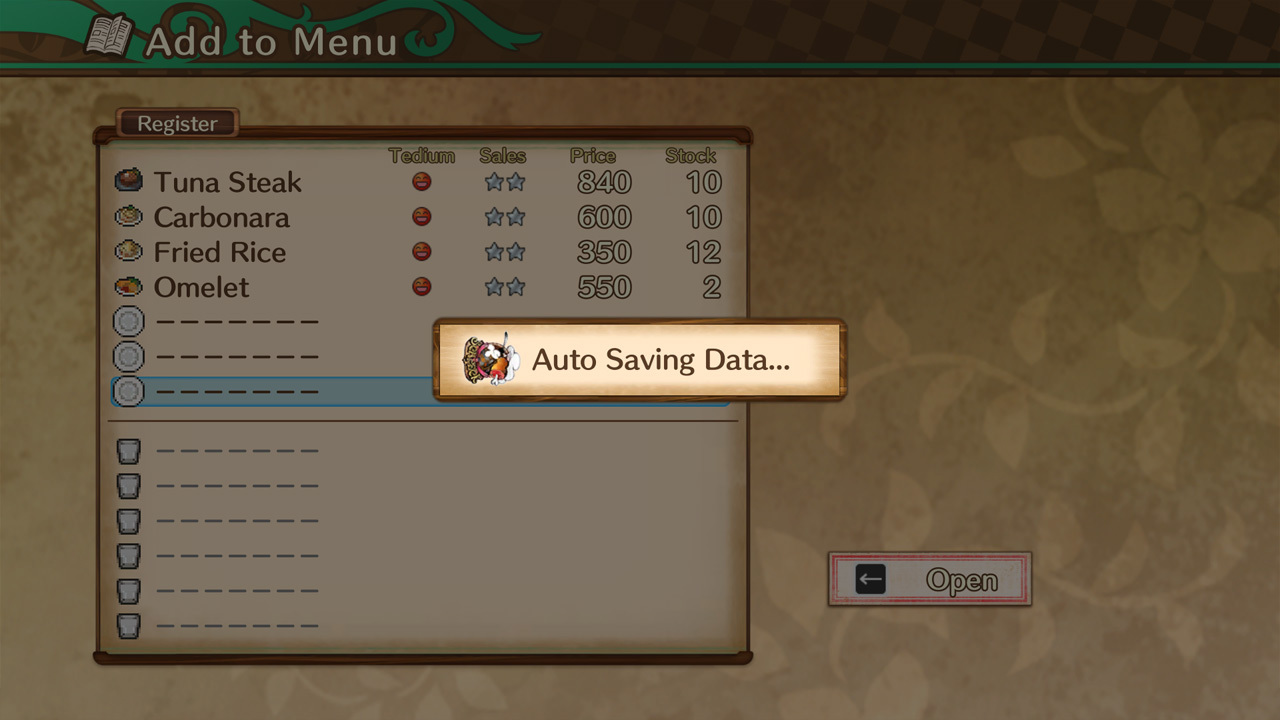
We have added and fixed the following three features. ①Implemented autosave We have decided to perform an autosave when you "open" a store. We have added an autosave slot to the top of the loading screen.
Full notes
Full Adventure Bar Story update
Read the full published notes in a cleaner layout. The original post stays linked below.
What changed
1 fix2 additions1 change0 removals
Fixes
Store
UI and audio
Gameplay
fixedWe have added and fixed the following three features.
added①Implemented autosave We have decided to perform an autosave when you "open" a store. We have added an autosave slot to the top of the loading screen.
added②Added "Custom" to keyboard controls You can select this in Option → System → Keyboard "Configurations". You can go to the customization screen from the menu button.
changed③Changed the default setting of "Vsync" to OFF This is a change to the default settings, so there will be no changes for users who have already played the game. If you find that your cursor or character movement is too fast, try turning off the "Vsync" setting, which can be set in Option → System.
Adventure Bar Story changes
fixedWe have added and fixed the following three features.
added①Implemented autosave We have decided to perform an autosave when you "open" a store. We have added an autosave slot to the top of the loading screen.
added②Added "Custom" to keyboard controls You can select this in Option → System → Keyboard "Configurations". You can go to the customization screen from the menu button.
changed③Changed the default setting of "Vsync" to OFF This is a change to the default settings, so there will be no changes for users who have already played the game. If you find that your cursor or character movement is too fast, try turning off the "Vsync" setting, which can be set in Option → System.
We have added and fixed the following three features.
①Implemented autosave We have decided to perform an autosave when you "open" a store. We have added an autosave slot to the top of the loading screen.
②Added "Custom" to keyboard controls You can select this in Option → System → Keyboard "Configurations". You can go to the customization screen from the menu button.
③Changed the default setting of "Vsync" to OFF This is a change to the default settings, so there will be no changes for users who have already played the game. If you find that your cursor or character movement is too fast, try turning off the "Vsync" setting, which can be set in Option → System.