
HomeGamesUpdatesPricingMethodology
Steam News18 June 20197y ago

How to use the Photo Mode in A Plague Tale: Innocence

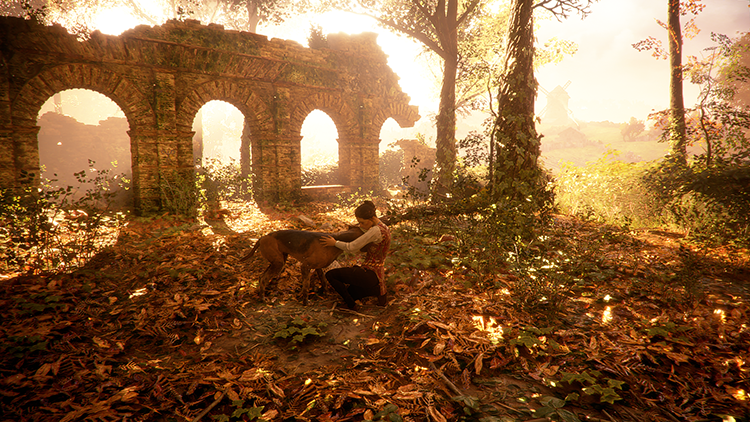
Hello everyone, As promised, our brand-new Photo Mode is available on PC and console! You can now take amazing screenshots of the game whenever you want! You can easily access the Photo Mode from the pause menu.

Full notes

Full A Plague Tale: Innocence update

Read the full published notes in a cleaner layout. The original post stays linked below.

Repeated intro

Hello everyone,

What changed

0 fixes1 addition1 change0 removals
  • Gameplay
  • UI and audio
addedAs promised, our brand-new Photo Mode is available on PC and console! You can now take amazing screenshots of the game whenever you want! You can easily access the Photo Mode from the pause menu.
changed⚠️If you are playing without any interface, the only way to take your picture is to press down “enter”.

A Plague Tale: Innocence changes

addedAs promised, our brand-new Photo Mode is available on PC and console! You can now take amazing screenshots of the game whenever you want! You can easily access the Photo Mode from the pause menu.
changed⚠️If you are playing without any interface, the only way to take your picture is to press down “enter”.

As promised, our brand-new Photo Mode is available on PC and console! You can now take amazing screenshots of the game whenever you want! You can easily access the Photo Mode from the pause menu.

You just have to select it to get access to the mode itself. You are now manually able to change the brightness, contrast, the depth of field or even choose to take only Black and White screenshots.

⚠️If you are playing without any interface, the only way to take your picture is to press down “enter”.

All of the screenshots you take in this mode are directly saved to Documents\My Games\A Plague Tale Innocence\Screenshot. We can't wait to see your beautiful screenshots!

Source

Steam News / 18 June 2019

Open original post

Changelog.gg summarizes and formats this update. How we read updates.