
In this update8
Full notes
Full 8月32日の水族館VR update
Read the full published notes in a cleaner layout. The original post stays linked below.
What changed
- Store
- Balance
- Server
- Performance
- UI and audio
- Gameplay
8月32日の水族館VR changes
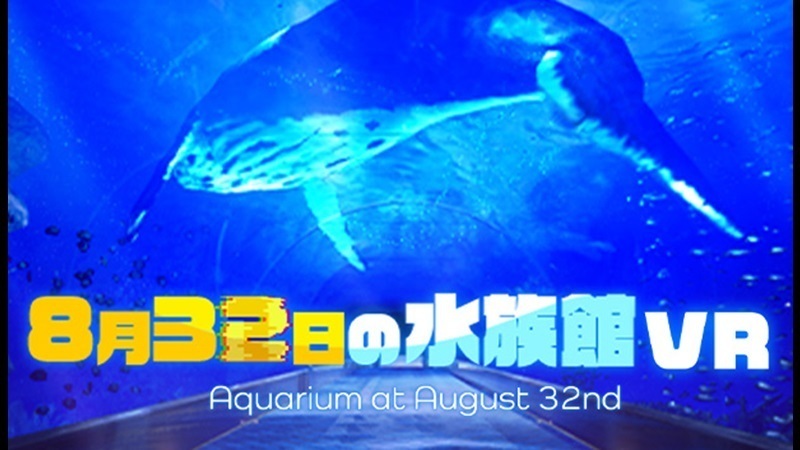
Thank you very much for purchasing "Aquarium at August 32nd VR." Our aquarium provides the experience of playing games using a VR controller by connecting your VR headset (HMD) to your PC.
Playing VR games may be harmful to your health or put a heavy load on your PC, depending on the VR headset you use and the applications you use in conjunction with it.
Aquarium staff will provide explanations, so if you're playing VR games for the first time, please read this guidebook carefully.
🥽Connecting a VR headset (HMD) to a PC
To play this game using a VR headset, you will need to install a linking application such as "Steam VR" or "Meta Quest Link" on your PC.
After making sure that you can launch the application, link your VR headset to your PC using the method described below.
(A) Wireless connection via Wi-Fi using "Steam VR" and "Steam Link"
If you have Steam VR installed on your PC, you can play Aquarium at August 32nd VR in conjunction with Steam VR by launching Steam Link from a VR headset connected to the same network. If you choose this method, you can quit and launch the game from the Steam Link app on your VR headset.
*If you are using a wireless Wi-Fi connection, we recommend playing on a network that can maintain communication speeds equivalent to Wi-Fi 6.
(B) Connection using the VR headset's own collaboration app
For example, if your VR headset is from the "Meta Quest" series, you can install the "Meta Quest Link" app on your PC, connect and register your Meta Quest to your PC, and then use "Link" from the Meta Quest quick settings to play "Aquarium at August 32nd VR" in conjunction with Meta Quest Link and Steam VR.
If you choose this method, you can exit and start the game from the Meta Quest Link menu on your VR headset.
*If you are connecting Meta Quest to a PC via a wired connection, we recommend using a USB cable that can maintain a communication speed equivalent to USB 3.1 Gen 1. If you are connecting wirelessly via Wi-Fi, we recommend playing on a network that can maintain a communication speed equivalent to Wi-Fi 6. *Depending on your environment, you may need to change the OpenXR runtime from "Steam VR" Settings -> "OpenXR" item.
*The screen is in Japanese settings.
(C) Wireless connection via Wi-Fi using an external app
By using an external app with the same functionality as the connection app mentioned above, you may be able to link with Steam VR in a more customized environment and enjoy a more comfortable gaming experience.
We cannot guarantee that an external app will work, but if the above method does not provide a good gaming experience, please consider using it.
🖥️VR game resolution settings
When displaying images on a VR headset, the load on your PC will vary depending on the settings of linked apps such as Steam VR.
If the resolution is set too high for the performance of your PC's CPU and graphics card, there is a risk that your PC will overheat or the load will cause you to be unable to control the game, so please check the rendering resolution in advance in the settings of linked apps such as Steam VR.
For example, when using "Meta Quest 2" and Steam VR, the standard resolution is set to 2244 x 2352. If the game runs slowly, try adjusting the rendering resolution to 50% (1292 x 1356) in the Steam VR settings menu.
*The screen is in Japanese settings.
🎪Tunnel effect function to reduce VR sickness
"Aquarium at August 32nd VR" has a tunnel effect toggle available as an accessibility feature for visitors who feel sick while experiencing VR games. Turning on the tunnel effect may help reduce VR sickness by adding a visual effect outside of your field of vision when turning or moving. Please use it according to your preference.
The effect varies from person to person, so if you feel unwell even with the tunnel effect turned on, please stop playing the game and take a break.
🪄Precautions when using the VR controller
When using the VR controller, please make sure it will not hit any objects or people around you, and use it with safety in mind.
To ensure the safety of visitors, "Aquarium at August 32nd VR" is designed so that players can progress through the game without having to swing or thrust the VR controller.
🌀Troubleshooting
If for any reason you are unable to control the game, please force quit the game by clicking the "Close" button at the top of the window on the PC running "Aquarium at August 32nd VR."
This concludes the aquarium's announcement. Please be mindful of your health and enjoy your time at our aquarium to your heart's content.
Source
Changelog.gg summarizes and formats this update. How we read updates.