
Update log
Full World of Warships update
The complete published notes, normalized for clean reading and source attribution.
Extracted changes
- Gameplay
- UI and audio
- Events
The combat mission system is one of the oldest components in our game.
Combat missions themselves have significantly changed since they first appeared in the game: we introduced Daily Challenges and Directives, added mission requirements for new battle types and ship branches, and made many other changes.
For Update 0.9.5, we've reworked the "Combat Missions" interface in order to synchronize it with all the current game features. The updated interface will make it easier to navigate through combat missions, their requirements, and rewards.
| Summary of Changes ● Updated Interface ● Post-battle Statistics Screen ● "Or" Condition |
|---|
Summary of Changes
Access to the list of combat missions, their requirements, and rewards will now be more intuitive and user-friendly. The new interface allows us to display more combat missions on the screen, thus facilitating section navigation.
The detailed descriptions of mission requirements and the available rewards has also been improved. You no longer need to hover the cursor over different interface elements to see the rewards and requirements of a chain of combat missions.
The distribution of missions by tabs is now more simple and clear.
Directives have been moved to a separate tab in the "Combat Missions" section.
The post-battle statistics screen now displays additional information that will make it easier for you to track your progress in combat missions.
We've added an "or" condition that will allow us to create combat missions that are equally interesting to all players.
Updated Interface
The new interface for the "Combat Missions" tab provides access to the list of available combat missions and detailed information about their requirements, and will make it easier to track your progress.
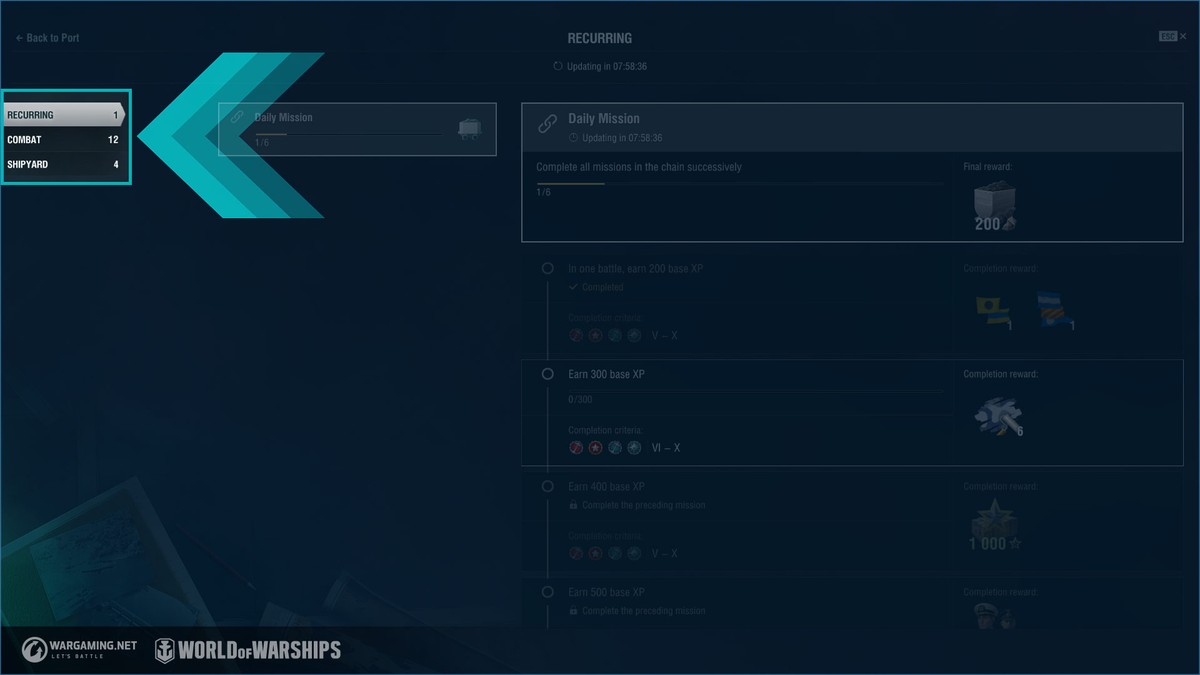
Missions are now distributed across tabs. For example, Daily Missions, missions and Directives of the currently active event.
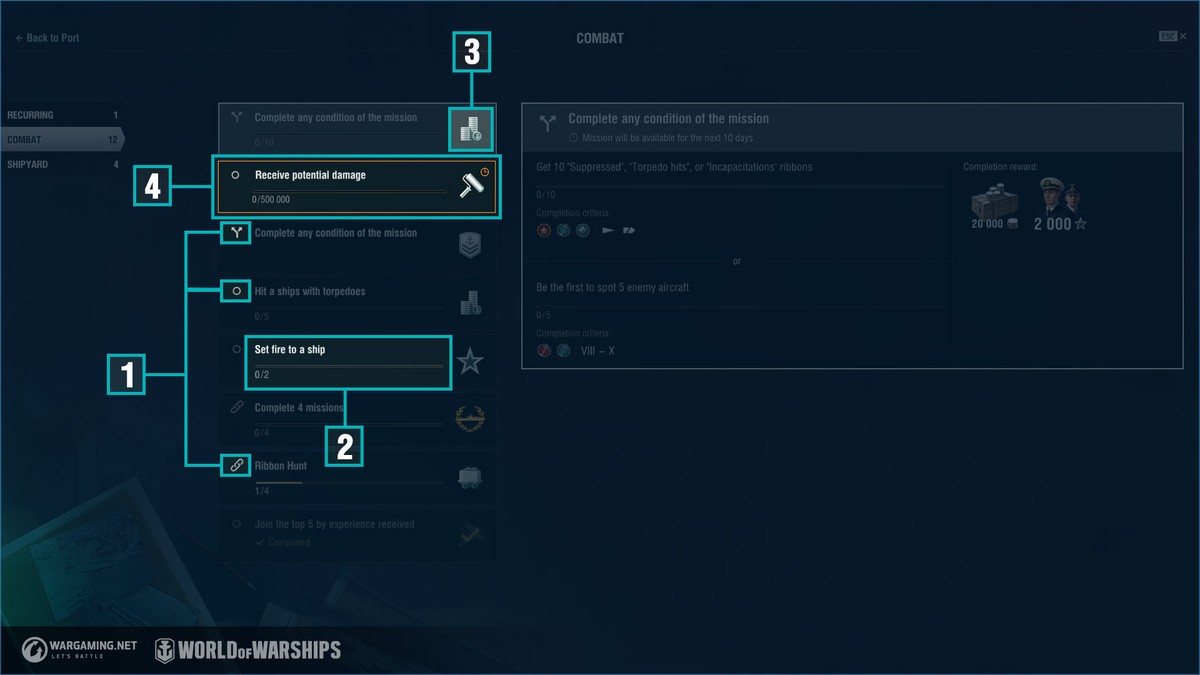
Under each tab, you'll see a list of the current combat missions, their requirements, your progress, and the rewards you can expect for completing them:
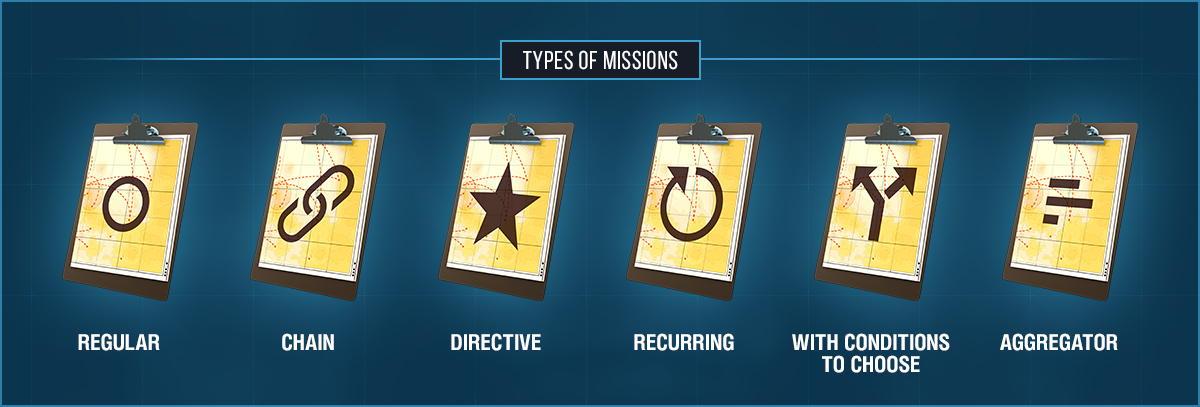
1. Combat mission type. Shows whether the current mission is a chain, a recurring mission, a Directive, contains an "or" condition, or is a parent mission that requires the completion of other combat missions in order to finish it.
2. Mission requirements and current progress.
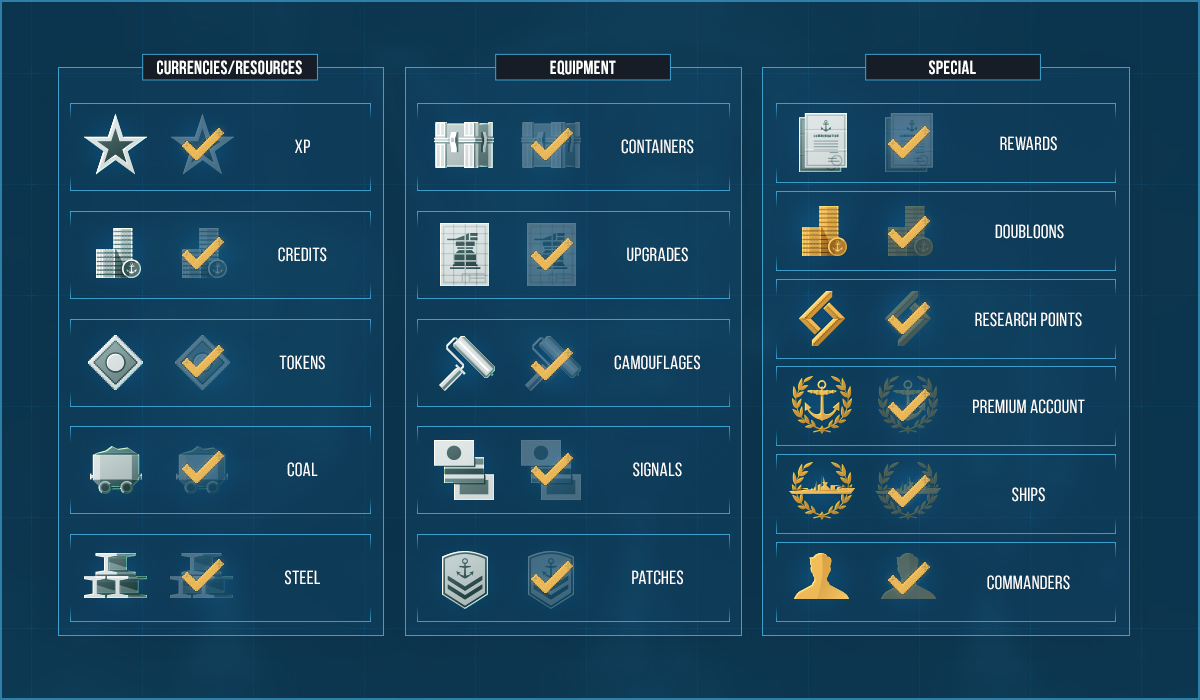
3. Icon with the main reward for the mission.
4. Notification about the approaching expiration of the mission.
Pop-up tooltips will appear when you hover the mouse cursor over interface elements.
Clicking on a mission from the list will show the detailed requirements of this mission, your current progress, the remaining time in which to complete it, and the available rewards.
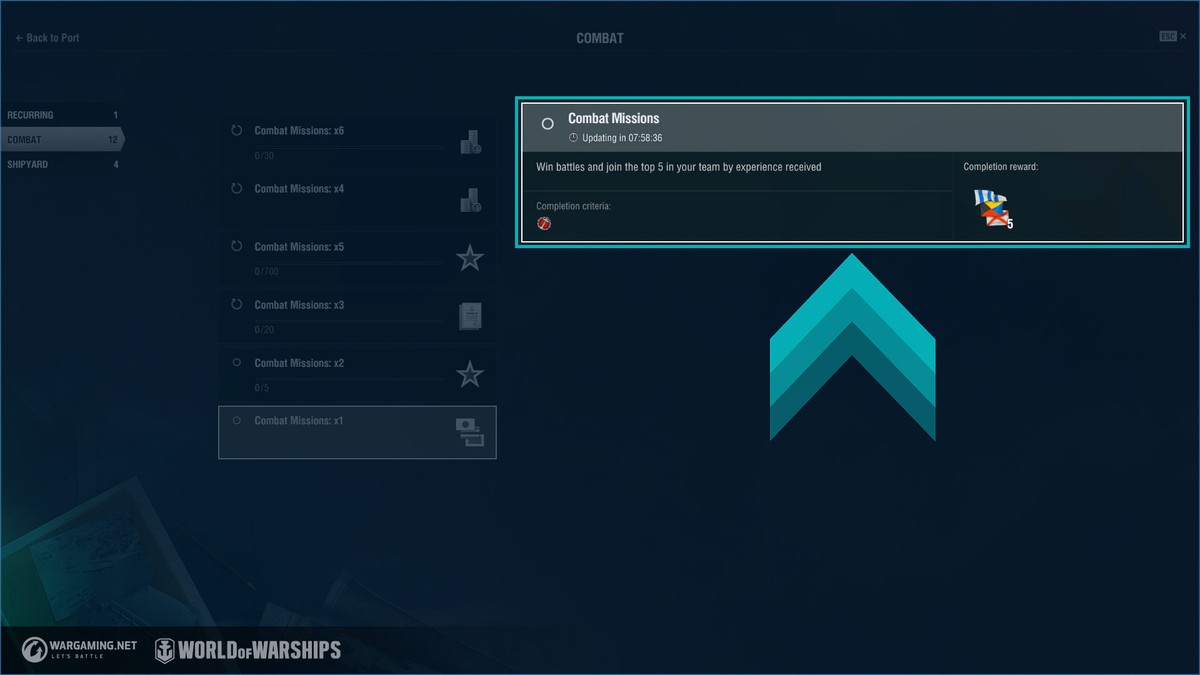
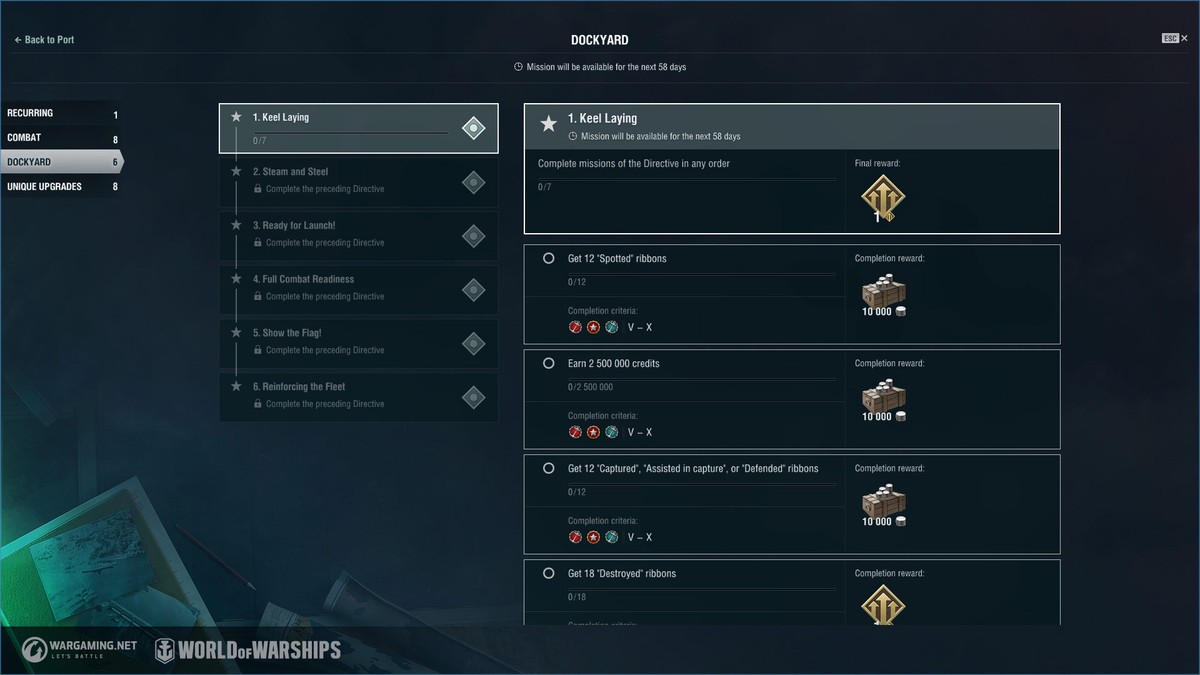
For Directives and combat mission chains, all the missions of this Directive/chain will be displayed, including a detailed description of their completion requirements.
Post-battle Statistics Screen
The statistics screen now shows the icons of rewards and indicates current progress.
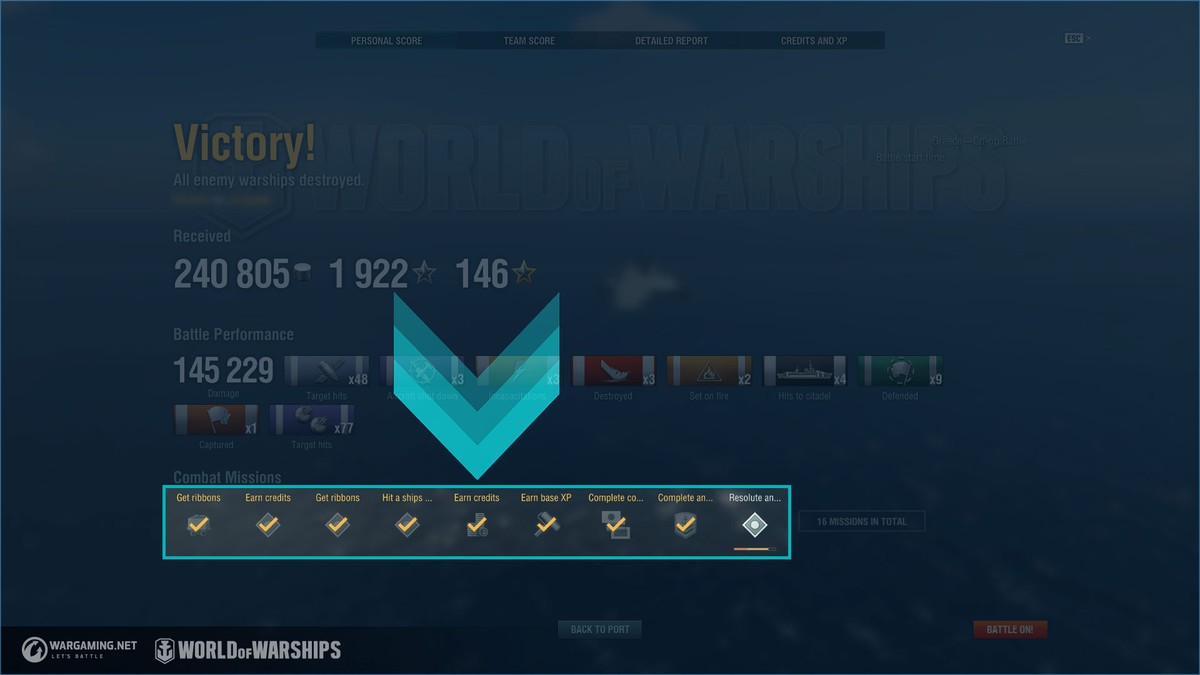
When hovering the mouse cursor over a mission, a tooltip will pop up displaying the available rewards, mission requirements, and current progress.
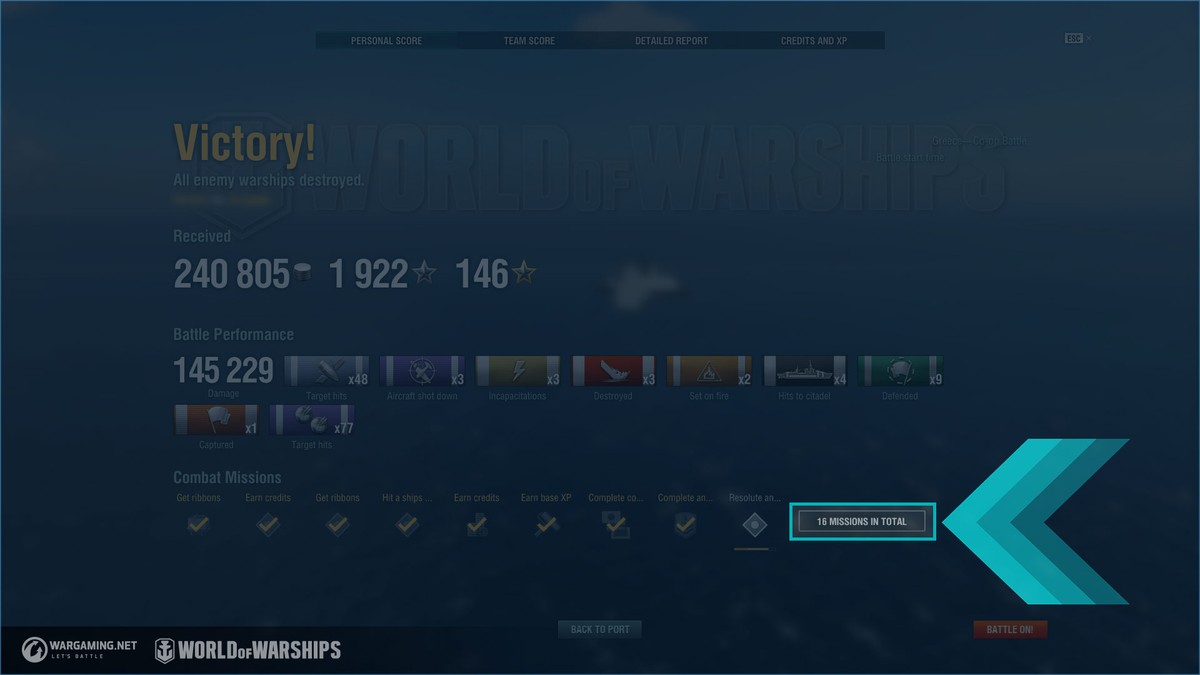
The main new feature of the update is a tab containing detailed descriptions of the current combat missions that you can open by clicking on a button in the right part of the "Combat missions" section.
The interface allows you to view detailed information about any combat missions you've completed within a battle, without having to return to the Port.
"Or" Condition
To complete missions with an "or" condition, you need to complete only one of the two given requirements. For example, you can either earn 10,000 Base XP OR destroy
Source